






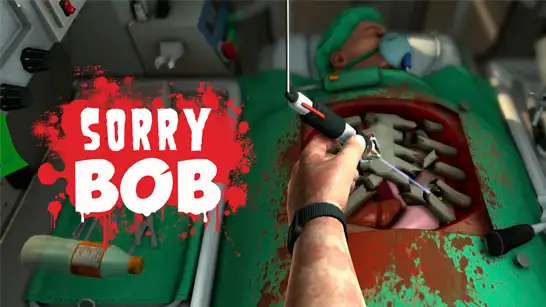








Play Sorry Bob free. Control each finger individually to perform chaotic surgeries against the clock. Sorry Bob puts you in charge of a surgeon’s hand, a table full of sharp instruments, and a patient whose survival depends entirely on how steady your fingers are. Spoiler: they are not steady. Every scalpel grip, every wrist turn, and every tool swap is its own tiny puzzle, and one wrong move sends blood loss climbing fast. No downloads, no account required to start. Works in Chrome, Firefox, Edge, and on mobile.
What Is Sorry Bob?
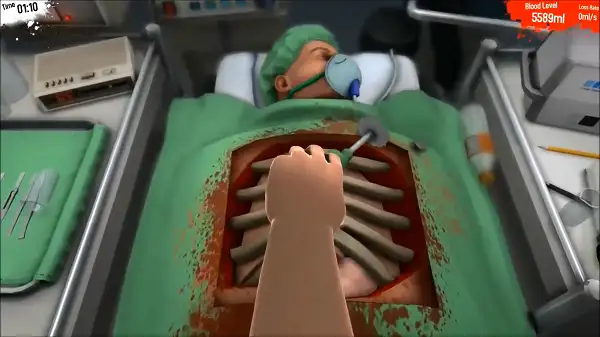
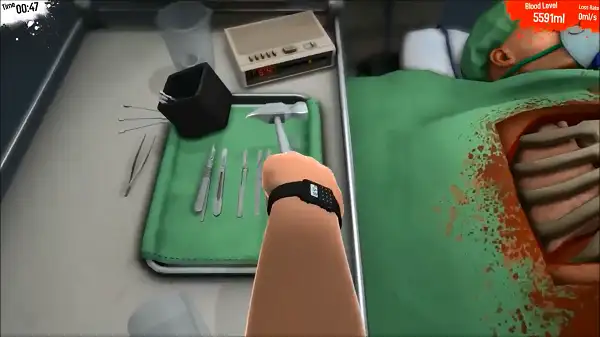
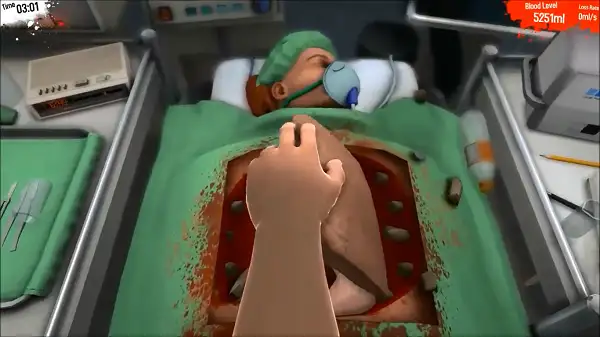
Sorry Bob is a free, browser-based surgery simulation game built entirely around intentionally clumsy controls. Rather than simply clicking to perform a surgical action, you individually control each finger of the surgeon’s hand, which turns something as basic as picking up a scalpel into a genuine test of coordination. It’s less about medical accuracy and more about the comedy and tension of trying to complete a precise task with hands that don’t want to cooperate.
Each level assigns a clear surgical objective, and you’re working against two pressures at once: a countdown timer and the patient’s steadily draining blood level. Succeed, and you’ll unlock new operations and environments to try. Fail, and you’ll be starting that operation over – which, given how the controls work, happens to almost everyone at least a few times before they get the hang of it.
How to Play Sorry Bob
- Understand the objective before you start. Each surgery has a specific goal, like replacing a damaged organ – know what you’re working toward before grabbing any tools.
- Move the hand into position. Use the mouse to guide the surgeon’s hand over the table and toward the tool or area you need.
- Grip carefully with individual fingers. Rather than one simple “grab” input, each finger is controlled separately – closing them around a tool takes real coordination, and grabbing too hard or too fast can cause problems.
- Lower the hand to interact. Once you’re in position and holding a tool correctly, lower your hand to actually use it on the patient.
- Rotate the wrist when needed. Certain actions require angling your grip, which adds another layer of precision on top of the finger controls.
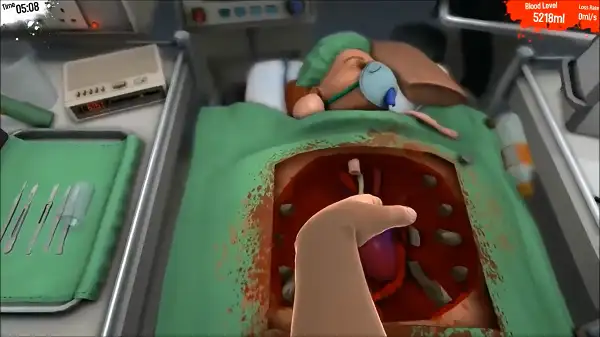
- Watch the patient’s blood level. Every mistake causes bleeding, and blood loss climbs steadily throughout the operation – use syringes or simply work more efficiently to keep it under control.
- Complete the objective before time runs out or blood loss becomes critical to pass the level and move on to the next operation.
Controls
| Action | Input |
|---|---|
| Move the hand | Mouse |
| Control individual fingers | Space, A, W, E, R |
| Lower the hand | Left Mouse Button |
| Rotate the wrist | Right Mouse Button |
Each of the five finger keys corresponds to one finger on the surgeon’s hand, meaning a simple grip actually requires coordinating multiple keys at once. This is exactly what makes Sorry Bob’s controls feel so deliberately clumsy – and exactly what makes successfully completing a clean operation so satisfying once you’ve built up some muscle memory. On mobile and tablets, touch controls adapt this same finger-by-finger system to on-screen buttons.
Tools and Surgery
The operating table is cluttered with a mix of proper medical equipment and some tools you’d really rather not see near a patient – scalpels, saws, hammers, and syringes are all scattered around, waiting to be picked up. Every tool needs to be gripped correctly using the finger controls before it can be used, and moving too fast or squeezing too hard while grabbing one is a common way for a routine pickup to turn into an accident. Syringes in particular are useful for managing blood loss mid-surgery, giving you a way to buy yourself more time if a level starts going wrong.
Levels and Progression
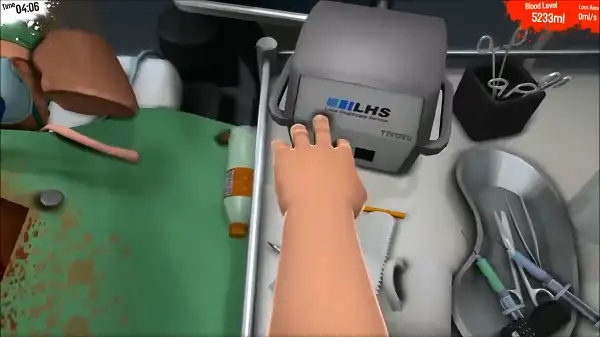
Each level in Sorry Bob presents its own surgical objective and its own set of challenges, and successfully completing one unlocks new operations and environments to attempt. As you progress, expect the objectives and the pressure to ramp up – later levels demand cleaner execution and faster decision-making than the early, more forgiving stages.
Tips and Tricks
- Practice basic gripping before attempting a real objective. Since coordinating the individual finger keys takes real getting used to, spending a moment just picking up and putting down a simple tool helps build the muscle memory you’ll need under pressure.
- Move slowly and deliberately, especially early on. Fast, aggressive hand movements are far more likely to cause accidental injuries than slow, controlled ones – patience consistently beats speed in this game.
- Keep a syringe within reach during risky operations. Since blood loss climbs with every mistake, having a way to manage it mid-surgery gives you a safety net when things don’t go perfectly.
- Understand the objective fully before grabbing any tools. Jumping straight into grabbing whatever’s closest without a clear plan often leads to using the wrong tool or working in the wrong order.
- Don’t overcorrect after a mistake. A single bad grip or misplaced cut can tempt you into rushing to fix it, but overcorrecting tends to cause a second mistake right on top of the first – reset your approach calmly instead.
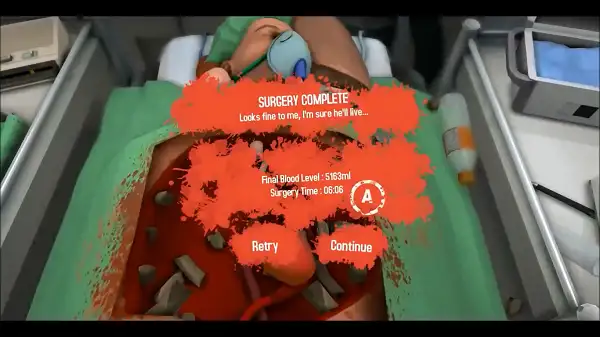
- Expect to fail a level a few times before clearing it. The clumsy control scheme is the whole point of the game – treat early failed attempts as part of learning that specific level’s tool layout and objective, not as a sign you’re doing something fundamentally wrong.
Other Similar Games
Frequently Asked Questions
What is Sorry Bob?
Sorry Bob is a free, browser-based surgery simulation game where you control a surgeon’s hand – including each individual finger – to complete deliberately difficult, clumsy operations against a countdown timer and a draining patient blood meter.
What are the controls?
Use the mouse to move the hand, Space, A, W, E, and R to control individual fingers, Left Click to lower the hand, and Right Click to rotate the wrist.
Why are the controls so hard?
The difficulty is intentional. Instead of a single simple grab button, each finger is controlled separately, turning basic actions like picking up a scalpel into a genuine coordination challenge – that clumsiness is the core joke and challenge of the game.
How do I stop the patient from losing too much blood?
Avoid unnecessary injuries by moving carefully and gripping tools correctly, and use syringes when available to help manage blood loss during an operation.
How do I pass a level?
Complete that level’s specific surgical objective before time runs out or the patient’s blood level drops to a dangerous point, while keeping their condition stable throughout.
What tools are available during surgery?
A mix of proper medical tools and unconventional ones are scattered across the operating table, including scalpels, saws, hammers, and syringes.
Does the game get harder as I progress?
Yes. Completing levels unlocks new operations and environments, and later levels generally demand more precision and faster decision-making than earlier ones.
Which browser works best for Sorry Bob?
Sorry Bob runs well on Chrome, Firefox, and Edge.
Can I play Sorry Bob on a phone or Chromebook?
Yes. Sorry Bob works in any modern browser, including on Chromebooks, and includes touch controls adapted for mobile devices.
Why isn’t Sorry Bob loading?
Check your internet connection, make sure this site isn’t blocked on your network, and try disabling any ad blockers – these are the most common causes of loading issues.
SimulationCasualPopular games