







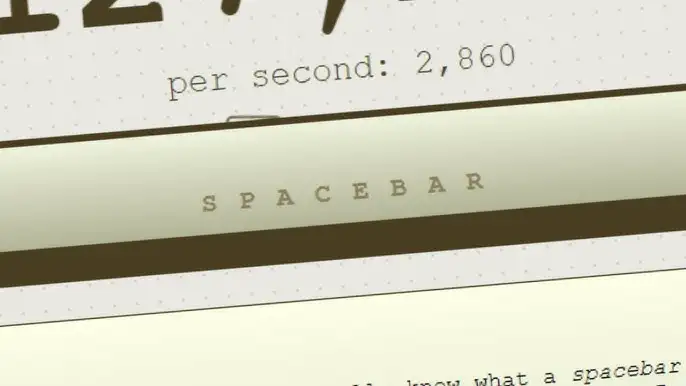






Play Spacebar Clicker free. Press spacebar to earn points, unlock upgrades and automation, and grow your score. Spacebar Clicker asks nothing of you but a single key. Press it, earn a point, and watch a simple idle economy grow underneath your fingertip – buy upgrades, unlock automation, and before long your score is climbing on its own even when you stop pressing. It’s proof that a genuinely addictive incremental game doesn’t need to be complicated to work. No downloads, no account required to start. Works in Chrome, Firefox, Edge, and on mobile.
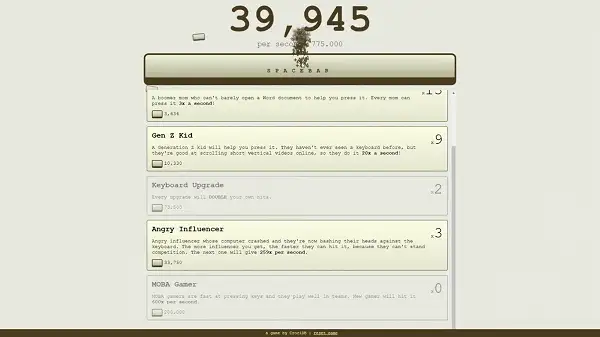
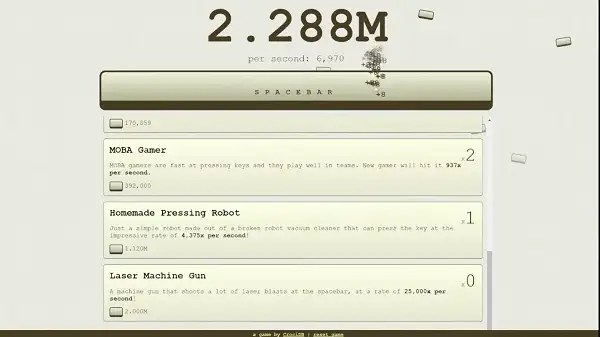
Spacebar Clicker is a free, browser-based idle clicker game where every press of the spacebar earns you a point, which you then spend on upgrades that boost your manual clicks and unlock automation that keeps earning points without any input at all. It was originally created by developer Bruno Croci (also known as CrociDB) as an entry for the js13kGames 2021 competition – a well-known challenge where developers have to build a complete, functioning game in just 13 kilobytes of code. That size constraint is part of what makes the game’s design so impressive: a tight, focused core loop with genuine long-term progression, built with almost nothing to spare.
Because it’s simple, lightweight, and endlessly replayable, Spacebar Clicker has spread widely since its original release, with many different community-hosted versions now available across browser gaming sites. The core loop stays consistent wherever you play it: click, upgrade, automate, and watch your numbers climb.
How to Play Spacebar Clicker
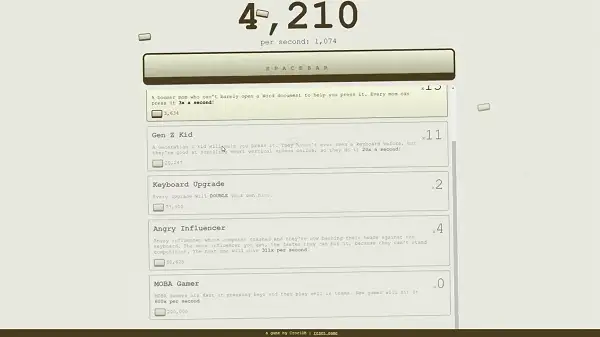
- Press the Spacebar to earn points. Each press adds to your total – this is your only source of income at the very start.
- Spend points on upgrades. As your total grows, upgrades become available that increase how many points each manual press earns.
- Unlock automation. Auto-clicker style upgrades generate points on their own, continuously, without needing you to press anything.
- Reinvest constantly. Cheap upgrades early on compound quickly – don’t let points sit unspent for too long, especially in the early game.
- Balance manual clicking with automation. Early on, your own clicking speed matters a lot. Later, automation takes over most of the workload, letting you check in periodically rather than clicking constantly.
- Keep pushing your total higher – there’s no fixed end point, just steadily bigger numbers and steadily more powerful upgrades to chase.
Controls
| Action | Input |
|---|---|
| Earn a point | Spacebar |
| Buy upgrades / navigate menus | Mouse Click |
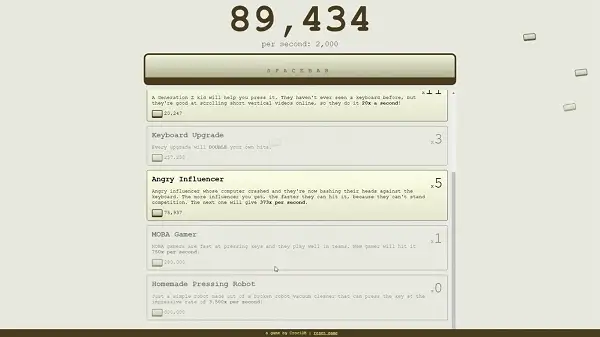
That’s the entire control scheme – one key drives the core loop, and the mouse handles everything else. On mobile, an on-screen button replaces the physical spacebar, so the same simple loop works with taps instead.
Upgrades and Automation
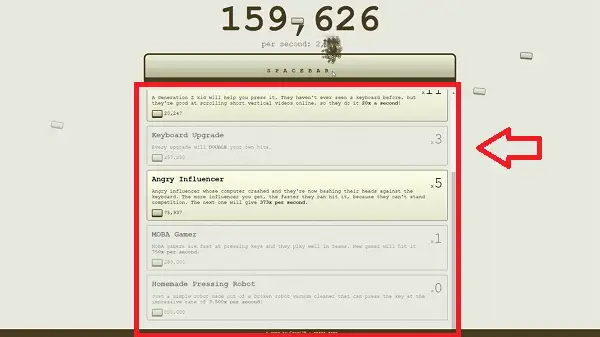
As your point total grows, a range of upgrades becomes available, generally falling into two categories:
- Click value upgrades – Increase how many points each manual spacebar press earns, making your own active clicking more valuable over time.
- Automation upgrades – Add passive generators that earn points continuously on their own, gradually reducing how much manual clicking is actually required to keep progressing.
Because the exact number and names of upgrades can differ between the many community-hosted versions of the game, don’t be surprised if the specific upgrade list looks a little different depending on where you’re playing – the underlying click-then-automate loop stays the same either way.
Tips and Tricks
- Don’t hoard points early on. In the opening stretch of the game, cheap upgrades that boost your click value pay for themselves quickly – sitting on unspent points slows your progress more than it helps.
- Prioritize automation once it’s available. Manual clicking has a practical limit to how fast you can go, but automated generators keep producing points even when you’re not actively playing.
- Compare cost to benefit before big purchases. When an upgrade gets expensive, it’s worth checking whether a cheaper option gets you more value per point spent before committing your whole balance to one purchase.
- Let the game idle once you have solid automation running. Once passive generators are doing much of the work, stepping away and checking back later is often more efficient than constantly clicking yourself.
- Set small milestones to stay motivated. Aiming for the next round number – 1,000, then 10,000, then 100,000 – keeps the grind feeling purposeful rather than endless.
- Take breaks during long clicking sessions. Rapid, sustained clicking can strain your hand or wrist over time – short rests during a long session are worth it, especially since automation reduces how much manual clicking you actually need anyway.
Other Similar Games
Frequently Asked Questions
What is Spacebar Clicker?
Spacebar Clicker is a free, browser-based idle clicker game where pressing the spacebar earns points that you spend on upgrades and automation to grow your score over time.
Who made Spacebar Clicker?
Spacebar Clicker was originally created by developer Bruno Croci as an entry for the js13kGames 2021 competition, a challenge where games must be built in just 13 kilobytes of code.
What are the controls?
Press the Spacebar to earn points manually, and use the mouse to browse and purchase upgrades from the shop menu.
Do I need to keep clicking the whole time?
No, not once you’ve unlocked automation upgrades. Early on, manual clicking is your main source of points, but automated generators eventually take over most of the workload, letting your score grow even while you’re away.
Is there an ending to Spacebar Clicker?
No. Like most idle clicker games, there’s no fixed finish line – the goal is simply to keep growing your point total and unlocking increasingly powerful upgrades.
Why do different versions of Spacebar Clicker look slightly different?
Since the game has been widely shared and rebuilt across many browser gaming sites since its original release, the exact upgrade list and visual style can vary between versions, even though the core click-and-automate loop stays the same.
Which browser works best for Spacebar Clicker?
Spacebar Clicker runs well on Chrome, Firefox, and Edge, thanks to its lightweight, minimal design.
Can I play Spacebar Clicker on a phone or Chromebook?
Yes. It works in any modern browser, including on Chromebooks, and uses an on-screen tap button in place of a physical spacebar on mobile devices.
Why isn’t Spacebar Clicker loading?
Check your internet connection, make sure this site isn’t blocked on your network, and try disabling any ad blockers – these are the most common causes of loading issues.
ClickerPopular games