






Play Bloxorz Unblocked free. Roll the block through 33 tricky levels, master switches and split-block puzzles, and reach the exit hole. No download needed. Bloxorz asks you to do one thing: roll a tall rectangular block across a floating platform and tip it perfectly upright into a square hole. That’s the entire premise, and yet it’s been quietly humbling puzzle fans since 2007 – because standing a block on its end over a single tile, without ever letting so much as a corner hang off the edge, turns out to be a genuine brain-bender. No downloads, no account. Works in Chrome, Firefox, Edge, and on mobile.
What Is Bloxorz?
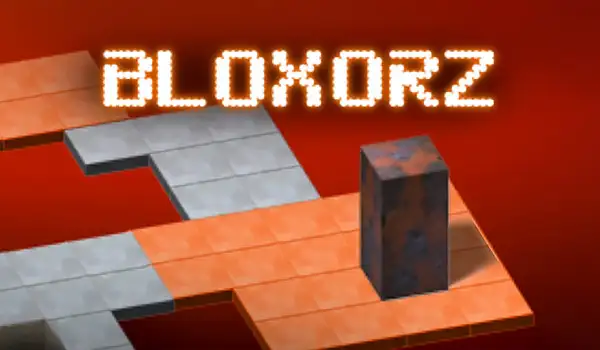
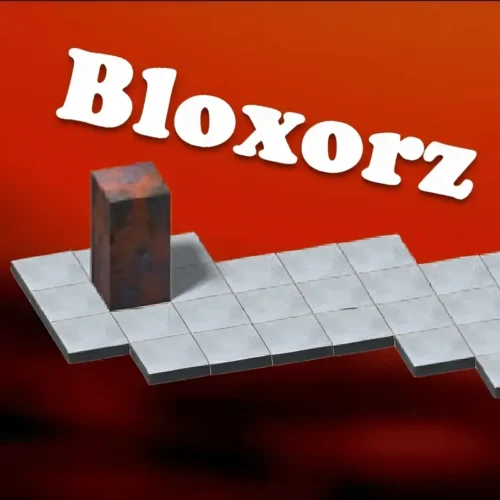
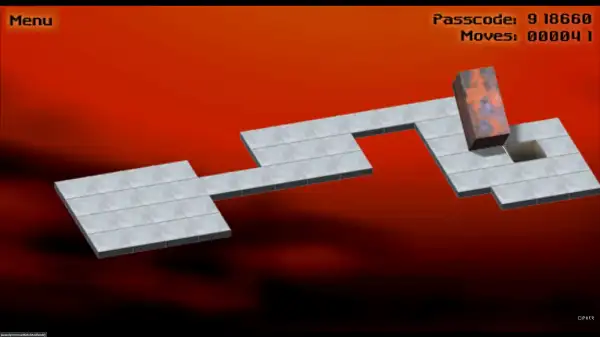
Bloxorz is a free, browser-based logic puzzle game created by Damien Clarke of DX Interactive, originally released in August 2007. The concept is deceptively simple: you control a block twice as long as it is wide, and your job is to roll, tip, and maneuver it across a grid-based platform until it falls perfectly upright into a square exit hole. There’s no combat, no timer forcing your hand, and no random elements – just pure spatial reasoning, one careful roll at a time.
What makes it a genuine classic rather than just a simple time-waster is how much complexity gets layered on top of that one basic rule across its 33 levels. Fragile tiles, switches that open and close bridges, and a mechanic that splits your block into two separately-controlled pieces all get introduced gradually, turning a simple rolling puzzle into something that demands real planning several moves ahead.
How to Play Bloxorz
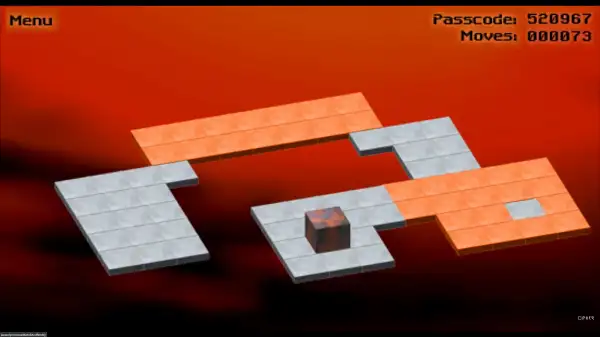
- Move the block with the Arrow Keys or WASD. The block will roll over onto its next side in whichever direction you push it.
- Get a feel for the block’s two states. It can lie flat, covering two tiles, or stand upright, covering just one – and how it currently rests determines which moves are safe.
- Avoid hanging off the edge. If any part of the block extends past the platform with nothing beneath it, it falls and the level restarts from the beginning.
- Watch for orange tiles. These fragile tiles look normal but will collapse if the block stands upright on top of one – stick to rolling over them lying flat instead.
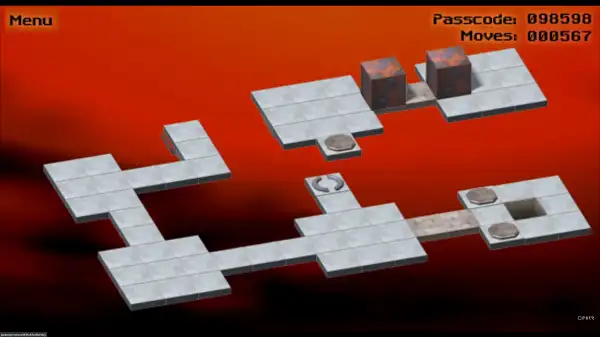
- Trigger switches carefully. Circular “soft” switches activate no matter how the block touches them, while X-shaped “hard” switches only trigger when the block is standing upright and pressing down with its full weight.
- Handle split switches with care. Certain switches break your block into two smaller 1×1 cubes and teleport them to new locations. Use the Spacebar to choose which small cube you’re currently controlling, and bring them back next to each other to rejoin into the full block.
- Get the full block standing upright over the exit hole to complete the level – note that split, small blocks can’t fall through the exit on their own; they need to be rejoined first.
Controls
| Action | Key |
|---|---|
| Move the block | Arrow Keys or WASD |
| Select a small block (after splitting) | Spacebar |
That’s the complete control scheme – Bloxorz keeps its inputs minimal on purpose, so all the challenge comes from planning your moves rather than executing complicated commands. On mobile, swipe in the direction you want the block to roll.
Special Tiles and Switches
- Orange (Fragile) Tiles – Collapse if the block stands upright on top of one. Roll across these lying flat instead of standing them up here.
- Soft Switches (Circle) – Activate as soon as any part of the block touches them, regardless of whether it’s lying down or standing up. Typically used to open or close bridges.
- Hard Switches (X-Shaped) – Require the block to be standing fully upright to trigger, since they need the concentrated weight of the block balanced on one tile.
- Teleport / Split Switches – Split your block into two separate 1×1 cubes and teleport them to new locations on the level. Each cube can be controlled individually by pressing Spacebar to switch between them, and they rejoin into a full block automatically once placed next to each other. Small cubes can activate soft switches but aren’t heavy enough for hard switches, and can’t fall through the exit hole on their own.
Later levels frequently combine several of these mechanics in the same puzzle, so recognizing each tile type at a glance becomes an important skill as you progress.
Levels and Difficulty
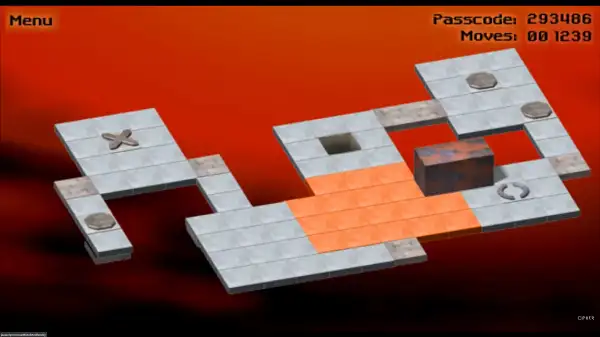
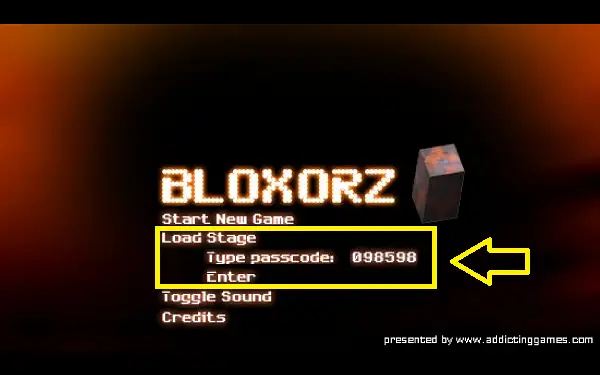
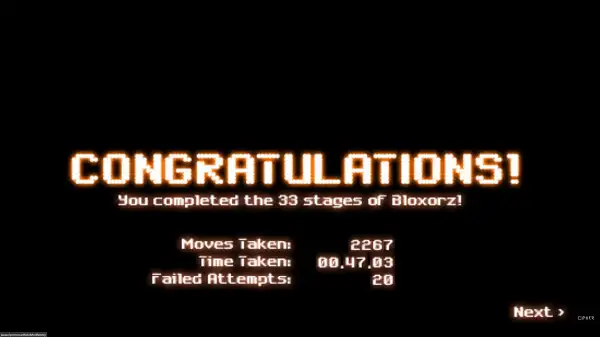
Bloxorz includes 33 levels in total, with difficulty escalating steadily as new mechanics get introduced. Each level displays a six-digit passcode in the top-right corner of the screen – noting this down lets you jump straight back to that level later through the “Load Stage” option in the main menu, rather than needing to replay everything from the beginning if you come back to the game later.
A handful of levels have earned a particular reputation among longtime players for being unusually difficult, with Levels 7, 11, and 33 frequently singled out as the toughest tests of logic and spatial planning in the entire game. If you’re a completionist chasing speed, the fastest known time to clear all 33 levels sits at just over 10 minutes – a good benchmark for just how much route-planning experienced players have wrung out of this game over the years.
Tips and Tricks
- Plan several moves ahead before you commit. Since falling off the edge sends you back to the start of the level, it’s almost always worth pausing to trace out your intended path before rolling into an unfamiliar section of the platform.
- Default to lying flat when uncertain. A block lying flat covers more tiles and is generally safer near narrow paths and fragile orange tiles than standing upright, which balances on a single tile.
- Note your passcode at the start of every level. If you need to stop playing or want to revisit an earlier stage, having the six-digit code saved means you won’t have to replay levels you’ve already solved.
- Take split-block levels slowly. Juggling two separately-controlled cubes is where a lot of players start making mistakes – move one cube fully into position before worrying about the second, rather than trying to advance both at once.
- Remember which switches need weight. If a bridge isn’t opening the way you expect, check whether the switch is a hard X-shaped type that needs your block standing upright rather than lying flat.
- Don’t rush infamous levels like 7, 11, or 33. These are specifically designed to demand more careful thought than earlier stages – treat a slow, deliberate approach as the intended way to solve them rather than a sign you’re doing something wrong.
Other Similar Games
Frequently Asked Questions
What is Bloxorz?
Bloxorz is a free, browser-based logic puzzle game where you roll a rectangular block across a platform, trying to tip it upright into a square exit hole without falling off the edge, across 33 increasingly difficult levels.
Who made Bloxorz?
Bloxorz was created by Damien Clarke of DX Interactive and originally released in August 2007.
What are the controls?
Use the Arrow Keys or WASD to roll the block in any direction. If the block has been split into two smaller cubes by a teleport switch, press Spacebar to choose which one you’re currently controlling.
What happens if the block falls off the edge?
The level restarts from the very beginning. There’s no partial credit for progress made before falling, so careful planning matters more than fast reflexes.
What do the orange tiles do?
Orange tiles are fragile and will collapse if the block stands upright on top of one. Roll across them while the block is lying flat instead.
How do the split or teleport switches work?
Certain switches split your block into two smaller 1×1 cubes and send them to different parts of the level. You control each individually by pressing Spacebar to switch between them, and they merge back into the full block once placed next to each other. Only the full, rejoined block can pass through the exit hole.
How many levels does Bloxorz have?
There are 33 levels in total, with Levels 7, 11, and 33 widely considered among the hardest in the game.
Can I skip to a specific level?
Yes. Each level shows a six-digit passcode in the top-right corner. Note it down, and you can return directly to that level later using the “Load Stage” option from the main menu.
Is there a Bloxorz sequel?
Yes, a Bloxorz 2 exists with additional levels and new challenges beyond the original 33-level game.
Which browser works best for Bloxorz?
Bloxorz runs well on Chrome, Firefox, Edge, and Safari, having been converted from its original Flash format to run without any plugins.
Can I play Bloxorz on a Chromebook or phone?
Yes. Bloxorz works in any modern browser, including on Chromebooks, and supports swipe controls on mobile devices.
Why isn’t Bloxorz loading?
Check your internet connection, make sure this site isn’t blocked on your network, and try disabling any ad blockers – these are the most common causes of loading issues.
PuzzleSkill Games