






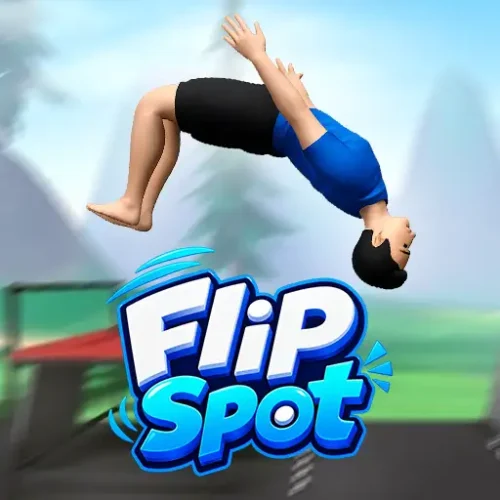







Play Flip Spot free. Charge your jump, flip, and stick the landing. Chase the +1/+3/+9 scoring curve across 3 levels and 8 skins. Flip Spot asks you to do one thing perfectly: launch off a platform, spin through the air, and stick the landing on a target spot before gravity makes the decision for you. A single flip is safe and modest. A triple flip is reckless and worth nine times as much. Every jump is a bet on how much rotation you can control before you run out of airtime. No downloads, no account required to start. Works in Chrome, Firefox, Edge, and on mobile.
What Is Flip Spot?
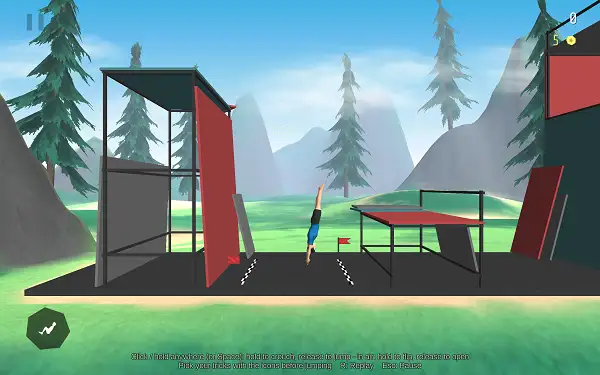
Flip Spot is a free, browser-based physics flip-and-land skill game published by 1Games.IO. You control a ragdoll-style athlete who launches off a platform, rotates through one or more flips mid-air, and has to land cleanly on a marked target spot to score. Land it, and you move on to the next spot. Over-rotate or under-rotate, and the ragdoll crumples into a genuinely floppy, physics-driven wipeout.
The entire game is built on a simple but genuinely deep risk-reward loop: bigger flips score dramatically more points, but they’re also far harder to land cleanly, since you have to fit more rotation into the same amount of airtime. That tension between going for a safe single flip and gambling on a triple is what gives Flip Spot its “one more try” pull.
How to Play Flip Spot
- Choose your setup before jumping. Pick which side your first flip rotates toward, and decide whether you’re attempting a single flip or arming a second one for a double.
- Charge your jump. Hold to build launch power, and release to jump – how long you charge determines how far you travel.
- Charge your flip. Holding spins your athlete through the air; releasing stops the rotation. The timing of this release is everything.
- Judge your landing before you commit to the trick. Since airtime is limited, you need to know roughly how much rotation you can fit in before you even leave the platform.
- Land inside the target zone, right-side up. A clean landing inside the marked range scores a “Landing +” bonus; missing the zone or landing wrong sends you into a ragdoll wipeout instead.
- Chain bigger flips for bigger scores. Distance and rotation both add to your total, with far bigger payouts for successfully landing double and triple flips.
- Keep going as the pace increases. The distance between spots and the required rotation both grow the further you get into a run.
Controls
| Action | Input |
|---|---|
| Charge Jump | Hold Click / Tap |
| Launch | Release Click / Tap |
| Charge Flip (rotate) | Hold Click / Tap (mid-air) |
| Stop Rotation / Prepare Landing | Release Click / Tap (mid-air) |
| Set Flip Side | Flip-side button (pre-jump) |
| Arm a Second Flip | Two-flip button (pre-jump) |
Both the jump and the flip are hold-and-release inputs rather than simple taps, which is the core of the game’s skill ceiling – you’re constantly balancing how far you’ll travel against how much you’ll spin. First-time players are walked through this timing with a guided on-screen tutorial before their first real attempt. On mobile and tablets, the same hold-and-release mechanic works with touch.
Scoring System
Flip Spot’s scoring is deliberately non-linear, which is what pushes skilled players to gamble on bigger rotations instead of always playing it safe:
| Action | Points |
|---|---|
| Distance traveled | +1 |
| Single flip | +1 |
| Double flip | +3 |
| Triple flip | +9 |
Notice the jump from a single flip to a triple isn’t a simple multiple – a triple flip is worth nine times as much as a single, not three times, even though it’s not three times harder to land. That gap is the entire risk-reward engine of the game: a landed triple flip is worth gambling for, precisely because so few players can consistently stick one.
On top of flip and distance scoring, clean landings and completed tricks each add their own bonus pop-ups (“Landing +” and “Trick +”), and your best-ever run is saved and displayed as your Best Score on the end screens.
Tricks
Beyond raw flips, Flip Spot includes a dedicated Tricks system with six unlockable trick slots, adding named moves like twists on top of the base flip for extra scoring opportunities. Which tricks you’ve unlocked and equipped effectively becomes a light loadout layer on top of the core physics, giving you more to pull off mid-air as you unlock more of them.
Levels
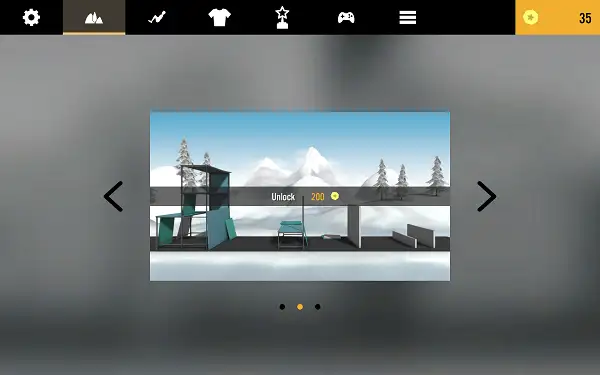
Flip Spot includes three distinct playable levels, each a full environment with its own visual theme, and each also available in both a day and a night version with unique lighting. Levels are unlocked progressively – locked levels display a “Game Locked” overlay until you meet the score requirement to open them.
Difficulty escalates through a tiered score-and-speed system as you progress within a run:
| Stage | Score needed to reach it |
|---|---|
| 1 (start) | 0 |
| 2 | 40 |
| 3 | 70 |
| 4 | 120 |
| 5 | 190 |
| 6 | 250 |
| 7 | 370 |
Alongside rising score thresholds, the game’s pace itself shifts stage to stage, so later stretches of a run genuinely feel faster and more demanding than where you started, not just numerically harder.
Weather and Time of Day
Each level can be played in different atmospheric conditions – a day and night toggle changes the lighting and skybox entirely, while a weather system adds effects like drifting clouds or falling snow with snow-dusted trees. It’s largely a visual layer, but it changes how readable a level feels and gives repeat runs through the same three levels a noticeably different mood.
Skins
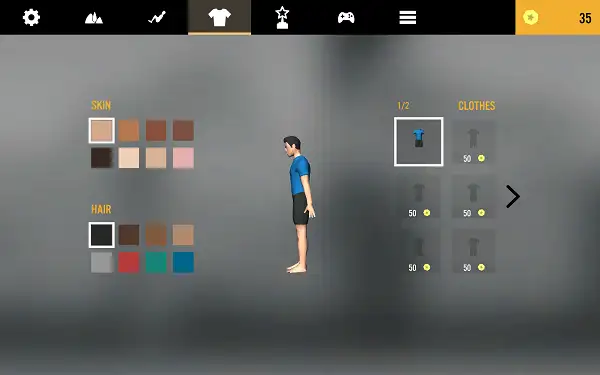
There are eight skins available for your athlete, purely cosmetic changes to your character’s look while riding the same jointed ragdoll body underneath – which is exactly why wipeouts look so floppy and physical regardless of which skin you’re using. Skins are purchased with coins earned during play, and your currently equipped skin is saved between sessions.
Coins and Upgrades
Coins are collected during runs and serve as the game’s only currency, spent on skins, trick unlocks, and two direct stat upgrades:
- Flip Speed Upgrade – Increases your rotation speed, making it easier to fit more flips into the same amount of airtime and opening up access to double and triple flip scoring more reliably.
- Jump Power Upgrade – Increases your launch force, letting you clear longer gaps between landing spots.
Both upgrades are persistent and capped at a maximum level, meaning your progression is partly about raw skill and partly about how much you’ve invested in these meta-upgrades over time.
Stats and Leaderboards
Flip Spot tracks a genuinely deep set of lifetime statistics: total score, total coins earned, total jumps, double flips landed, triple flips landed, total falls, and total matches played. These numbers build a long-term profile beyond just your single best run.
The game also includes a global leaderboard with ranked entries, and you can set up a player profile with an editable name and country. Signing in (via Google login) keeps your progress and leaderboard submissions backed up, with the game handling offline states gracefully if your connection drops mid-session. A profanity filter automatically cleans up player-chosen names.
Flip Recorder
Flip Spot can record your flips and offers a built-in screen capture tool, letting you review a replay of a particularly good run or save a screenshot to share afterward – a nice touch for a game that’s fundamentally about chasing that one perfect triple-flip landing.
Tips and Tricks
- Judge your landing before you commit to a trick. Since airtime is fixed once you’ve launched, deciding how much rotation you’re realistically going for should happen before you jump, not mid-flip.
- Don’t chase triples before you’re consistent with singles and doubles. The scoring gap rewards triples heavily, but a landed double flip beats a crashed triple every time – build up your timing gradually.
- Invest early coins into Flip Speed. Faster rotation gives you more margin for error when attempting doubles and triples, since you’re not relying purely on holding the charge for longer.
- Use the Jump Helper tutorial seriously your first time. Since it only appears once, take the time to actually internalize the charge-and-release rhythm rather than skipping through it.
- Balance Jump Power against Flip Speed upgrades. Depending on whether you’re struggling more with clearing distance or completing rotations, prioritize whichever upgrade addresses your actual weak point rather than upgrading both evenly by default.
- Replay your recorded flips to spot mistakes. Reviewing a captured run can reveal exactly where your release timing was off in a way that’s hard to notice in the moment.
- Try different levels for a change of pace. Since each level’s speed factor and layout differ, switching between them can help you find a stage that suits your current skill level better than grinding one alone.
Other Similar Games
Frequently Asked Questions
What is Flip Spot?
Flip Spot is a free, browser-based physics flip-and-land skill game where you launch off a platform, perform flips mid-air, and try to land cleanly on a target spot for points, with bigger flips paying out dramatically more but being much harder to stick.
Who made Flip Spot?
Flip Spot is published by 1Games.IO, the same developer behind other flip-focused titles in the same style, including Wacky Flip and Flip Rush.
What are the controls?
Hold to charge your jump and release to launch, then hold again mid-air to charge a flip and release to stop rotating and prepare your landing. Both jump power and flip rotation are timing-based rather than simple taps.
How does scoring work?
Distance and a single flip are each worth +1 point, a double flip is worth +3, and a triple flip is worth +9 – a deliberately non-linear scale designed to reward attempting bigger, riskier rotations.
How many levels are in Flip Spot?
There are three playable levels, each available in both day and night versions with distinct lighting and weather effects like clouds and snow.
How many skins can I unlock?
Eight skins are available, purchased with coins earned during play. They’re purely cosmetic and don’t affect your character’s physics or performance.
What are the coin upgrades?
Coins can be spent on a Flip Speed upgrade, which increases your rotation speed, and a Jump Power upgrade, which increases your launch distance – both are capped and persist across sessions.
Are there tricks beyond basic flips?
Yes. There are six unlockable trick slots that add named moves like twists on top of your base flips for additional scoring opportunities.
Is there a leaderboard?
Yes. Flip Spot includes a global leaderboard with an editable player profile, name, and country, backed by an optional Google sign-in to save your progress.
Which browser works best for Flip Spot?
Flip Spot runs well on Chrome, Firefox, and Edge.
Can I play Flip Spot on a phone or Chromebook?
Yes. Flip Spot works in any modern browser, including on Chromebooks, and its hold-and-release controls translate well to touch on mobile devices.
Why isn’t Flip Spot loading?
Check your internet connection, make sure this site isn’t blocked on your network, and try disabling any ad blockers – these are the most common causes of loading issues.
ArcadeSkill Games