




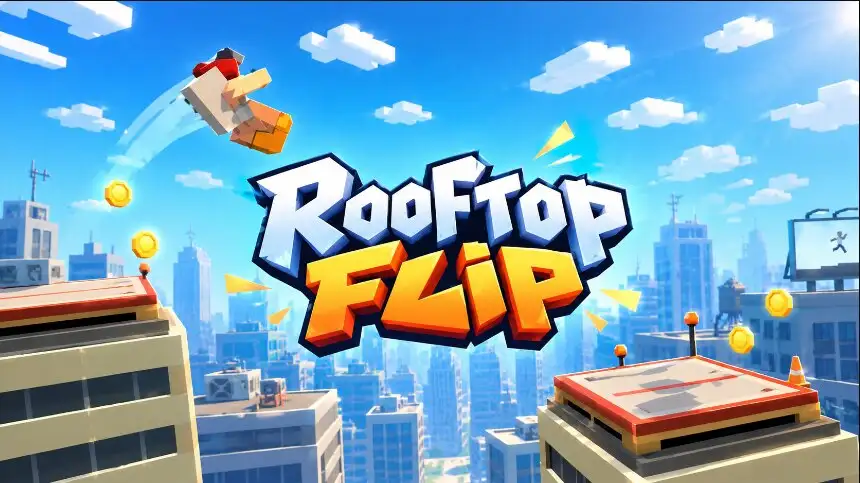







A gold coin hangs above the next rooftop, but the landing platform beneath it looks painfully small. Your stunt performer is waiting at the edge, and the direction arrow keeps sweeping through possible takeoff angles. Click a little too soon and you may never reach the other building. Keep spinning a little too long and your feet will be nowhere near the ground when you arrive.
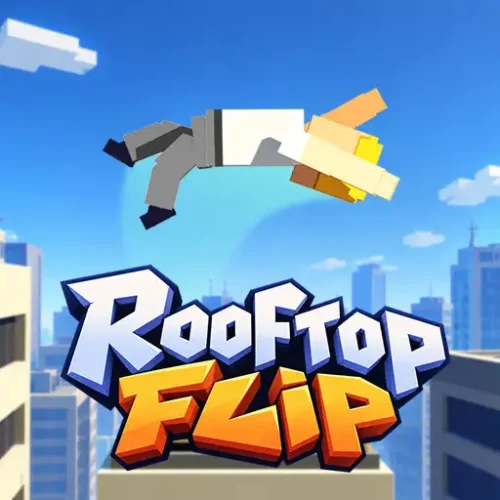
That split-second balance between a spectacular flip and a ridiculous crash is what makes Rooftop Flip entertaining. This physics-based browser stunt game asks you to launch across gaps, rotate in midair, and land upright on marked targets. As your jumps become more consistent, you can chase bigger flip counts, collect coins, and tackle moving platforms, traffic-filled environments, and more unusual stunt settings.
How to Play Rooftop Flip: Three Decisions Per Jump
You do not steer your character through a conventional platforming course. Instead, each jump begins with a direction choice and ends with a landing test. The goal is to reach the next marked landing area, complete your flip, and stay on your feet so the sequence can continue.
- Watch the arrow. Before takeoff, a directional indicator shows where your jump will go. Wait until it points along a sensible path toward the next landing target.
- Click to launch. Timing determines your initial trajectory. Consider both the horizontal gap and whether your destination sits above or below the starting point.
- Control the flip. Once airborne, use the mouse button to influence rotation. Holding it can speed up the spin, allowing an extra rotation when you have enough airtime.
- Prepare to land. Stop accelerating the rotation before contact, line up your feet, and aim for the marked platform rather than its edge.
- Keep the run alive. A safe touchdown leads into another jump. Crashing onto your head or side, or missing the landing area, can end the attempt.
The tutorial also introduces a double flip and, in some prompts, tells you to click again to finish the rotation. Follow the instructions shown in your particular browser copy: the important distinction is between controlling the spin and being upright when you land.
Rooftop Flip Controls on PC and Mobile
| Action | PC controls | Mobile controls |
|---|---|---|
| Choose your launch direction | Watch the moving arrow | Watch the moving arrow |
| Jump | Press LMB when the arrow points toward your target | Tap the screen at the right moment |
| Speed up rotation in the air | Hold LMB | Touch and hold |
| Adjust your airborne position | Hold and drag LMB when the tutorial introduces movement | Use touch adjustment if offered by your version |
| Prepare for landing | Release LMB; use another click when the tutorial specifically prompts it | Lift your finger; follow any tap-again prompt |
| Menus, retry and continue | Click the relevant on-screen button | Tap the relevant on-screen button |
Important: Rooftop Flip is primarily a mouse-or-touch game. There is no reliable evidence that W, A, S, D, the arrow keys, or the Command key are required for movement.
The Landing Is the Real Challenge
Why Extra Flips Can Cost You the Jump
Midair rotation creates a tempting risk-reward choice. A single controlled backflip gives you more time to straighten your body. Trying for two rotations can improve your stunt result, but only if your character completes the second turn before reaching the target. Spinning quickly is not automatically better; the final body position matters more than how dramatic the jump looks.
The marked landing zones are checkpoints, not just decorative roof surfaces. Aim toward the middle where possible. A centered, feet-first arrival gives your character more room to absorb the impact and reduces the chance of tumbling off an edge. The game recognizes strong landings with feedback such as PERFECT.
Use the Air Time, Not a Fixed Button Count
A long, high jump offers a different window for rotating than a short drop. Look at your character’s orientation as the platform approaches. If their head is still pointing downward, you need to finish the turn sooner next time. If they become upright too early, experiment with a slightly longer spin, but do not sacrifice a safe landing just to add another rotation.
Beyond the Roofs: Locations and Moving Targets
The game is more varied than a simple series of identical skyscrapers. Browser descriptions and the inspected game resources identify city rooftops, parks, traffic settings, industrial props, elevators, Stonehenge, and space-themed scenery. Exact location availability can differ between hosted builds, so treat these as documented environments rather than a guaranteed unlock order.
| Location or setting | What makes it distinctive | Practical approach |
|---|---|---|
| Skyscraper roofs and houses | Elevated landing pads among buildings; rooftop scenery includes vents and solar panels | Judge the gap first, then add spins only when the trajectory is comfortable |
| Speeding Cars and Traffic Signs | Roads, cars, trucks, barriers and signs change the visual reference points | Watch moving objects and aim for where a moving target will be at touchdown |
| Elevators | Platforms can move while your character is airborne | Observe the movement cycle before launching |
| Box Harbor | Industrial scenery with crates, stacked boxes and forklifts | Keep your landing route clear of nearby edges and clutter |
| Trees & Park | Benches, trees, grass and fences replace the usual urban skyline | Read the actual landing marker rather than relying on the scenery |
| Stonehenge | Stone formations and irregular-looking platforms | Prioritize landing position over attempting a risky extra flip |
| Airplanes and Satellites | Aircraft and satellite-themed structures, including space scenery | Reassess the target distance instead of assuming ordinary rooftop timing |
Some levels also include bird models such as seagulls and hummingbirds. Their presence in the game files does not mean every bird is an active hazard in every version; focus on the obstacles and target movements actually shown on your screen. The vehicles are environment elements and possible stunt surfaces, not cars you drive.
Scores, Coins and Keeping a Streak
Successful jumps feed into counters for JUMPS, FLIPS, and SCORE, while record messages give you something concrete to beat. Collectible coins appear along some jump paths, and the game includes rewards tied to flipping and landing performance. The score interface also tracks streaks, making a consistent series of clean jumps worth pursuing.
For a higher score, think in terms of reliable sequences rather than one heroic leap. First secure the target, then look for opportunities to squeeze in a second flip or pass through a coin. If collecting a floating coin would pull you away from the platform, leave it. A safe landing preserves your chance to earn more on the next jump.
The game’s data includes coin-related shop, reward and spin-machine systems, but their exact availability, prices and timed offers are not confirmed for every browser host. Check the menus in the version you are playing before planning around a particular reward.
Characters, Tricks and Improving Your Stunt Performer
Rooftop Flip’s character selection is more distinctive than a basic color swap. The browser listing identifies an Athlete, Ninja, Panda, Penguin, Monkey King, Sumo wrestler, President, and Astronaut. The related Backflipper release also describes these characters, and the inspected build contains models for additional costumes. However, the full unlockable roster and the cost of each character may vary with the playable version.
Character menus in the game data display attributes labeled Flip Power, Jump Power, and Coolness, alongside training and upgrade controls. On versions that expose those systems, compare jump and rotation attributes before using an upgrade. Extra jumping ability may help with longer distances, while faster rotation demands more careful landing timing. The labels alone do not prove a fixed numerical benefit for any particular character.
Trick-related menus and tutorial text also reference 2 X Backflip and Backflip Layout. Start with the basic rotation before experimenting with more elaborate trick selections. Some builds contain power-up and spin-machine menus, but their presence in the game resources is not a guarantee that every item can be activated in this browser edition.
Five Practice Jumps That Make You Better
- Jump one: ignore the coins. Watch the arrow and focus on clearing the gap. Treat a safe landing as your only success condition.
- Jump two: practice the release. Hold for one rotation, then release a little before your feet would meet the platform. Notice how long your character takes to settle.
- Jump three: target the center. Try to reach the middle of the marked zone instead of barely touching its edge. This builds a margin for imperfect momentum.
- Jump four: use a gentle correction. If the tutorial permits holding and dragging in the air, test a small adjustment rather than a large shove that changes your landing position dramatically.
- Jump five: attempt the double flip. Only after you can land one consistently, allow enough airtime for a second rotation and finish the spin before impact.
Repeat the exercise when a new environment changes the platform distance or target movement. The aim is to learn what one controlled change does to your jump, instead of clicking faster and hoping for a different outcome.
Advanced Tips: Fix the Mistake, Not the Whole Jump
Time Moving Elevators and Cars Ahead of Their Position
When a target moves, its current position is not necessarily where it will be when you land. Watch the platform travel, estimate where it will be after your jump’s flight time, then choose the arrow angle accordingly. Start with a conservative flip until you understand the target’s rhythm.
Separate Distance Problems from Rotation Problems
A common mistake is changing how long you spin when the real issue is where you launched. Use the result to identify the specific problem:
| What went wrong? | What to change next time |
|---|---|
| You land on your head or side | Reduce the spin or finish the rotation earlier |
| You fall short of the target | Choose a more suitable launch direction; rotation alone will not fix the gap |
| You sail past the landing zone | Adjust takeoff timing and avoid unnecessary midair pushing |
| You land on your feet but topple off the edge | Aim nearer the center and allow more room to regain balance |
For record attempts, your best advanced tactic is often restraint: protect a successful sequence, take the easy coins, and save high-risk double flips for jumps with enough height and a forgiving landing area.
Other Similar Games
Rooftop Flip FAQs
What Is the Main Objective in Rooftop Flip?
Jump from one platform to the next, perform a controlled flip, and land on your feet inside the marked target to keep scoring.
How Do I Jump in Rooftop Flip?
Wait for the direction arrow to point toward the landing area, then click the left mouse button or tap the screen.
How Do I Stop Spinning Before I Land?
Release the held mouse button or touch input before impact. Some tutorial steps instead prompt a second click, so follow the current on-screen instruction.
How Can I Perform a Double Backflip?
Choose a jump with enough airtime, allow your character to complete two rotations, and stop accelerating the spin early enough to land upright.
Why Do I Keep Falling Even When I Complete a Flip?
Completing the rotation is only half the task. You must also reach the target and arrive upright, preferably near its center.
Can I Play Rooftop Flip on a Phone?
Browser listings support desktop, tablet and mobile play. On a touch screen, tap to jump, hold to influence rotation, and release to prepare for landing.
What Are the Coins For?
Coins act as collectibles and connect to the game’s reward and character systems. Exact shop items and prices depend on the browser version.
Can I Unlock the Ninja, Panda or Astronaut?
These are documented characters associated with the game’s content, although availability and unlock requirements can differ between versions.
Are There Exactly 13 Levels?
Not necessarily. The build contains 13 Unity scene files, but several are system or environment scenes; the gameplay also uses generated blocks. That file count is not a verified number of playable stages.
Does Rooftop Flip Have Multiplayer or Drivable Cars?
The verified gameplay is single-player stunt jumping. Cars appear as part of the environment, and working browser multiplayer or driving controls have not been established.
Do I Need to Download or Install It?
No installation is normally needed for the hosted browser version. Open the game page on a supported device and use its on-screen play controls.
Arcade