






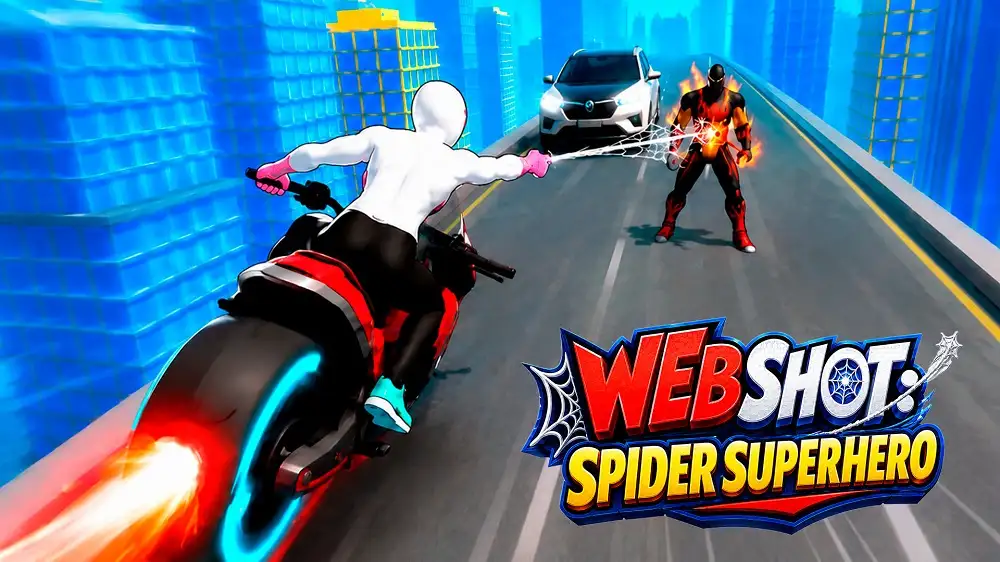
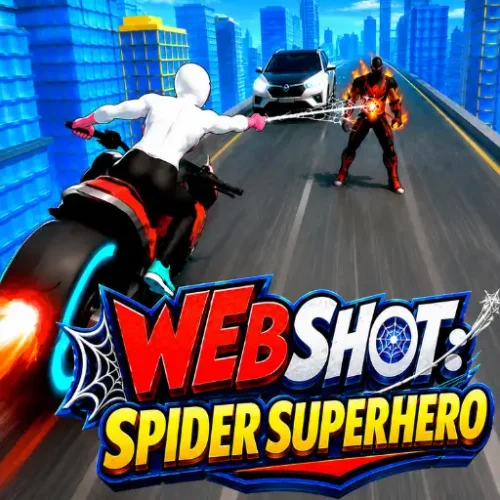



Play Web Shot: Spider Superhero free. Swing through the city, fight villains, rescue hostages, and defeat bosses. Web Shot: Spider Superhero puts you in the boots of a masked, web-slinging hero swinging between skyscrapers, taking down villains with fists and webs, and rescuing hostages across a sprawling open city. Between rooftop chases, boss showdowns, and a whole wardrobe of unlockable suits, it’s built for players who want that classic web-swinging power fantasy without downloading a full console game. No downloads, no account required to start. Works in Chrome, Firefox, Edge, and on mobile.
What Is Web Shot: Spider Superhero?
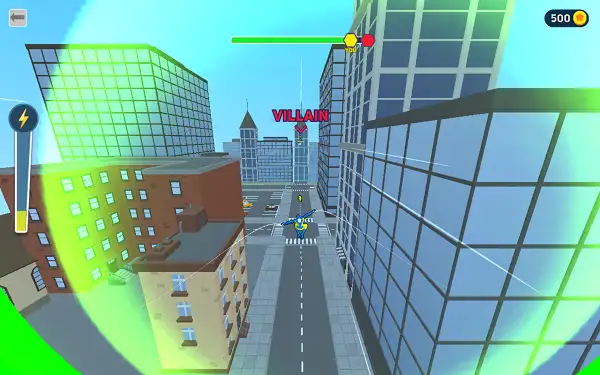
Web Shot: Spider Superhero is a free, browser-based open-world action game where you control a spider-themed superhero, using web-swinging and short bursts of flight to move through a large, multi-district city. The city is built from over a dozen distinct connected areas, giving you real room to explore beyond a single fixed arena, and the core gameplay loop mixes free movement through the skyline with direct combat against street-level enemies and full boss encounters.
Combat is built around a drag-based fighting system – rather than a traditional button-mash brawler, you engage enemies directly and use swipe or drag inputs to land attacks and unleash more powerful special moves once you’ve built up enough momentum in a fight. It’s a style that keeps fights feeling physical and readable, even in a browser game.
How to Play Web Shot: Spider Superhero
- Swing through the city. Aim toward a building or anchor point and launch a web-swing to travel quickly across the skyline.
- Hold to fly for extended traversal. Alongside swinging, a hold-to-fly mechanic lets you cover longer distances or reposition in the air when a swing point isn’t available.
- Engage enemies in drag-based combat. When you get close to a hostile character, drag or swipe to land attacks. Building up momentum in a fight unlocks access to stronger special attacks.
- Rescue hostages. Certain areas of the city hold civilians in need of rescue – freeing them is a core objective alongside straightforward combat.
- Take down street-level villains to clear an area. Objectives are often framed around defeating every hostile character in a given zone before moving on.
- Face off against bosses. Periodically, you’ll run into a significantly tougher named villain with a larger health pool, requiring sustained combat rather than a quick takedown.
- Explore the wider city. With more than a dozen connected districts to move through, there’s plenty of space to swing around and explore beyond the immediate objective in front of you.
Controls
| Action | Input |
|---|---|
| Web-swing | Tap and aim toward a swing point |
| Fly | Hold to fly |
| Attack (combat) | Drag / swipe toward the enemy |
| Special attack | Activates automatically once enough combat momentum is built |
The controls are designed around touch-friendly gestures – dragging and tapping rather than complex button combinations – which makes the game equally comfortable to play with a mouse on desktop or with a finger on mobile.
Objectives
- Defeat All Villains – Clear an area by taking down every hostile enemy present.
- Defeat the Boss – Take on a significantly tougher named enemy in a dedicated showdown.
- Catch the Villain – Chase down and apprehend a specific fleeing target rather than fighting a standing enemy.
- Climb the Building – A traversal-focused objective that tests your swinging and flying skills rather than combat.
This mix keeps the game from being purely combat-focused – some objectives reward pure movement skill, while others put your fighting ability to the test.
The City
The game world is built from a large, interconnected city made up of more than a dozen distinct parts, giving you a genuine sense of scale as you swing from district to district. Rather than a single closed-off arena, this open structure means objectives, enemies, and hostages are spread across a real map you have to actively traverse rather than a level select screen.
Customization
As you play, you can unlock and switch between different hero costumes, letting you change your character’s appearance without affecting your core abilities. It’s a straightforward cosmetic progression system that gives you something to work toward beyond just completing objectives.
Tips and Tricks
- Chain swings instead of relying purely on flight. Web-swinging tends to build and maintain momentum better than sustained flying, making it the faster option for covering long distances across the city.
- Build combat momentum before going for a special attack. Since specials unlock through sustained engagement rather than being available immediately, landing a few basic hits first sets up a much stronger follow-up.
- Prioritize hostage rescues when they’re available. These objectives are often time-sensitive or tied to area completion, so it’s worth handling them before fully clearing out combat encounters.
- Scout boss encounters before engaging. Since bosses have significantly more health than regular enemies, going in with a read on the fight’s pacing beats rushing straight into an extended encounter unprepared.
- Use height to your advantage in fights. Since you can fly and swing freely, disengaging upward to reposition or catch your breath mid-fight is often safer than remaining grounded against multiple enemies.
- Explore beyond the immediate objective marker. With a genuinely large connected city to move through, taking detours can reveal additional hostages or side objectives you’d otherwise miss.
Other Similar Games
Frequently Asked Questions
What is Web Shot: Spider Superhero?
Web Shot: Spider Superhero is a free, browser-based open-world action game where you play a spider-themed hero swinging and flying through a large city, fighting enemies with a drag-based combat system, rescuing hostages, and facing off against boss villains.
What are the controls?
Tap and aim to web-swing toward buildings, hold to fly for extended traversal, and drag or swipe toward enemies to attack in combat. Special attacks unlock automatically once you’ve built enough combat momentum.
Is there combat in this game?
Yes. Combat uses a drag-based system rather than traditional button combos – engaging enemies directly and dragging toward them lands attacks, with stronger special moves available once you’ve built up momentum in a fight.
What objectives does the game have?
Several types, including defeating all villains in an area, taking down a boss, catching a fleeing target, and traversal-focused challenges like climbing a building.
Can I rescue civilians?
Yes. Certain areas of the city feature hostages that need to be rescued as part of the game’s objectives.
How big is the game world?
The city is made up of more than a dozen distinct, connected districts, giving you a large open area to swing and fly through rather than a single confined level.
Can I customize my hero’s appearance?
Yes. Different costumes can be unlocked and equipped as you play, changing your character’s look without affecting gameplay.
Which browser works best for Web Shot: Spider Superhero?
The game runs well on Chrome, Firefox, and Edge.
Can I play Web Shot: Spider Superhero on a phone or Chromebook?
Yes. The game is built around touch-friendly swipe and drag controls, making it comfortable on mobile devices as well as Chromebooks in any modern browser.
Why isn’t Web Shot: Spider Superhero loading?
Check your internet connection, make sure this site isn’t blocked on your network, and try disabling any ad blockers – these are the most common causes of loading issues.
ActionAdventure