







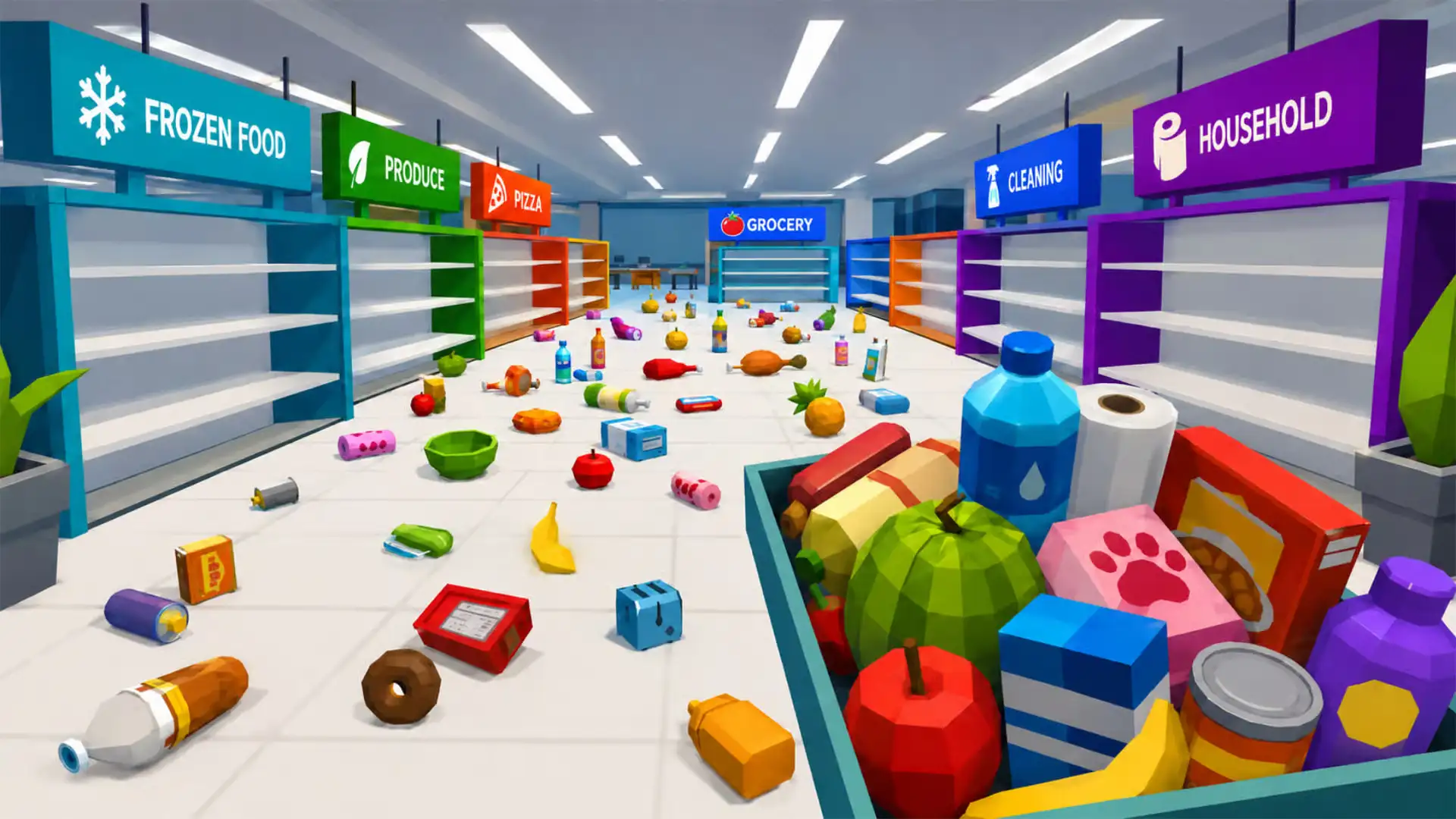








Play Clean The Supermarket free. Sort products to their shelves, unlock abilities, and race your best time. No download needed. Clean The Supermarket drops you in the middle of a store where every aisle is a mess – fruit scattered across the floor, drinks in the wrong section, snacks that need sorting – and hands you a simple job: pick everything up and put it back exactly where it belongs, as fast as you can. No downloads, no account required to start. Works in Chrome, Firefox, Edge, and on mobile.
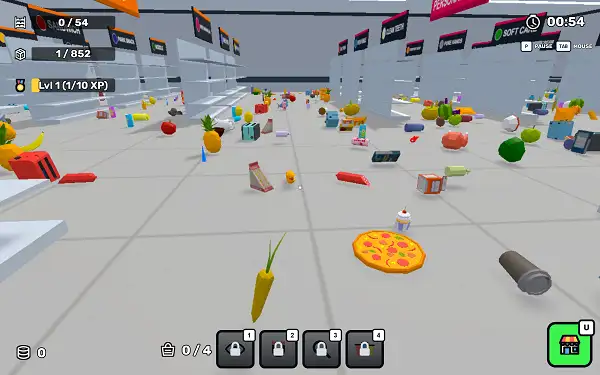
What Is Clean The Supermarket?
Clean The Supermarket is a free, browser-based restocking simulator where you walk the aisles of a messy store, pick up misplaced products, and return each one to its correct shelf. Every item belongs to a specific category – Produce, Drinks, Snacks, Household, Personal Care, Daily Fresh, and Frozen Food – and clearing a full store means matching every single product to the right section before your time runs out.
It’s built as a genuine time-attack game rather than a relaxed tidying sim: your completion time for fully restocking the store is tracked and compared against your personal best every run, and money earned along the way funds a permanent set of upgrades and unlockable abilities that carry over between attempts, gradually turning you from a slow, single-item shopper into someone who can clear the whole store in a fraction of the time.
How to Play Clean The Supermarket
- Move through the store. Walk the aisles to find products scattered on the floor or sitting on the wrong shelves.
- Aim at a product and pick it up. Line up your view on an item and interact with it to add it to what you’re carrying.
- Find the matching shelf. Every product belongs to one specific category section – carry it to the correct aisle.
- Aim at the fixture and place it down. Line up on the correct shelf and put the product back where it belongs.
- Watch your carrying capacity. You can only hold a limited number of items at once – when your hands are full, you’ll need to drop off what you’re carrying before picking up more.
- Use your abilities and upgrades to work faster. As you earn money, unlock tools that let you carry more, move faster, and sort more efficiently.
- Sort every item to its shelf to win the run. Clearing the entire store completes the run and shows your time compared to your best-ever result.
Controls
| Action | Desktop | Mobile |
|---|---|---|
| Move | WASD or Arrow Keys | On-screen joystick |
| Look around | Mouse | Swipe the screen |
| Pick up / Place a product | Interact key E (aim at the product or shelf) | Tap the right side of the screen |
| Open Upgrades menu | U | Tap the Upgrades button |
| Pause | Escape or P | Tap the pause button |
The core interaction is aim-based: you look toward a product or shelf using your camera view, and the game highlights what you’re targeting before you confirm the pickup or placement. A short onboarding sequence walks new players through movement, picking up a product, and placing it correctly before the timer really gets going.
Abilities
Four unlockable abilities can be equipped and activated during a run, each solving a different bottleneck in your restocking speed:
- Double Grab – Picks up a nearby matching product automatically with every grab, letting you collect pairs of the same item in a single action instead of one at a time.
- Product Vision – Reveals every matching floor product in yellow, making it much faster to spot every remaining item of a type scattered around the store instead of searching aisle by aisle.
- Quick Sort – Groups everything you’re currently carrying by its target shelf, streamlining your route so you’re not backtracking between sections. Requires carrying at least two products to activate.
- Shelf Finder – Outlines the correct shelf for your currently selected product in white, taking the guesswork out of navigating to the right aisle. Requires picking up a product first before it can be used.
Each ability has its own recharge time between uses, and certain bonus offers can temporarily speed up how quickly your unlocked abilities recharge, making them available more often during a hectic run.
Upgrades
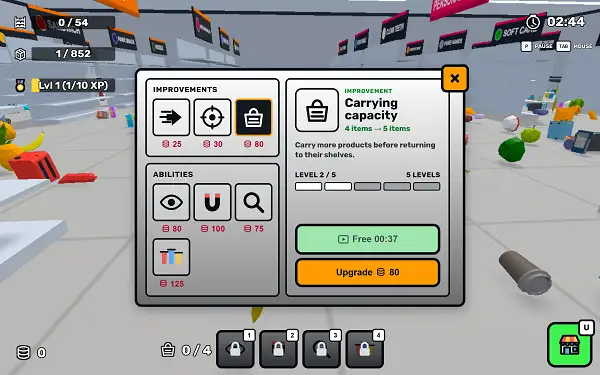
Alongside abilities, three direct stat upgrades can be purchased with money earned during play:
- Carrying Capacity – Lets you carry more products before you need to return to a shelf, cutting down on repeated back-and-forth trips.
- Movement Speed – Increases how fast you move through the supermarket aisles.
- Interaction Distance – Extends how far away you can be from a product or shelf and still pick it up or stock it, reducing how precisely you need to walk right up to every item.
Both abilities and upgrades can be leveled up multiple times, with each purchase pulling from the money you’ve collected. Some upgrades can also be claimed for free by watching a short rewarded video instead of spending in-game currency, if you’d rather not pay for that particular level.
Product Categories
Every item in the store belongs to one of several distinct sections, and part of the challenge is learning where each type of product actually goes:
- Produce – Fresh fruit and vegetables like apples, bananas, carrots, lemons, pineapples, potatoes, pumpkins, and watermelons.
- Drinks – Bottled water, soda, juice, and hot beverages, including items like aqua water, cherry soda, and coffee-themed products.
- Snacks – Chips, chocolate, marshmallows, and other treats.
- Daily Fresh – Prepared food items like burgers, hot dogs, pizza, sandwiches, and sausages.
- Frozen Food – Items meant for the freezer section.
- Household – Everyday home items, including paper products and kitchenware.
- Personal Care – Soap, toothpaste, and hygiene products.
Learning the general layout of which section holds which category is one of the biggest speed gains available to you beyond just the ability and upgrade system – the less time you spend guessing where an item belongs, the faster your runs get naturally.
Bonuses
Occasional bonus offers appear during play, most unlocked by watching a short video, that grant a temporary boost for a limited time:
- Recharge Boost – All of your unlocked abilities recharge twice as fast for 2 minutes.
- Carry Boost – Lets you carry 3 additional products for 2 minutes, on top of your normal carrying capacity.
- Coin Bonus – Instantly adds a set amount of coins to your balance.
These are optional and timed, so they’re most valuable when used deliberately during a stretch of the store you know is going to be particularly busy or spread out.
Timer and Best Time
Clean The Supermarket tracks how long it takes you to fully restock the store, and displays your time alongside your personal best once you finish a run. There’s a genuine time-attack structure underneath the relaxed sorting theme – money earned, total ability levels, and total upgrade levels are all tracked across your play history, which is what makes repeated runs feel like real progress rather than starting from scratch every single time.
Tips and Tricks
- Learn the store layout before chasing speed. Knowing roughly where each category section sits saves far more time early on than any single ability does.
- Prioritize Shelf Finder if you’re still learning the layout. It removes the guesswork of navigating to the correct aisle, which is often the biggest time sink for new players.
- Combine Quick Sort with a full inventory. Since it needs at least two carried products to activate, filling up your capacity before triggering it gets you the most value out of a single use.
- Invest early money into Carrying Capacity. Fewer trips back and forth to shelves compounds across an entire run far more than a small movement speed boost does early on.
Other Similar Games
Frequently Asked Questions
What is Clean The Supermarket?
Clean The Supermarket is a free, browser-based restocking game where you collect scattered products throughout a store and return them to their correct category shelves as quickly as possible, with a time-attack structure and persistent upgrades between runs.
What are the controls?
WASD or Arrow Keys to move and mouse to look around on desktop, with an on-screen joystick and swipe-to-look on mobile. You aim at a product or shelf to pick it up or place it, and press U to open the Upgrades menu on desktop.
How do I win a round?
Sort every product in the store to its correct shelf. Once everything is properly stocked, the run ends and your completion time is shown alongside your personal best.
What abilities can I unlock?
Double Grab, Product Vision, Quick Sort, and Shelf Finder – each helping in a different way, from automatically grabbing matching items to highlighting where products or shelves are located.
What upgrades are available?
Carrying Capacity, Movement Speed, and Interaction Distance, each purchasable with in-game money and upgradeable multiple times.
Can I get upgrades for free?
Some upgrades and abilities can be claimed for free by watching a short rewarded video instead of spending money.
How many products can I carry at once?
Your starting carrying capacity is limited, but it can be permanently increased through the Carrying Capacity upgrade, and temporarily boosted further through certain bonus offers.
Does the game track my best time?
Yes. Your completion time for fully stocking the store is saved, and each run displays your current time next to your personal best.
Which browser works best for Clean The Supermarket?
The game runs well on Chrome, Firefox, and Edge.
Can I play Clean The Supermarket on a phone or Chromebook?
Yes. It works in any modern browser, including on Chromebooks, and includes dedicated touch controls – a movement joystick, swipe-to-look, and tap-to-interact – for mobile play.
Why isn’t Clean The Supermarket loading?
Check your internet connection, make sure this site isn’t blocked on your network, and try disabling any ad blockers – these are the most common causes of loading issues.
CasualSimulation