













Play Turbo Flip free. Launch off ramps, master mid-air flips, and unlock 73 vehicles and driver outfits. Turbo Flip sends your car soaring off ramps and across gaps, rewarding clean landings and stylish mid-air flips as you build up coins and work toward a garage of vehicles and charcaters. Pick your ride, pick your driver, and see how far your stunts can take you. No downloads, no account required to start. Works in Chrome, Firefox, Edge, and on mobile.
What Is Turbo Flip?
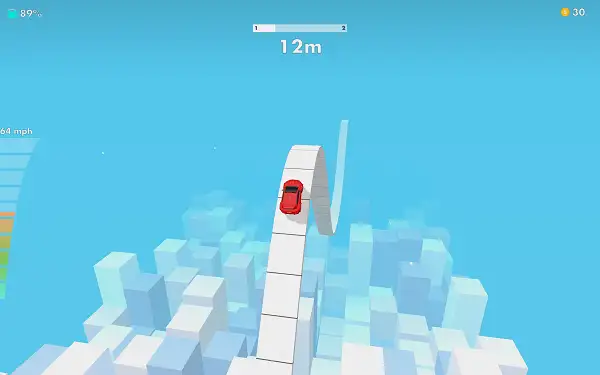
Turbo Flip is a free, browser-based physics stunt driving game where your car launches off ramps and across gaps, and your job is to control its flips and rotations in the air for a clean, safe landing. It’s built entirely around a single currency – coins, earned simply by playing – which you put toward unlocking a genuinely large roster of vehicles, plus a multiplayer mode, as you progress.
Alongside earning coins to unlock vehicles directly, Turbo Flip also offers reward videos as a faster alternative – watch a short video and you can unlock a car outright, without needing to save up coins for it. There are no real-money purchases active in this version of the game, so everything is earnable through normal play either way.
How to Play Turbo Flip
- Pick your vehicle. All of your available options are presented together on one selection screen, so choosing your ride is quick and straightforward.
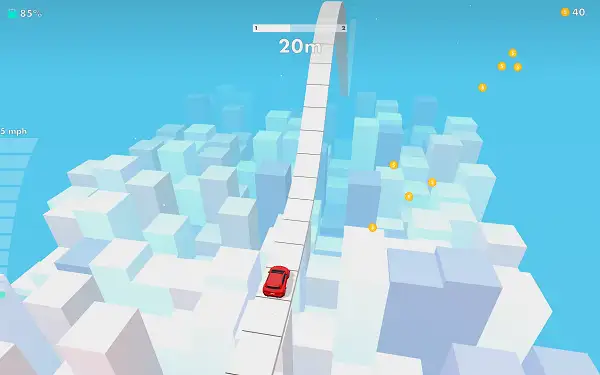
- Launch off ramps and gaps. Your car automatically catches air whenever it hits a ramp or jump built into the track.
- Control your flips while airborne. Rotate and adjust your car’s angle mid-air to line up a clean landing rather than crashing down at an awkward angle.
- Land safely to keep your run going. A rough landing can end your run early, so timing your rotation to touch down evenly matters as much as the flip itself.
- Collect coins as you play. Coins build up through your runs and are the only currency in the game.
- Watch for booster and reward prompts. Optional short videos can double your coin collection, activate a temporary coin-boosting timer, or unlock a new vehicle outright.
- Keep an eye on your daily gift and the spin wheel. Both offer extra rewards on top of your normal runs, so it’s worth checking in regularly.
Controls
| Situation | Input | Effect |
|---|---|---|
| On the ground | Click or Space | Speed up |
| In the air | Click or Space | Flip |
It’s a single, context-sensitive input rather than separate buttons for driving and flipping. On the ground, holding Click or Space builds up your speed heading into a ramp. Once your car actually catches air, pressing the same input triggers a flip – so the one control does double duty depending on whether you’re grounded or airborne. On mobile and tablets, tapping and holding the screen handles both actions in the same way.
Upgrades
Coins earned through play can be spent on three upgrade paths, each improving a different part of your run:
- Speed – Increases how fast your car accelerates and travels, helping you build enough momentum to clear bigger ramps and gaps.
- Flip – Improves your control and rotation while airborne, making it easier to land cleanly after bigger jumps.
- Fuel – Extends how long you can keep going before running out, letting you sustain a run for longer.
Since these three upgrades reinforce different parts of the same loop – getting fast, flipping well, and sustaining that speed – balancing coins across all three tends to pay off more than maxing out just one early on.
Vehicles
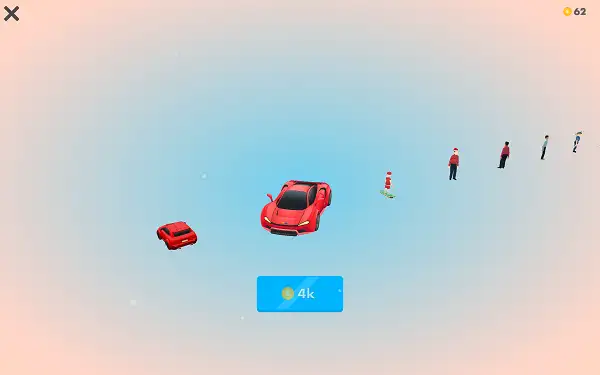
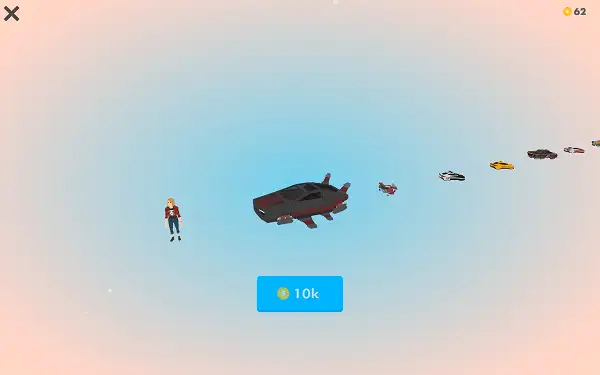
Turbo Flip features 33 playable vehicles in total, spanning a wide range of body styles – sedans, compacts, coupes, hatchbacks, sport and super cars, SUVs, pickups, a muscle car, an open-wheel racer, several rally cars, and multiple monster trucks. Your starting vehicle is a basic sedan, with the rest of the roster unlocked using coins earned through play, or opened up instantly through the game’s reward-video system if you’d rather skip the grind on a specific one.
Beyond standard cars, there’s also a set of eight different hoverboard designs, including a themed Santa hoverboard, plus alternate “hover” versions of certain vehicles – suggesting an anti-gravity or hover-styled mode or cosmetic option layered on top of the standard roster.
Multiplayer
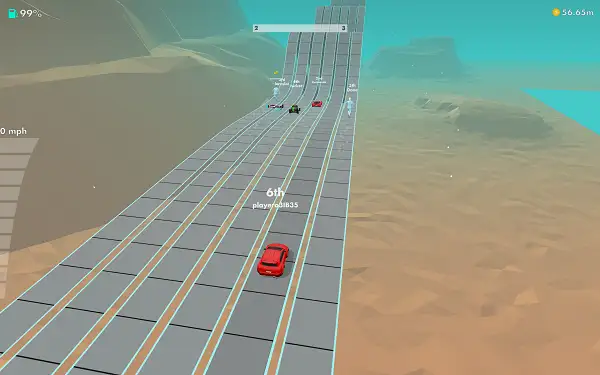
Turbo Flip also includes a multiplayer mode, letting you compete against other players rather than just chasing your own best runs. Multiplayer isn’t available from the start – it’s unlocked using coins, requiring a total of 1,500 coins before you can access it. It’s a worthwhile mid-to-long-term goal once you’ve built up a decent stunt run routine solo, giving you a real reason to keep grinding runs beyond just unlocking new vehicles.
Coins and Rewards
Coins are the only currency in Turbo Flip, earned simply by playing through runs. On top of standard coin collection, several optional reward features can boost your progress:
- Double Coins – Doubles the coins from your current collection, typically by watching a short video.
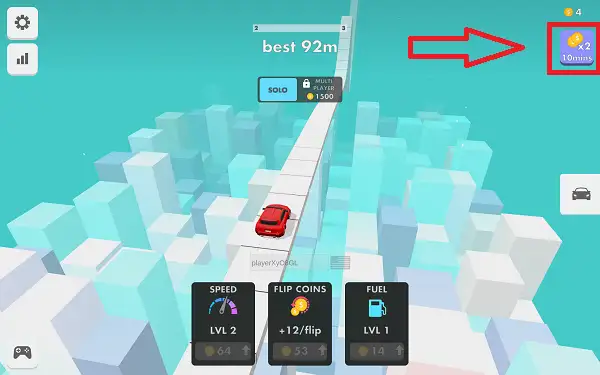
- Coin Boost – Activates a temporary booster that increases your coin earnings, lasting a full 10 minutes once active. It keeps counting down even if you close the game and come back later, so it’s worth activating right before a longer play session rather than a quick one.
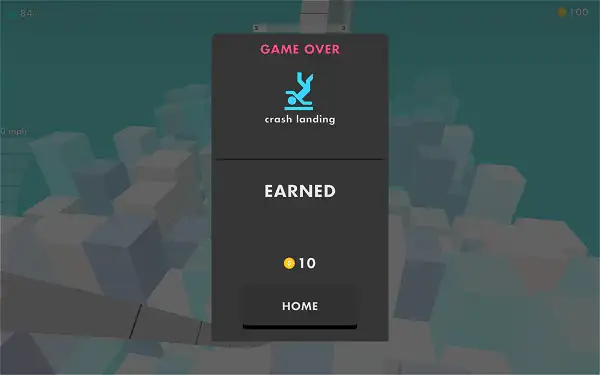
- Continue After Crashing – Lets you pick a run back up after a crash by watching a short video instead of starting over completely.
- Free Vehicle Unlock – Occasionally offers a vehicle for free in exchange for watching a video, letting you skip the coin cost entirely.
- Daily Gift – A once-a-day reward simply for checking back in.
- Spin Wheel – A chance-based bonus feature for additional rewards.
None of these are required to enjoy the game, but they’re a genuinely useful way to speed up unlocking new vehicles, upgrades, and multiplayer if you’re willing to watch the occasional short video.
Leaderboard
Turbo Flip includes a genuine online leaderboard, letting you compare your scores against other players around the world.
Tips and Tricks
- Don’t over-rotate in the air. Since a clean landing depends on your car’s angle matching the ground when it touches down, over-committing to extra flips just to look flashy can easily cost you a smooth landing.
- Release your speed input just before the ramp, not on it. Since the same input controls both ground speed and air flips, timing when you switch from “building speed” to “controlling the flip” is the core skill to get comfortable with.
- Balance your upgrades across Speed, Flip, and Fuel rather than maxing one first. A fast car with poor air control just crashes harder, and a great flipper with low fuel won’t get far – improving all three together tends to produce more consistent runs.
- Save toward Multiplayer once you’re comfortable solo. Since it costs 1,500 coins to unlock, treat it as a clear mid-term goal rather than something to rush into before you’ve got a feel for the flip timing.
- Time your boost activation for a longer session. Since the Coin Boost timer runs for a full 10 minutes and keeps counting down even when you’re away from the game, activating it right before you plan to play for a while gets you more value than triggering it for a quick, short run.
- Use the Continue option to save a good run. If you’re on a strong coin streak and crash unexpectedly, watching a short video to continue is often worth it rather than losing all your progress from that run.
- Check in daily for the free gift. Since it’s a simple login-based reward, skipping it means leaving free coins on the table for no real benefit.
- Save coins toward a vehicle you actually want. Since everything can be bought with coins, it’s worth deciding on a target vehicle early and saving toward it rather than spending on whatever’s cheapest, unless a free reward-video unlock happens to offer it directly.
Other Similar Games
Frequently Asked Questions
What is Turbo Flip?
Turbo Flip is a free, browser-based physics stunt driving game where you launch your car off ramps and gaps, controlling its flips in the air for a clean landing, while earning coins to unlock vehicles, upgrades, and multiplayer.
What are the controls?
Click or press Space to speed up while your car is on the ground, and click or press Space again once you’re airborne to control your flip.
How many cars are in Turbo Flip?
There are 33 playable vehicles in total, covering a wide range of body styles including sedans, compacts, coupes, sport and super cars, SUVs, pickups, a muscle car, an open-wheel racer, rally cars, and monster trucks.
How do I unlock new vehicles?
Vehicles can be unlocked using coins earned through play, or instantly through the game’s reward-video system by watching a short video instead of saving up.
What can I upgrade with coins?
Coins can be spent on three upgrade categories: Speed, Flip, and Fuel, improving how quickly you build momentum, how well you control your rotations in the air, and how long you can keep going before running out.
Is there multiplayer?
Yes. Multiplayer mode is unlocked using coins, requiring 1,500 coins in total before it becomes available.
What is the only currency in the game?
Coins are the sole in-game currency, earned simply by playing. This version of the game has no active real-money purchases.
What does the Coin Boost do?
It activates a temporary coin-earning booster that lasts 10 minutes, and the timer continues counting down even if you close the game and come back later.
Can I continue after crashing?
Yes. Watching a short video lets you continue a run after a crash instead of starting over from the beginning.
Is there a leaderboard?
Yes, Turbo Flip includes a real online leaderboard for comparing scores with other players.
Are there hoverboards in the game?
Yes. Beyond the car roster, there are eight different hoverboard designs, including a Santa-themed option, along with alternate hover-styled versions of certain vehicles.
Which browser works best for Turbo Flip?
Turbo Flip runs well on Chrome, Firefox, and Edge.
Can I play Turbo Flip on a phone or Chromebook?
Yes. Turbo Flip works in any modern browser, including on Chromebooks, and is playable on mobile devices.
Why isn’t Turbo Flip loading?
Check your internet connection, make sure this site isn’t blocked on your network, and try disabling any ad blockers – these are the most common causes of loading issues.
ArcadeCar Games