













Deadly Descent
What Is Deadly Descent?
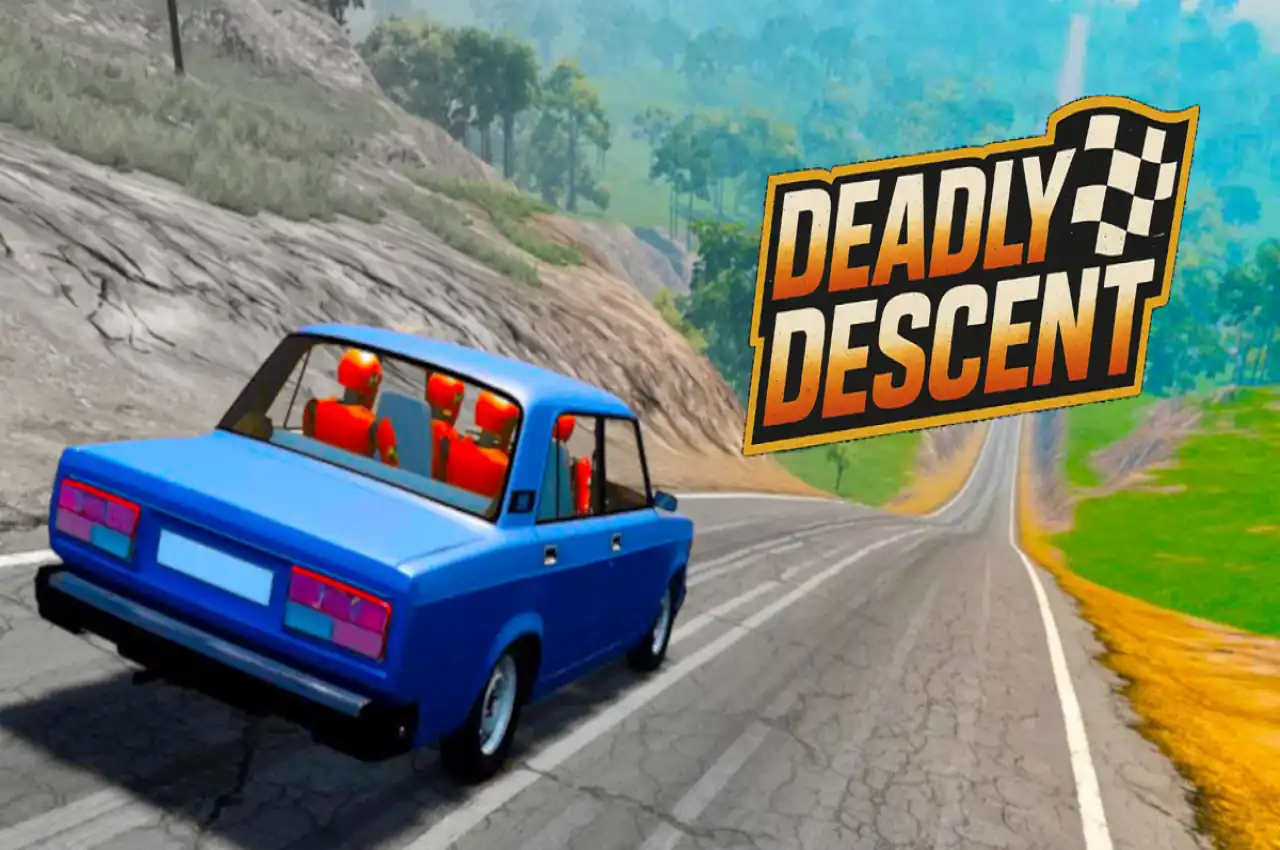
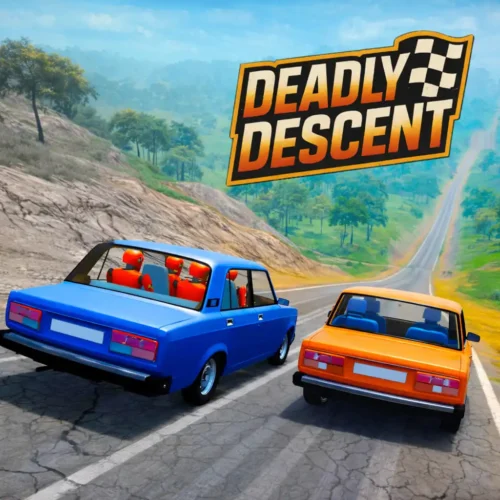
Deadly Descent is a free physics-based destruction driving game developed by Andrey Melnikov. You start at the top of a dangerous mountain track and drive downhill toward a checkered finish line, navigating ramps, crates, smashing levers, spiked rolling crushers, narrow ledges, and cliff drops along the way. The physics engine deforms your car on every significant impact — panels crumple, wheels buckle, the chassis warps — and the game keeps going as long as any part of the vehicle is still functional enough to move.
The developer describes the concept as BeamNG meets Mega Ramp: realistic vehicle deformation physics in an arcade-accessible downhill format where controlled speed produces longer runs than full-throttle bravado. Three dedicated controls — WASD for driving, F for turbo boost, C for camera switching — keep the interface minimal so your attention stays on the track.
Each track has its own independent leaderboard that records your best distance automatically. If your car is completely destroyed before the finish, a Finish button in the top-left corner records the distance reached and shows where you sit on the board. No download required for browser play. Also available on Google Play, Huawei AppGallery, Xiaomi App Store, Samsung Galaxy Store, and Amazon Appstore.
Controls
| Input | Action |
|---|---|
| W or ↑ | Accelerate down the mountain |
| S or ↓ | Brake or reverse |
| A / D or ← → | Steer left and right across the track |
| F | Turbo boost — sudden burst of speed |
| C | Switch camera angle — useful for reading jumps and landings |
| Touch controls (mobile) | On-screen steering buttons with swipe input and tap-to-turbo |
The C camera switch is genuinely useful, not just cosmetic. Certain jumps and landings read better from a different angle — switching to a wider camera before a large ramp gives you more information about the landing zone than the default close follow camera. Players who use it consistently survive difficult track sections that caught them off-guard from the default view.
The Physics — What Makes Crashes Feel Real
Deadly Descent’s vehicle deformation system is the game’s primary draw. When the car hits something significant, it reacts with genuine momentum physics: panels buckle and crumple in the direction of impact, wheels detach or bend out of alignment, the chassis twists under enough force, and the whole vehicle responds as a connected physical object rather than a rigid shape that just stops moving.
What makes this more than visual entertainment is the functional consequence. A car that has lost a wheel steers differently. A chassis that has taken frontal deformation handles corners differently from an undamaged one. The damage state you enter the next obstacle with is genuinely different from the damage state you had at the start of the run — and the run stays alive as long as any part of the vehicle remains capable of forward movement.
The game is often compared to BeamNG.drive in its deformation philosophy. The key difference is accessibility: BeamNG is a full PC simulation requiring a download. Deadly Descent runs in a browser at 60 FPS on older devices with no installation. The depth of the physics is real but the barrier to experiencing it is minimal.
The Obstacle Set — What the Mountain Throws at You
The Turbo — F Key Strategy
The turbo boost (F key) produces a sudden surge of speed that can launch the car off a ramp at dramatically higher velocity, push through a difficult obstacle section faster, or simply gain distance on a clear stretch. Used well, it extends runs and produces spectacular jump footage. Used badly, it ends runs before they should have ended.
The community consensus on turbo timing is consistent: save it for late sections of the track, not the opening ones. Early sections typically have the densest obstacle clusters — smashing levers, spiked crushers, crate fields — that require precise timing and controlled speed to navigate. Adding turbo speed to those sections removes the reaction time you need to handle them cleanly. Later sections, once the track opens up somewhat, are where turbo converts distance into significant leaderboard improvement without the same obstacle collision risk.
The instinct when you start Deadly Descent is to hold accelerate the whole time and see how far brute speed carries you. It does not carry you far. Every source of information about the game — from player guides to developer descriptions — points to the same conclusion: controlled descent almost always outlasts reckless speed. Memorising where the smashing levers are, reading the rolling crushers before entering their zone, carrying the right amount of speed into a ramp rather than as much speed as possible — these produce longer runs than anything turbo does early in the track.
Partially Destroyed Cars Keep Racing
One of the game’s most distinctive design decisions: a car that has taken significant damage does not automatically end the run. Wheels can fall off, body panels can crumple entirely, the car can be dragging its underside along the ground — if any component capable of forward movement remains, the game continues.
This has two practical implications. First, do not give up after a bad impact. What looks like a run-ending crash might leave enough of the vehicle functional to reach the next checkpoint or the finish line. Second, the damage state changes handling — a car missing its left front wheel steers very differently from an undamaged one, and compensating for that in real-time mid-descent is part of the skill the game develops over many runs.
If the car is completely destroyed and nothing remains functional, the Finish button appears in the top-left corner. Clicking it records the distance reached, places you on the track leaderboard, and gives you the option to restart or select a different track.
Cars, Upgrades and Customisation
The vehicle roster includes different car classes — from pickup trucks to hatchbacks — each with different weight, suspension stiffness, and handling characteristics. Heavier vehicles like pickup trucks absorb impact deformation more gradually and maintain momentum through crate clusters that stop lighter cars. Hatchbacks are more agile in tight sections but take meaningful deformation faster from heavy impacts like smashing levers.
The upgrade system improves vehicle performance directly — better engine output, stronger suspension, reinforced body — and the customisation menu lets you change the car’s visual appearance before each descent. Upgrades are purchased with the currency earned by completing tracks and reaching the finish line. Reaching the finish on any given track earns more than stopping mid-descent regardless of distance, which makes completing at least some runs a worthwhile goal alongside pure distance records.
Track Leaderboards — The Long-Term Goal
Each track maintains its own independent distance leaderboard. Your best run on one track does not carry over to another — each mountain descent is its own competition. The leaderboard shows after every run, whether you crossed the finish line or activated the Finish button from a destroyed car.
The per-track structure means improvement is always measurable and specific. A player working on one particular track sees exactly where their best run sits relative to others, and can identify whether the gap is from an early obstacle section that consistently cuts runs short or from a late section they have never successfully reached. That specificity makes the progression feel meaningful in a way that a single global leaderboard would not.
Similar Games You Will Like
Frequently Asked Questions
Deadly Descent earns its reputation by delivering something browser games rarely pull off convincingly: physics destruction that actually feels consequential. When the smashing lever clips your roof and the chassis bends, when you land a ramp wrong and three wheels leave in different directions, when you cross the finish line dragging what used to be a car — all of it has physical weight that generic arcade racers do not. Andrey Melnikov built something that respects the BeamNG lineage while being immediately playable for anyone in a browser tab.