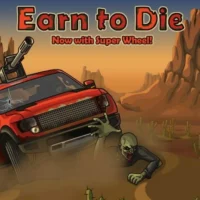
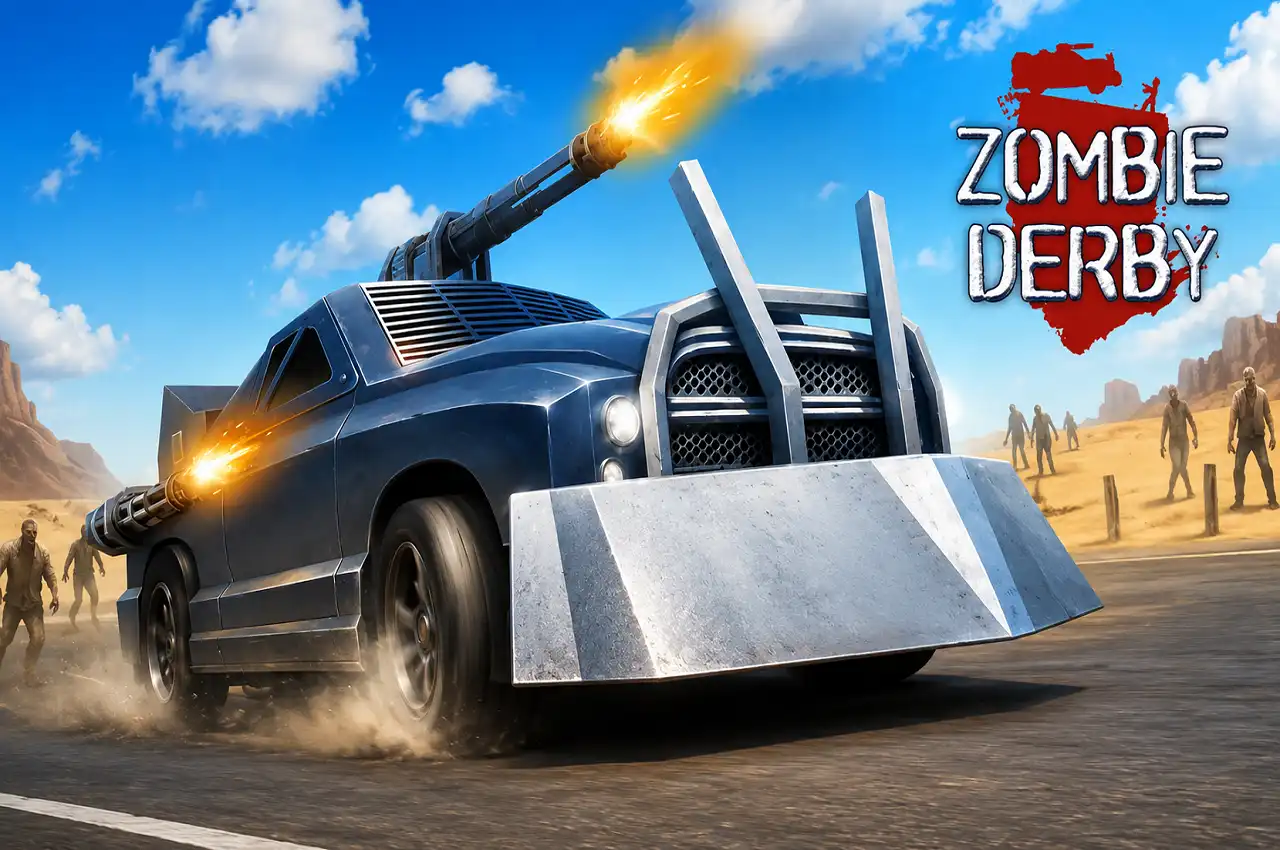
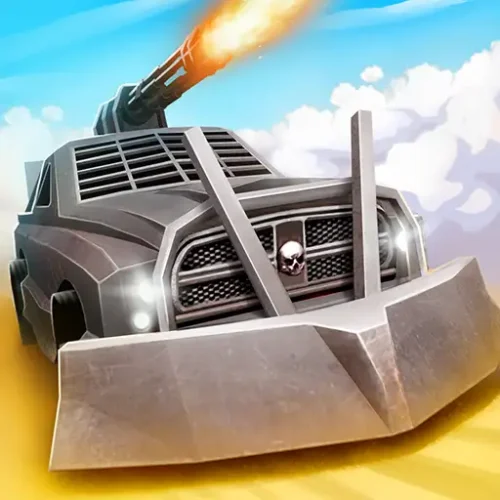
Zombie Derby is a free side-scrolling zombie driving game developed by Brinemedia. You drive an armored vehicle through post-apocalyptic roads swarming with the undead, either ramming through them or blasting them with your mounted weapon, while managing fuel, surviving massive jumps, and upgrading your ride between runs to go further each time.
The game sits in a specific genre — the physics-based zombie driver — that it helped define. You are not just driving through a track. You are managing a vehicle that tilts, bounces, and reacts to every slope, ramp, and impact in ways that demand both moment-to-moment reaction and run-to-run strategy. Zombies are the visual chaos. Fuel is the actual enemy.
HTML5 browser game on desktop, tablet, and mobile. No download, no account needed.
BrinemediaDeveloper
5 VehiclesRoster
15 UpgradesPer Car
FreeBrowser Play
How the Game Works
Every run starts at the edge of a zombie-infested road. You accelerate forward, the terrain rises and falls over hills and broken highway sections, zombies shuffle and lurch into your path, and your fuel gauge ticks down the entire time. The goal is to reach the end of each stage — or get as far as possible — before the tank empties.
Two things kill runs in Zombie Derby. The first is running out of fuel. The second is a landing that flips your vehicle upside down or sends it nose-first into the ground at the wrong angle. Zombies themselves are rarely the problem — your vehicle can absorb a lot of them. What zombies do is slow you down, and slowing down burns fuel without distance. The relationship between speed, fuel, and zombie density is where the strategy lives.
Standing still is how you die
Running out of fuel while stopped in the middle of the road leaves you surrounded by zombies with no way out. The game is not forgiving about this. Every second not moving is fuel spent without distance gained. The zombie threat and the fuel threat are the same threat — both push you toward keeping the vehicle moving forward at all times.
Controls
Input
Action
W or ↑
Accelerate forward
A / D or ← / →
Tilt car forward or backward — critical for airborne balance and landings
Space
Fire mounted weapon
Left Shift or N
Activate nitro boost
The tilt mechanic — A/D or left/right arrows — is the most important and least understood control in the game. It controls your vehicle’s pitch in the air during jumps, which directly determines whether you land cleanly, lose momentum, or crash entirely. Most guides list it as “tilt car” without explaining why it matters. It is covered fully in the tips section below.
The Five Vehicles
Zombie Derby puts five vehicles between you and the apocalypse, each with a different character and carrying capacity for loot. You unlock them progressively as you reach the end of each stage.
🛻
Pickup Truck
The starting vehicle. A basic, slightly battered pickup that handles the early stages without complaint. Light enough to accelerate quickly on flat ground, but its low armor means zombies slow it more noticeably than heavier vehicles. Learn the tilt and fuel mechanics here before anything else.
🚘
Hunter
Sleek and faster than the pickup. The Hunter has better top speed, making it more fuel-efficient over flat terrain because it covers ground quicker. Less stability than the heavier options on rough sections, so the tilt mechanic matters more here.
🚛
Sledge
Heavy, armored, and seriously tough. The Sledge absorbs zombie impacts with minimal speed loss and holds up well on rough terrain. The trade-off is acceleration and fuel efficiency — its weight costs more per kilometer. Upgrade the fuel tank substantially before taking the Sledge deep into late stages.
🚜
Harvester
Described by the developers as “frankly silly” — and it earns that description. The Harvester’s unusual proportions and weight distribution make it handle differently from every other vehicle in ways that feel like controlled chaos. Experienced players often return to it specifically for the entertaining physics interactions it produces.
🏎️
Fifth Vehicle
The final unlockable vehicle for players who have cleared the earlier stages. The most capable option in the roster with the highest loot capacity and best overall stats once fully upgraded.
The Upgrade System — 15 Upgrades Per Car
Each vehicle supports fifteen upgrade slots covering every major system. The order in which you spend your earned currency matters significantly — certain upgrades deliver immediate run-length improvements, while others are quality-of-life additions that pay off later.
Upgrade first — Fuel Tank and Engine
Fuel tank upgrades extend how far each run can reach before the gauge empties. Engine upgrades improve acceleration and hill-climbing power, which directly reduces fuel wasted grinding up slopes. These two categories produce the most immediate improvement in run distance and should be prioritized before any offensive upgrades.
Upgrade second — Wheels and Bumpers
Upgraded wheels improve terrain handling and zombie-ramming efficiency. Studded bumpers reduce the speed loss from zombie impacts, which is effectively a passive fuel saver since you are spending less time accelerating back up to speed after every impact. Both deliver consistent run improvement once fuel range is solid.
Upgrade third — Weapons, Armor, Nitro
Weapon upgrades let you clear dense zombie clusters before impact rather than ramming through them. Armor upgrades increase how much punishment the vehicle can take from environmental impacts. Nitro upgrades add duration and power to boost bursts. These matter more in longer runs when stage difficulty increases significantly.
Mastering Jumps and Airborne Balance
This is the mechanic that almost every Zombie Derby guide either skips or explains badly. The A/D tilt controls are not just for steering on hills — they determine your vehicle’s pitch angle during airborne phases, which directly controls how you land.
1
Tilt slightly forward on the way down from a jump
Pressing the forward tilt key as your vehicle descends from a jump angled it front-first toward the landing surface. When the front wheels touch down first in alignment with the slope, the vehicle rolls through the landing and maintains or even gains speed. This is the “perfect landing” and it feels very different from a flat or back-first impact.
2
Too much forward tilt = nose dive
Tilting too aggressively forward sends the nose into the ground before the wheels can absorb the impact. The vehicle crumples, stops, or flips depending on the angle and speed. Learn the difference between a slight corrective forward tilt and an overcorrected one — it is a small input change with dramatically different outcomes.
3
Release gas on the descent to save fuel without losing speed
While airborne, releasing the accelerator burns no fuel. Gravity carries the vehicle down at roughly the same speed regardless of whether you are pressing the pedal. Releasing on the descending phase of every jump is a free fuel save that costs nothing in run pace. On large jumps this habit saves meaningful fuel across a full stage.
4
Use nitro before uphill sections, not during them
Activating nitro at the base of a slope gives the vehicle a speed burst that carries up the incline with significantly less fuel burned grinding up under normal acceleration. Activating it mid-climb when the vehicle has already slowed is less effective because the boost cannot fully overcome the grade. Time the burst for the moment before the hill starts.
Shooting vs Ramming — When to Use Each
Both approaches work, and the choice matters for fuel and ammo economy.
🔫Shoot dense zombie clusters — a large group of zombies in the road creates significant speed drag when rammed through. Firing a burst ahead of the impact clears enough of the cluster that the vehicle maintains speed through the gap. Every zombie rammed at full density costs speed, and speed loss costs fuel.
💥Ram isolated zombies — a single zombie or a small scattered group costs almost no speed to ram through. Shooting individual stragglers wastes ammo with no meaningful fuel benefit. Save shots for the wall of bodies, not the lone shuffler.
🚧Shoot barricades that actually block — environmental barriers that fully block the road require shooting or nitro to clear. A short burst to break a barricade is worth it. Do not unload a full magazine — a few shots typically break any obstacle that can be destroyed.
Collecting Gas Canisters
Gas canisters are scattered along the road and restore fuel when driven over. They are the primary way to extend a run beyond what your upgraded tank alone can sustain in late stages. A few rules about collecting them:
⛽Canisters in your natural driving line are always worth collecting — no extra movement needed.
⚠️Canisters that require a significant route deviation may not be worth the speed loss to collect, especially if the deviation runs you into a zombie cluster.
📊Late-stage runs with low fuel gauge should prioritize any canister visible ahead — even a slight path adjustment is acceptable when the alternative is running out before the next cluster appears.
Yes, completely free. No download, no account, no purchases. Plays directly in your browser on desktop, tablet, and mobile.
What are the controls?
W or Up Arrow to accelerate. A/D or Left/Right Arrow to tilt the car forward or backward in the air. Spacebar to fire the mounted weapon. Left Shift or N to activate nitro boost.
What does the tilt control actually do?
The tilt controls — A/D or left/right arrow keys — adjust your vehicle’s pitch during jumps. Tilting slightly forward on the descent angles the car for a front-wheel landing that maintains speed. Tilting backward lands back wheels first and bleeds speed. Getting this right on large jumps makes a significant difference to both run length and fuel efficiency.
How do you avoid running out of fuel?
Release the gas during airborne phases to stop burning fuel mid-jump. Upgrade the fuel tank early in the upgrade tree. Shoot dense zombie clusters before ramming through them to maintain speed. Collect every gas canister on your natural driving path. Use nitro before hills rather than during them for better fuel-per-distance efficiency.
How many vehicles are in Zombie Derby?
There are five vehicles, including the starting Pickup Truck, the Hunter, the Sledge, the Harvester, and a final unlockable vehicle. Each handles differently and carries progressively more loot capacity. New vehicles unlock by reaching the end of stages.
How many upgrades are there?
Each vehicle supports 15 upgrade slots covering engine power, fuel tank capacity, wheel grip, studded bumpers, weapon damage, ammo capacity, armor, nitro capacity, and more. Fuel tank and engine upgrades deliver the most immediate run improvement and should be prioritized first.
Should I shoot zombies or just ram them?
Shoot dense clusters ahead of impact to maintain speed through them — ramming a wall of zombies at full density costs significant momentum. Ram isolated or scattered zombies where the speed cost is minimal and the ammo cost is not justified. Shoot barricades with a short burst rather than full ammo to clear the road.
When should I use nitro?
Use nitro at the base of hills — just before the slope begins — to carry momentum up the incline without burning heavy fuel on a slow grind. Using nitro mid-slope when the vehicle has already slowed is less efficient. Nitro is also effective for punching through particularly dense zombie clusters that would otherwise kill your speed.
Is Zombie Derby the same as Zombie Derby 2 or Zombie Derby Pixel Survival?
No, they are separate games. Zombie Derby by Brinemedia is the original — a 2D side-scrolling driver with five vehicles and fifteen upgrades. Zombie Derby 2 is the sequel with additional vehicles, stages, and mechanics. Zombie Derby: Pixel Survival is a different game by Lightfox Games with pixel art graphics and different gameplay. All three are playable in browser but are distinct experiences.
✦ Final Verdict
Zombie Derby earns its place in the zombie driving genre by making fuel management genuinely interesting rather than just a nuisance. The physics-based tilt and landing system adds real skill depth to what could have been a simple drive-and-smash experience.