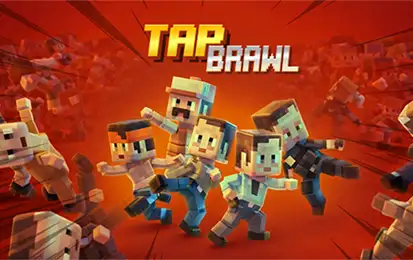
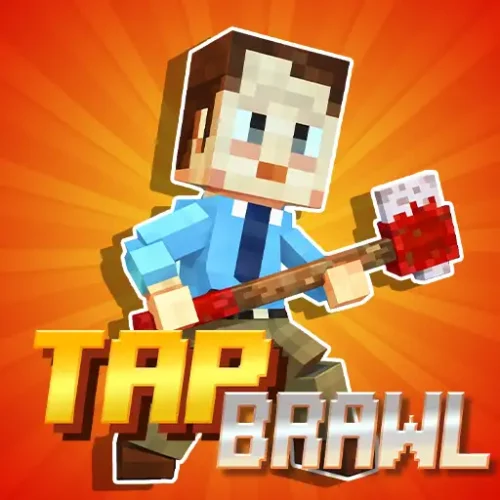
Tap Brawl is a free 2D arcade survival game where you play as a lone fighter standing in the center of an arena, defending against endless waves of enemies charging from both the left and right simultaneously. Your position never changes. The only thing you control is which direction you attack and when.
The mechanic is deliberately stripped back. Two inputs, one rule: hit the enemy closest to you before it reaches you. Every enemy you defeat speeds the game up slightly. The longer you survive, the less time you have between each attack until the waves are arriving faster than most people can consciously react, and the game becomes something closer to reading a rhythm than thinking through individual hits.
Block-style visuals, eight themed arenas, unlockable fighters, and weapons built on coins you earn during runs. No download, no account. Plays in any modern browser on desktop and mobile.
Left / RightTwo Inputs
8Battle Arenas
CoinsRun Currency
FreeBrowser Play
How the Game Actually Works
Your fighter stands fixed in the center of the screen. Enemies spawn from the left and right edges and walk toward you. When an enemy enters attack range, you strike in their direction to defeat them. That is the entire game.
What makes it harder than it sounds is the compounding difficulty and the penalty for early hits. Each defeated enemy automatically increases the game speed — not occasionally, not at checkpoints, but after every single kill. The pacing shift is gradual at first and then sudden. Around the point where it starts feeling manageable, the speed jumps to a level that requires a completely different approach to survive.
The other mechanic most players discover the hard way: attacking when no enemy is in range ends your run immediately. You cannot spam attacks or button-mash your way through dense waves. Every strike has to land on an actual enemy. This rule transforms the game from a test of speed into a test of timing — you need to be fast enough to hit incoming enemies and controlled enough to not swing at empty air while waiting for them.
The rule that ends most early runs
Hitting empty air counts as a fatal mistake in Tap Brawl. If you tap left when no enemy is approaching from the left, the run ends regardless of how long you have been surviving. This is not explained clearly in the game — most players lose several runs to this before realizing what happened. When both sides go quiet for a half-second, do not fill the silence with an extra hit.
Controls
Input
Action
← Left Arrow or Left Click
Attack enemies approaching from the left
→ Right Arrow or Right Click
Attack enemies approaching from the right
Tap left side (mobile)
Attack left
Tap right side (mobile)
Attack right
On mobile the split-screen tap layout maps naturally to the two-input design — your left thumb handles left attacks and your right thumb handles right attacks. The game was clearly designed with touchscreen play in mind and works well on phones without any adaptation needed.
The Eight Arenas
Tap Brawl includes eight battle arenas with distinct visual themes, each bringing a different set of enemy types to face. The core mechanic does not change between them, but the enemy designs and environmental context shift the feeling of each run.
Urban Battle Zone
The baseline environment. Street brawlers and standard enemy types at a manageable starting pace. Good for developing timing before moving to themed arenas with faster or unusual enemy behavior.
Zombie Arena
Undead enemies with erratic movement speeds that make the standard “hit the closest one” priority harder to read. The visual contrast of zombie designs against the arena backdrop makes this one of the more visually readable stages despite the irregular pacing.
Prison Environment
Prisoner enemy types that spawn in slightly different patterns compared to urban enemies. The confined setting creates a tighter visual atmosphere that some players find increases the pressure even before the speed ramps up mechanically.
Business / Office Arena
Suited businessmen as enemies. The absurd contrast between the visual design and the chaos of the combat is part of what gives Tap Brawl its tone — this arena leans into that harder than any other.
The remaining four arenas continue the theme variety. All eight are unlockable through coin spending, giving long-term players visual variety without changing what the game fundamentally asks of them.
Coins, Fighters, and What You Actually Unlock
Coins drop from every defeated enemy and accumulate across runs. The important thing to understand about the unlock system in Tap Brawl is that nothing you buy changes how the game plays. New fighters have different visual styles. New weapons change your character’s appearance during attacks. New arenas change the backdrop. None of these affect your attack speed, your timing window, or how the difficulty scales.
This is by design. Tap Brawl’s difficulty comes entirely from your reaction time and pattern recognition — not from a stat you can upgrade. The coin progression exists to reward continued play with visual freshness, not to let you buy a performance advantage. Every player at the same score threshold is facing exactly the same challenge regardless of what they have unlocked.
Spend coins on arenas before fighters
New arenas change the enemy visual design, which can refresh the experience significantly after repeated runs in the same environment. New fighters change your character sprite only. Both are cosmetic but arenas have more practical benefit in terms of keeping sessions feeling different — worth prioritizing early if you are trying to stay engaged past the first few hours.
How to Survive Longer
1
Learn the priority rule before anything else
Always attack the enemy that is physically closest to your fighter — not the one that appeared first, not the one on the side you last hit. When enemies from both sides are approaching simultaneously, the one closer to the center gets priority. This rule handles most mid-game decisions automatically once it becomes instinct.
2
Stop attacking between spawns
The gap between enemy waves is where most runs end unexpectedly. Players who build an attack rhythm carry it through a quiet moment and accidentally strike empty air. When you defeat an enemy and the next has not yet entered range, hold completely still. Wait for visual confirmation that the next target is in range before hitting.
3
Switch from thinking to reacting at high speed
In the early game, consciously deciding “left, right, left” works fine. Past a certain speed threshold, that process is too slow. The transition to longer runs happens when you stop thinking about which direction to attack and start reacting to the visual of an enemy entering range. This transition feels sudden and cannot be forced — it develops through repeated play at the higher speed tiers.
4
Use the sound as a secondary cue
Each arena has audio that moves in rhythm with the enemy spawn rate. At high speed, experienced players describe syncing their attacks to the audio pattern rather than purely watching the screen. The sound of an enemy spawning or the background music tempo can register faster than the visual when your eyes are tracking both sides simultaneously.
Common Mistakes
Tapping on instinct after a kill
The adrenaline of a fast kill often triggers an immediate second tap in the same direction. If no second enemy is there, the run ends. Reset your hands after each hit rather than following through automatically.
Watching one side too long
Locking focus onto a series of enemies from one side while an enemy from the other approaches unnoticed. Keep your visual field centered so both edges are always in peripheral view, not tracked individually.
Trying to speed up your taps
Faster tapping does not help in Tap Brawl. The speed of the game is set by the enemy spawns, not by your input rate. Tapping faster increases the chance of hitting empty air. Accurate taps at the right moment beat fast taps at the wrong one every time.
Panicking at simultaneous attacks
Two enemies arriving at the same time from both sides is the most stressful moment in any run. The correct response is to hit whichever is closer and immediately counter to the other side — not to hesitate reading both. Hesitation in that moment is more dangerous than any slight timing error.
Yes, completely free. No download, no account, no purchases. Plays directly in your browser on desktop, tablet, and mobile.
What are the controls?
Left Arrow or left click attacks enemies approaching from the left. Right Arrow or right click attacks enemies from the right. On mobile, tap the left or right side of the screen. That is the complete control scheme.
Why did my run end when I did not get hit?
Attacking when no enemy is in range ends the run immediately in Tap Brawl. If you tapped in a direction and there was no enemy present on that side, the game treats that as a fatal error. Only strike when an enemy is visibly within range — never fill a quiet moment with an extra tap.
Does the game get harder over time in a single run?
Yes. Every enemy you defeat automatically increases the game speed. There are no difficulty settings — the escalation happens continuously and is tied directly to your kill count. The longer you survive, the faster enemies spawn and approach until the timing window per attack is almost nothing.
What do coins do in Tap Brawl?
Coins are earned by defeating enemies during runs and are spent to unlock new fighters, weapons, and battle arenas. None of these unlocks affect gameplay — they are all visual. Tap Brawl has no upgrades that change your attack speed, timing window, or difficulty scaling.
How many arenas are there?
There are eight battle arenas in Tap Brawl, each with a different visual theme and enemy type. Confirmed themes include urban streets, zombie arenas, prison environments, and business/office settings. All arenas are unlockable with coins.
What enemy types are in Tap Brawl?
Enemy types include standard street fighters, zombies, prisoners, and business characters, each associated with their matching arena theme. The movement speed and spawn patterns vary slightly between types, but all require the same directional attack response.
Can I play Tap Brawl on mobile?
Yes. The game is designed for mobile play with a split-screen tap layout — tap the left half of the screen to attack left, tap the right half to attack right. It runs smoothly on phones and tablets without needing a keyboard.
Is Tap Brawl similar to Brawl Stars?
No. Despite sharing part of the name, Tap Brawl and Brawl Stars are completely different games. Brawl Stars is a 3D multiplayer hero shooter by Supercell. Tap Brawl is a single-player 2D reflex arcade game about surviving endless left-right enemy waves. The only thing they share is a combat theme.
What is the best way to improve at Tap Brawl?
Stop thinking about individual hits and start reacting to enemy positions. The transition from deliberate decision-making to automatic reaction is where survival times jump significantly. Keep your visual attention centered on both sides rather than tracking one side at a time, and practice stopping your hands completely between enemy spawns to avoid hitting empty air.
✦ Final Verdict
Tap Brawl is one of those games that earns its difficulty honestly. The two-input design sounds like it should be trivial and is genuinely hard once the speed ramps up, which is exactly the gap that keeps players coming back. The “no hitting empty air” rule adds a layer of restraint that most reflex games do not ask for — it turns what could be a button-mashing game into something that actually rewards composure. Eight arenas and a full cosmetic unlock system give it enough variety to stay interesting well past the first session.