





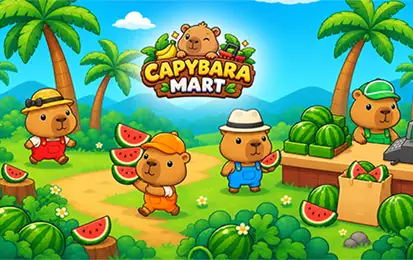
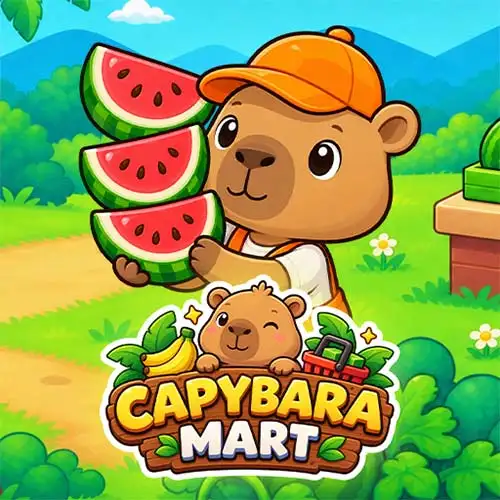







Play Capybara Mart free. Produce goods, stock shelves, hire staff, and grow your store into a mart empire. Capybara Mart puts you in charge of a small grocery store run by a capybara – grow and produce goods at your stations, stock the shelves, and watch customers wander in to shop and check out. Every sale funds new stations, staff, and upgrades, until your humble corner mart grows big enough to unlock an entirely new one. No downloads, no account required to start. Works in Chrome, Firefox, Edge, and on mobile.
What Is Capybara Mart?
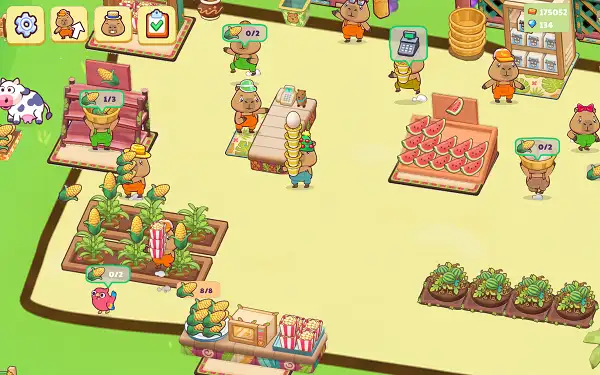
Capybara Mart is a free, browser-based management and tycoon game where you run a supermarket from the ground up. You produce food at dedicated stations, carry it over to your shelves, and watch as a steady stream of customers walks in, grabs what they need, and pays at checkout. Every sale earns you coins, which you reinvest into new production stations, hired staff, and upgrades that let your mart handle more customers and more products at once.
What gives the game real staying power is its two-layer progression. Within a single mart, you’re unlocking new buyable spots one at a time in a set order, gradually filling out your store. Once you’ve hit the required sales milestone for that mart, a portal opens up to an entirely new mart, and the whole process starts again – bigger, busier, and with fresh products to work with.
How to Play Capybara Mart
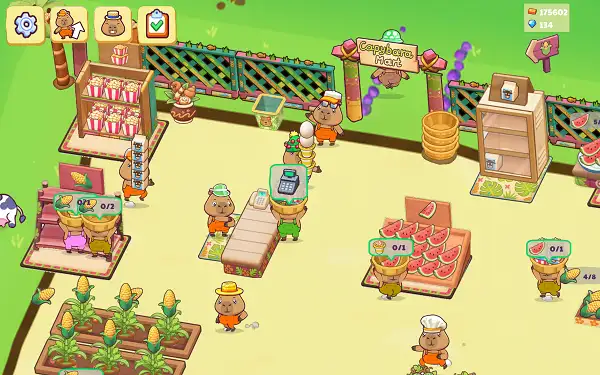
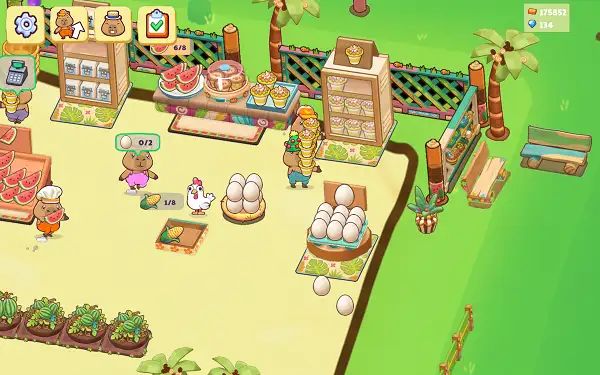
- Move your capybara around the store. Walking is how you interact with almost everything – there’s no separate action button needed for most tasks.
- Produce goods at your stations. Crops, animals, and machines all generate raw ingredients and finished products over time.
- Stock your shelves. Walk into a shelf while carrying product to place it out for sale.
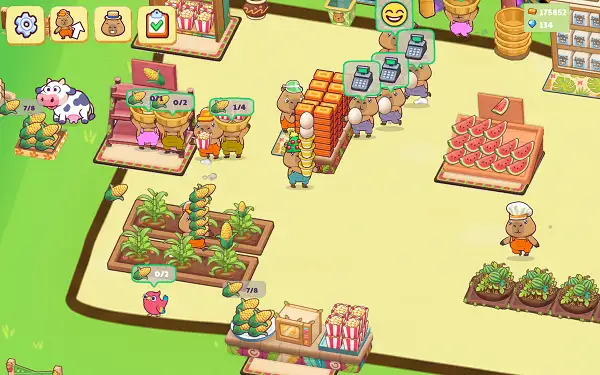
- Let customers shop. Customers wander in on their own, head toward the shelves holding what they want, grab it, and make their way to checkout.
- Work the checkout. Walk into the checkout counter to collect payments and keep the line moving.
- Reinvest your coins. Spend your earnings on new buyable spots, additional stations, staff, and upgrades to keep growing.
- Unlock the next mart. Hit the required number of sales in your current mart to open the portal to a new one, expanding your grocery empire further.
Controls
| Action | Input |
|---|---|
| Move | W A S D or ↑ ← ↓ → |
| Interact | Left Mouse Button, or tap on mobile |
Movement handles the vast majority of what you’ll do – walking into a station, shelf, or checkout counter is generally enough to trigger the relevant action. On mobile and tablets, an on-screen joystick or drag-to-move handles positioning, with a tap covering the same interactions as a click on desktop.
Staff and Companions
As your mart grows, you can hire help to keep things running smoothly:
- Cashiers – Take over checkout duty, keeping the payment line moving without you needing to man it yourself.
- Stockmen – Help carry produced goods from stations to shelves automatically.
- Manager – A one-time hire that sticks with your mart permanently once purchased, rather than needing to be paid or replaced repeatedly.
Beyond human staff, several companion animals contribute to your mart’s operations. Cows, pigs, and chickens act as raw-material producers, a Parrot companion can be fed and kept around, and a traveling Caravan periodically arrives to sell off batches of a specific food type on its own.
Products and Production
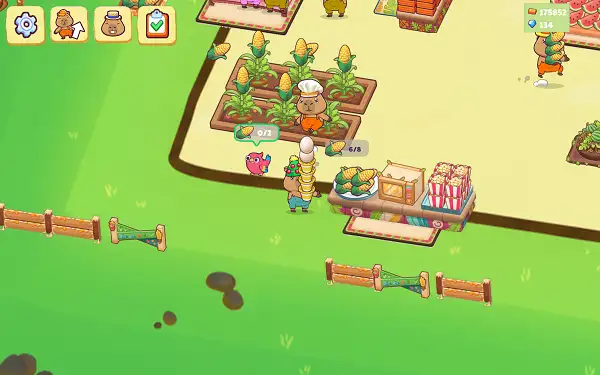
Capybara Mart features 39 distinct food products, ranging from basic raw ingredients like bananas, corn, eggs, milk, and wheat, all the way up to fully processed goods like bread, chocolate bars, sushi, ice cream, and yogurt. Around 25 different production machines and stations handle turning raw materials into finished products – a wheat mill turns wheat into flour, an oven bakes bread, a chocolate machine processes cocoa into chocolate, and so on down an increasingly elaborate production chain as you unlock more of them.
Handling the Rowdy Customer
Not every visitor to your mart is a paying customer. A disruptive “Rowdy” occasionally shows up, knocking goods off your shelves and raising an alert until you chase them off. Keeping an eye out for this troublemaker and dealing with them quickly helps protect your carefully stocked shelves from unnecessary chaos.
Quests, Events, and Rewards
- Daily Quests – Five rotating quest slots reset every 24 hours, each paying out gems when completed.
- Daily Login Bonus – A 7-day cycle of login rewards, with Day 7 specifically granting a special Top Hat alongside bonus gems.
- Seasonal Events – Halloween and Christmas events run periodically, each offering a unique, exclusive hat as a completion reward.
Currencies and Upgrades
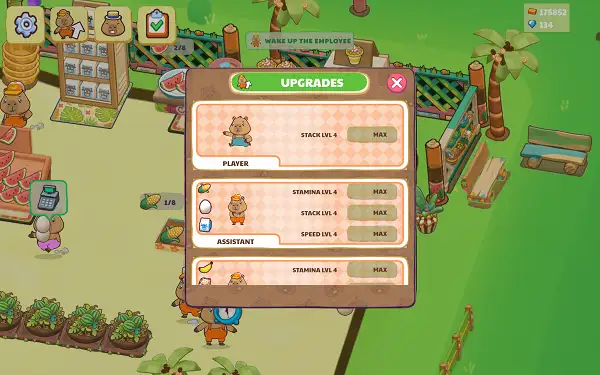
Capybara Mart runs on two main currencies: Coins, your primary soft currency earned through sales, and Gems, a premium currency earned through quests and login bonuses. Both can be spent on upgrades across four main tracks – your own carrying capacity, your staff’s stamina and speed, your machines’ capacity and build speed, and your Caravan’s capacity and reload time. Temporary boosters are also available for double income or double speed, giving you short-term bursts of extra efficiency when you need them most.
Tips and Tricks
- Prioritize unlocking new buyable spots early. Since each mart’s progression unlocks one spot at a time in a fixed order, steadily working through that chain is usually more valuable than saving up for a single big purchase.
- Hire a Stockman as soon as you can afford one. Automating the trip between stations and shelves frees you up to focus on other parts of the mart instead of running back and forth yourself.
- Don’t neglect the Manager purchase. Since it’s a one-time hire that sticks around permanently, it’s one of the more valuable long-term investments available.
- Deal with the Rowdy quickly when it appears. Letting it linger means more knocked-over goods and a longer alert period, so chasing it off promptly limits the disruption to your shelves.
- Check your Daily Quests and Login Bonus every session. Since both are free sources of gems – and the Day 7 login bonus includes an exclusive hat – skipping them means leaving easy rewards on the table.
- Balance your upgrade spending across all four tracks. Investing only in one area, like carry capacity, while ignoring staff speed or machine capacity, tends to create bottlenecks elsewhere in your mart’s production chain.
- Save boosters for busy stretches. Since double income and double speed boosts are temporary, using them during a session when you’re actively playing and producing gets more value out of them than activating one and walking away.
Other Similar Games
Frequently Asked Questions
What is Capybara Mart?
Capybara Mart is a free, browser-based management and tycoon game where you run a supermarket, producing food at stations, stocking shelves, and serving customers to earn coins for expansion.
What are the controls?
WASD or the Arrow Keys move your capybara around the mart, and clicking or tapping handles interactions like stocking shelves or working checkout – though simply walking into most objects triggers the relevant action automatically.
How does progression work?
Within each mart, you unlock buyable spots one at a time in a fixed order as you hit sales milestones. Once you reach the required total for your current mart, a portal opens to a brand new mart with its own products and layout.
How many products are in the game?
There are 39 distinct food products, ranging from raw ingredients like corn and wheat up to processed goods like bread, chocolate bars, sushi, and ice cream, produced using around 25 different machines and stations.
Can I hire staff to help run the mart?
Yes. Cashiers handle checkout, Stockmen carry goods from stations to shelves, and a Manager can be hired once for a permanent addition to your team.
What is the Rowdy?
The Rowdy is a disruptive visitor who knocks goods off your shelves and raises an alert until you chase them away, acting as an occasional nuisance you’ll need to deal with.
What currencies does the game use?
Coins are the main currency, earned from sales, while Gems are a premium currency earned through quests, daily login bonuses, or purchased directly.
Are there special events?
Yes. Halloween and Christmas events run periodically, each offering an exclusive hat as a completion reward, alongside Daily Quests and a 7-day Daily Login Bonus cycle.
Which browser works best for Capybara Mart?
Capybara Mart runs well on Chrome, Firefox, and Edge.
Can I play Capybara Mart on a phone or Chromebook?
Yes. It works in any modern browser, including on Chromebooks, and supports on-screen joystick or drag-to-move touch controls on mobile devices.
Why isn’t Capybara Mart loading?
Check your internet connection, make sure this site isn’t blocked on your network, and try disabling any ad blockers – these are the most common causes of loading issues.
Simulation