













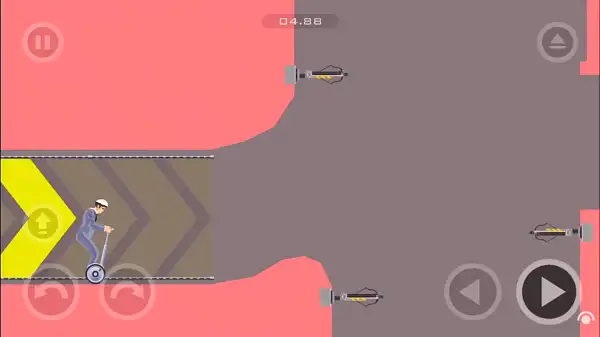
Play Happy Wheels free. Race wild characters through hazard-filled courses, or explore millions of community-made levels. Happy Wheels hands you a cast of hilariously ill-equipped racers – a dad and son sharing a bicycle, a businessman on a Segway, a man in a rocket-powered wheelchair, Santa Claus in an elf-pulled sleigh – and sends them through obstacle courses built almost entirely out of blades, mines, and gruesome ragdoll physics. Reaching the finish line intact is the goal. Reaching it in one piece is optional, and honestly, half the fun. No downloads, no account required to start. Works in Chrome, Firefox, Edge, and on mobile.
What Is Happy Wheels?
Happy Wheels is a side-scrolling, physics-based obstacle course game created by independent developer Jim Bonacci and published by Fancy Force, first released in June 2010. Bonacci began working on it back in 2006, inspired by a Verlet physics engine a friend had built for Flash – he’s said the whole thing started from messing around with the idea of “a guy in a wheelchair that would endlessly fall down a random hill,” which grew into one of the most recognizable browser games ever made, with total level plays across its history exceeding 13 billion.
What makes Happy Wheels distinct from other ragdoll physics games is the sheer variety of what you’re controlling and how differently each character handles. You’re not just steering a generic vehicle – you’re wrestling with the specific, often absurd physics of a Segway, a lawnmower, or a rocket-powered wheelchair, each with its own quirks, strengths, and ways of horribly failing. Layer on an enormous, community-built library of user-made levels, and you’ve got a game with genuinely limitless replay value.

How to Play Happy Wheels
- Choose your character. Each one rides a different vehicle and has its own physics quirks, strengths, and special ability.
- Move and lean with the Arrow Keys. Steering isn’t just about direction – leaning your character’s weight affects balance, especially on two-wheeled vehicles.
- Use your character’s special ability when needed. Many characters have a unique action tied to their vehicle – Segway Guy can jump, Wheelchair Guy can activate a jet boost – so check what your specific character can do.
- Eject if things go wrong. Pressing Z separates your character from their vehicle, letting you control them independently – sometimes a deliberate escape, sometimes just what happens after a bad crash.
- Navigate the hazards. Blades, mines, spikes, and steep drops are scattered throughout most levels, and losing limbs or worse is a very real, very visual possibility.
- Complete the level’s actual objective. Most levels want you to reach the finish line or collect scattered tokens, though some levels have entirely different goals – skill challenges, or even levels that ask you not to move at all.
- Check your time and try again. After finishing, your completion time is shown – a good excuse to replay a level and try to beat your own best run.
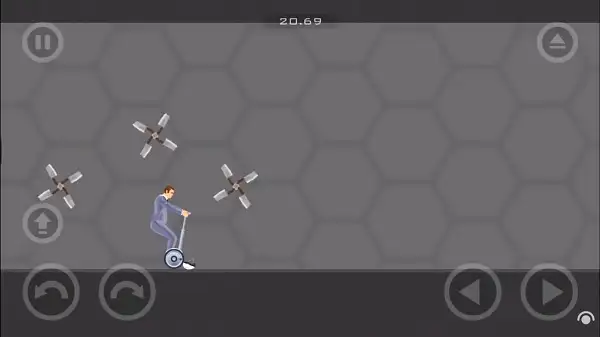
Controls
| Action | Input |
|---|---|
| Move / Lean | Arrow Keys |
| Eject from vehicle | Z |
| Character-specific action | Varies (often Spacebar, Shift, or Ctrl) |
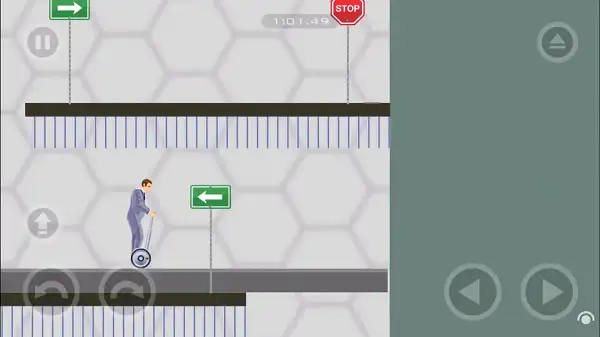
Since each character’s vehicle works differently, exact special-action keys can vary depending on who you’re playing as – it’s worth checking the in-game controls for your chosen character before a run, especially with the more unusual vehicles. On mobile and tablets, on-screen touch controls handle movement, leaning, and character-specific actions.
Characters
Happy Wheels features 16 character types in total, each riding their own distinct vehicle, ranging from small and nimble to large and unwieldy:
- Small characters – Generally faster and more maneuverable, better suited to tight, technical obstacle sections.
- Medium characters – Including fan favorites like Wheelchair Guy, Segway Guy, Irresponsible Dad, Moped Couple, Explorer Guy, Pogostick Man, and Irresponsible Mom.
- Large characters – Bulkier and often slower, including Effective Shopper, Lawnmower Man, Santa Claus, and Helicopter Man.
Currently Released Characters:
- Wheelchair Guy
- Segway Guy
- Irresponsible Dad
- Effective Shopper
- Moped Couple
- Lawnmower Man
- Explorer Guy
- Santa Claus
- Pogostick Man
- Irresponsible Mom
- Helicopter Man
Every character can also be accessed and tested directly in the game’s Level Editor, which is a good way to get a feel for how a character controls before committing to a full run with them.
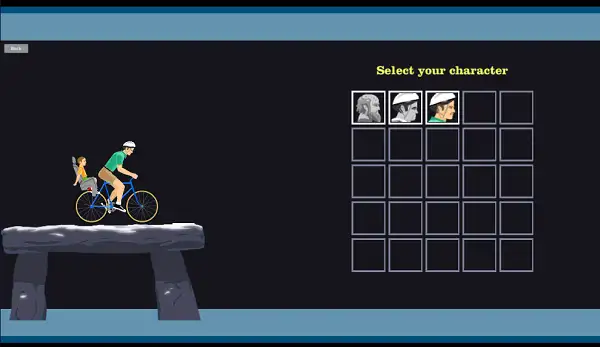
Levels and the Level Editor
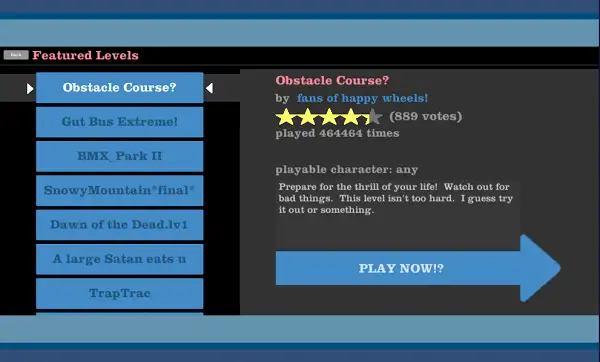
Happy Wheels comes with an extensive built-in level editor, and the community has used it to create and share well over 10 million fan-made levels over the game’s history. Featured levels – the best of the best, hand-picked directly by creator Jim Bonacci – are highlighted on the play screen, with community classics like “Speed Bridge” standing among the most-played levels of all time.
Level objectives vary quite a bit beyond simply reaching a finish line. Some levels ask you to collect tokens scattered throughout the course. Others are built around specific skill challenges, like landing a ball in a hoop. A handful of unusual levels even ask you to do nothing at all, letting a scripted sequence play out untouched. If you get tired of official content, the sheer scale of the user-made level library means there’s effectively no limit to what you can play next.
Tips and Tricks
- Learn each character’s balance quirks before racing seriously. Two-wheeled vehicles in particular reward understanding how leaning affects your momentum – use the Level Editor’s testing space to get a feel for this without any obstacle pressure.
- Try the bike-hovering trick. Rapidly alternating between the left and right arrow keys while on certain bike-style vehicles causes the bike to hover in the air briefly – a well-known advanced technique useful for clearing certain gaps.
- Don’t panic-eject. Pressing Z separates you from your vehicle, which is sometimes useful, but often leaves your character even more exposed to hazards than staying mounted would have. Save it for moments where it’s clearly the better option.
- Replay levels to improve your time. Since your completion time is tracked, going back to an already-cleared level is a low-pressure way to sharpen your handling of a specific character.
- Start with Featured Levels if you’re overwhelmed by choice. With millions of fan-made levels available, Jim Bonacci’s own hand-picked selection is a reliable way to find well-designed, well-tested content rather than digging through the full library at random.
- Try the Level Editor even if you don’t plan to build anything elaborate. It’s also a genuinely useful sandbox for testing how different characters and vehicles handle without any of the obstacles from a real level getting in the way.
- Expect a learning curve on the physics. Movement feels intentionally a little heavy and delayed compared to more conventional platformers – stick with it for a level or two rather than assuming your first few crashes mean you’re doing something wrong.
Other Similar Games
Frequently Asked Questions
What is Happy Wheels?
Happy Wheels is a side-scrolling, ragdoll physics-based obstacle course game where you control unusual characters and vehicles through hazard-filled levels, trying to reach the finish line – or complete whatever the level’s actual objective is – in as few pieces as possible.
Who made Happy Wheels?
Happy Wheels was created by independent developer Jim Bonacci and published by Fancy Force, first released in June 2010 after development began back in 2006.
What are the controls?
Arrow Keys handle movement and leaning, while Z ejects your character from their vehicle. Additional character-specific actions vary by which character and vehicle you’re using.
How many characters are in Happy Wheels?
There are 16 character types in total, each riding a distinct vehicle, ranging from small and agile to large and cumbersome.
Can I create my own levels?
Yes. Happy Wheels includes an extensive level editor, and the community has created and shared well over 10 million fan-made levels over the years.
What’s the objective of a level?
It varies. Most commonly you’re reaching a finish line or collecting tokens scattered through the course, though some levels involve specific skill challenges or unusual, non-standard objectives.
Is Happy Wheels violent?
Yes, notably so – the game is well known for its exaggerated, cartoonish gore and ragdoll physics, which is a core part of its reputation and appeal. It’s generally considered more suitable for teens and older players rather than young children.
What is the bike-hovering trick?
Rapidly alternating between the left and right arrow keys while riding certain bike-style vehicles causes the bike to briefly hover in the air, a well-known technique among experienced players for clearing tricky gaps.
Which browser works best for Happy Wheels?
Happy Wheels runs well on Chrome, Firefox, and Edge.
Can I play Happy Wheels on a phone or Chromebook?
Yes. It works on Chromebooks in any modern browser, and official mobile apps exist for iOS and Android with touch-optimized controls.
Why isn’t Happy Wheels loading?
Check your internet connection, make sure this site isn’t blocked on your network, and try disabling any ad blockers – these are the most common causes of loading issues.
PlatformArcadePopular games