






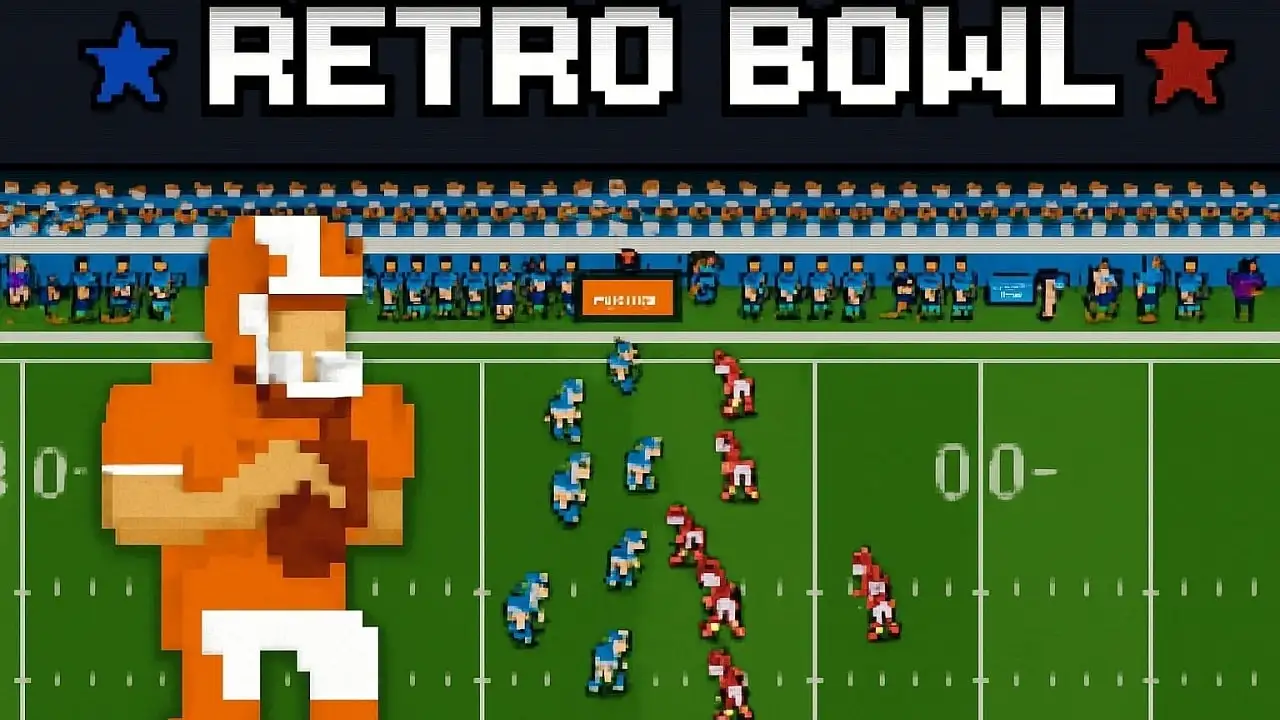








Play Retro Bowl free. Manage your team, negotiate contracts, and lead your quarterback to the championship. Retro Bowl puts you in two jobs at once: the head coach juggling a salary cap and a locker room full of egos, and the quarterback who actually has to go win the game on Sunday. Pixel-art visuals hide a surprising amount of depth underneath – contract negotiations and roster management off the field, tight passing windows and split-second reads on it. No downloads, no account required to start. Works in Chrome, Firefox, Edge, and on mobile.
What Is Retro Bowl?
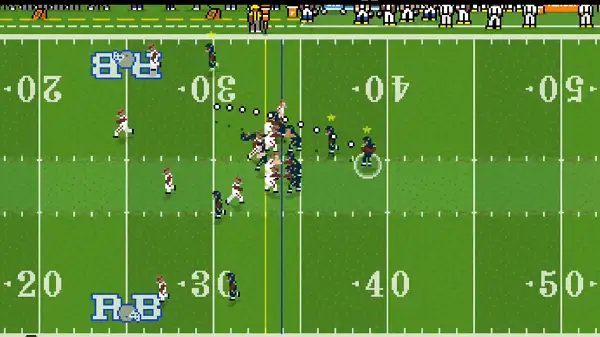
Retro Bowl is an 8-bit styled American football game developed by New Star Games, a UK studio led by Simon Read – also known for the original New Star Soccer – alongside a team of industry veterans who’ve previously worked on titles like the Worms series, Lemmings, and Grand Theft Auto. First released for iOS and Android in January 2020, Retro Bowl became the number one app on the US App Store and has since passed 40 million downloads across mobile, Nintendo Switch, and browser platforms, with the official web version hosted on Poki since 2021.
What made Retro Bowl stand out wasn’t flashy graphics – it deliberately leans into a chunky, retro pixel-art look reminiscent of classic 80s and 90s football games. What it does have is real strategic depth hiding underneath that simple presentation: you’re not just calling plays, you’re running an entire franchise, balancing a salary cap, drafting rookies, managing player morale, and upgrading your facilities between games, on top of actually executing on offense once kickoff arrives.
How to Play Retro Bowl
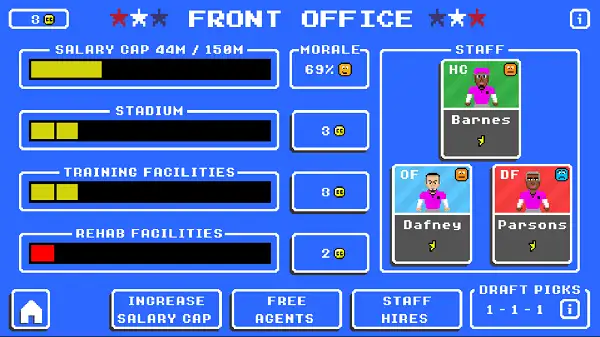
- Start in the front office. Manage your roster, negotiate contracts, and work within your salary cap – officially set at $200 million – to build the strongest team you can afford.
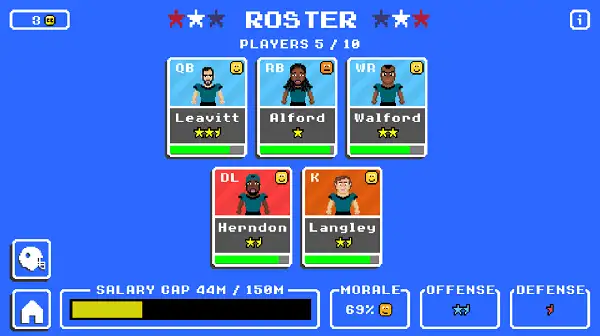
- Draft and develop players. Use your draft picks wisely and invest in training and facility upgrades to improve your roster over time.
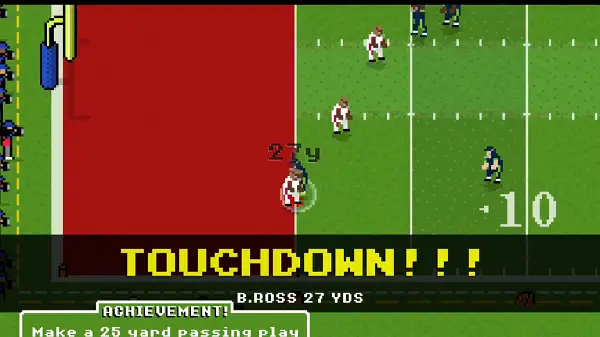
- Take the field as quarterback. Once a game begins, you control player movement directly and read the defense to find your best option.
- Aim and throw with your mouse. Drag and hold to aim a pass, then release to throw it toward your target receiver.
- Move your ball carrier with ASDW. Whether you’re scrambling as the quarterback or running the ball, direct movement is handled with the keyboard.
- Make the call: pass or run. Reading the defense correctly and choosing the right option is what separates efficient drives from stalled ones.
- Manage the season, not just the game. Between matches, keep an eye on team morale, injuries, and your cap space, since a single great game won’t make up for a poorly managed roster.
Controls
| Action | Input |
|---|---|
| Move player | A, S, D, W |
| Aim pass | Drag and hold Left Mouse Button |
| Throw | Release Left Mouse Button |
| Menu navigation | Mouse or Trackpad |
On mobile, the same actions are handled through simple swipe and touch controls – swipe to aim and throw, and tap to navigate menus, keeping the on-field experience just as accessible as it is on desktop.
Managing Your Team
Off the field, Retro Bowl is as much a management game as it is a football game. You’re responsible for negotiating player contracts within your salary cap, making draft picks to fill roster needs, and deciding where to invest in facility upgrades that improve your team’s performance over time. Player morale is a real factor too – a roster full of unhappy stars can undo a talented team just as easily as a poor draft can. Balancing all of this well, season after season, is just as important to long-term success as your actual performance on game day.
Game Modes
Retro Bowl includes five game modes in total, each adjusting how much manual timing and control is required to win. This range makes the game accessible whether you want a more relaxed, management-focused experience or a mode that demands sharper reflexes and precise passing on every single play.
Achievements
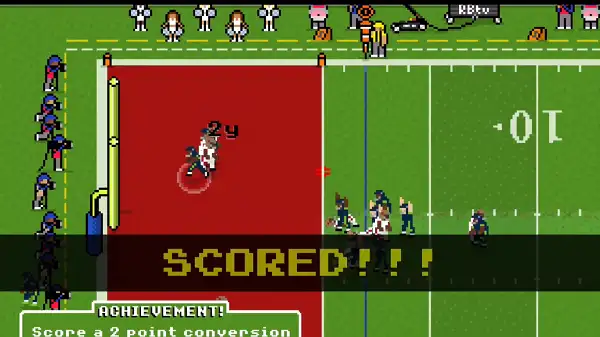
Retro Bowl includes a range of achievements tied to specific in-game accomplishments, including:
- Winning a game without your star player
- Winning a game without your star quarterback
- Winning the Retro Bowl championship without your star player
- Winning the Retro Bowl championship without your star quarterback
- Taking charge of a brand-new team
- Shutting out an opponent and stopping them from scoring
- Scoring 50 points in a single game
- “Doinking” a field goal off the upright
- Throwing 50 touchdowns across a single season
- Scoring a rushing touchdown with your quarterback
Chasing these adds a fun secondary layer of goals beyond simply winning games and managing a successful franchise.
Tips and Tricks
- Don’t overspend early on your salary cap. Locking too much money into a few star players early can leave you unable to fill out the rest of your roster – balance your spending across positions rather than chasing big names exclusively.
- Watch player morale closely. A talented roster that’s unhappy will underperform – benching a frustrated star or managing playing time carefully can prevent bigger problems down the line.
- Take the time to read the defense before committing to a throw. Rushing a pass into tight coverage is one of the fastest ways to turn the ball over – a slightly delayed, well-placed throw beats a rushed, risky one.
- Use your quarterback’s legs when the pocket collapses. Scrambling for a few extra yards, or even a rushing touchdown, is often safer than forcing a pass into pressure.
- Invest in facility upgrades even when it’s tempting to save cap space. Long-term team improvement depends on more than just your current roster – facilities compound your team’s growth over multiple seasons.
- Try a lower-control game mode if you’re new. Since Retro Bowl offers five modes with varying levels of manual timing required, starting with an easier one lets you learn the franchise management side before demanding split-second passing precision from yourself.
- Draft for need, not just talent. A star player at a position you’re already strong in is less valuable than a solid player filling an actual gap in your roster.
Other Similar Games
Frequently Asked Questions
What is Retro Bowl?
Retro Bowl is a pixel-art American football game where you act as both head coach and quarterback, managing your team’s roster, salary cap, and facilities off the field while directly controlling offensive plays during games.
Who made Retro Bowl?
Retro Bowl was developed by New Star Games, a UK-based studio led by Simon Read, creator of the original New Star Soccer, alongside a team of developers who’ve previously worked on titles like Worms, Lemmings, and Grand Theft Auto.
What are the controls?
Use A, S, D, and W to move your player, and drag and hold the Left Mouse Button to aim a pass, releasing it to throw. Menus are navigated with the mouse or trackpad.
Do I control the defense too?
No, in Retro Bowl you take direct control of the offense – reading defenses, choosing when to pass or run, and finding open receivers – while the defensive side is handled automatically.
How many game modes does Retro Bowl have?
Five game modes are available, each adjusting how much manual timing and control is required, letting you choose an experience that matches your preferred play style.
What is the salary cap in Retro Bowl?
Your team operates under an official $200 million salary cap, which you need to manage carefully when negotiating contracts and making draft picks.
Are there other games related to Retro Bowl?
Yes. Retro Goal is a soccer-themed spin-off by the same developer, Retro Bowl College+ focuses on college football instead of the pros, and NFL Retro Bowl brings a fully licensed NFL experience with real teams and players.
Which browser works best for Retro Bowl?
Retro Bowl runs well on Chrome, Firefox, and Edge.
Can I play Retro Bowl on a phone or Chromebook?
Yes. Retro Bowl works in any modern browser, including on Chromebooks, and is also available as a dedicated app on iOS and Android with touch controls.
Why isn’t Retro Bowl loading?
Check your internet connection, make sure this site isn’t blocked on your network, and try disabling any ad blockers – these are the most common causes of loading issues.
Popular gamesSingle Player GamesSportsUnblocked Games