





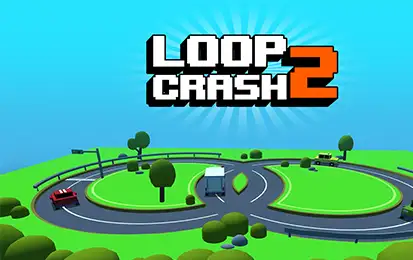



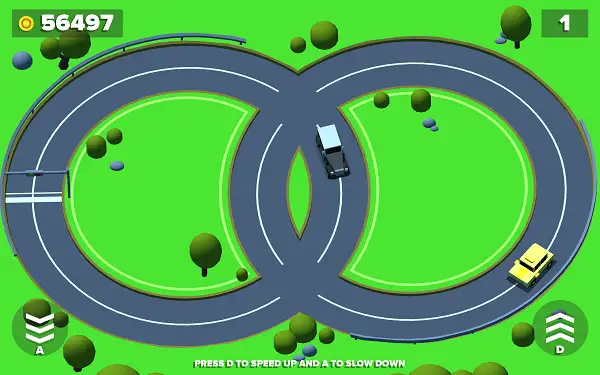
Loop Crash 2 puts your car on an endless circular track that crosses itself at two dangerous intersections – and that’s where every run lives or dies. Your car moves forward on its own; your only job is deciding exactly when to speed up and when to ease off as other vehicles cut across your path. One mistimed decision ends the run instantly. No downloads, no account required to start. Works in Chrome, Firefox, Edge, and on mobile.
What Is Loop Crash 2?
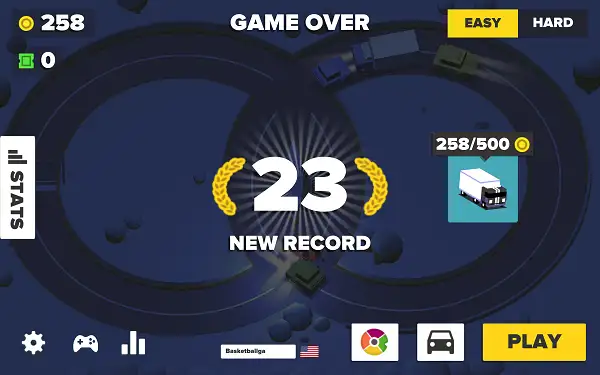
Loop Crash 2 is a free, browser-based arcade driving game built around one deceptively simple idea: your car drives continuously around a circular track, and the track crosses another loop at two points where collisions constantly threaten to end your run. There’s no steering involved – your car handles that automatically. The entire game comes down to precise speed control, judging exactly when to accelerate through a gap in traffic and when to hold back and let other cars pass first.
As the sequel to the original Loop Crash, this version builds a much deeper meta-game around that same core loop – two separate currencies, a proper car garage, a harder Extreme mode, daily rewards, a prize wheel, real online leaderboards, and achievements tied to your platform account. The moment-to-moment driving stays just as tense and simple as ever, but there’s a lot more to work toward between runs.
How to Play Loop Crash 2
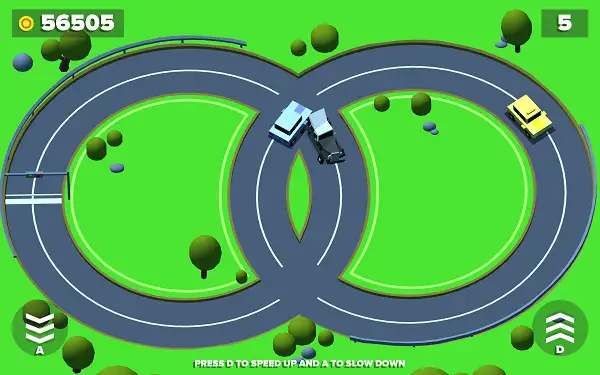
- Your car drives automatically. It continuously follows the looping track without any steering input needed from you.
- Speed up to clear a gap. When you see a safe opening at an upcoming intersection, accelerate to get through before another vehicle crosses your path.
- Slow down to let traffic pass. If the intersection ahead looks too risky, easing off gives other vehicles time to cross first, keeping you safe until it’s clear.
- Complete laps to earn coins. Every full loop you finish without crashing rewards you with coins, which build up the longer a run continues.
- Watch the traffic build up. More vehicles enter the track as your run goes on, shrinking your reaction window and demanding sharper timing the longer you survive.
- Spend your coins in the Garage. Use what you’ve earned to unlock new cars, and check the Extreme mode requirement once you’ve built up a solid collection.
- One crash ends the run. There’s no second chance mid-run – a collision sends you back to try again from the start.
Controls
| Action | Input |
|---|---|
| Accelerate | D or Right Arrow |
| Decelerate / Slow Down | A or Left Arrow |
That’s the entire control scheme – no steering, no extra buttons, just deciding when to hold each of these down. On mobile and tablets, on-screen touch buttons handle acceleration and braking in the same way.
Currencies
Loop Crash 2 runs on two separate currencies:
- Coins – Your main currency, earned by completing laps, collecting coin pickups that appear along the road, and spinning the Prize Wheel. Coins are what you’ll spend in the Garage to unlock new cars.
- Tickets – A premium currency used specifically in a separate ticket shop, earned less frequently than coins and awarded on a set schedule as a reward.
Game Modes: Easy and Hard
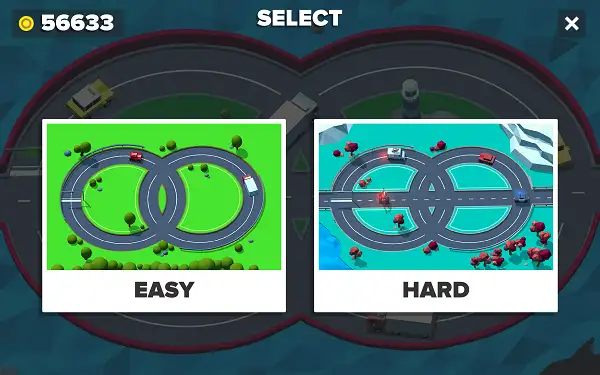
- Easy – The default mode you’ll start in, with standard coin rewards per completed lap.
- Hard– A harder mode that pays double coins for every lap you complete.
Bonus and Reward Features
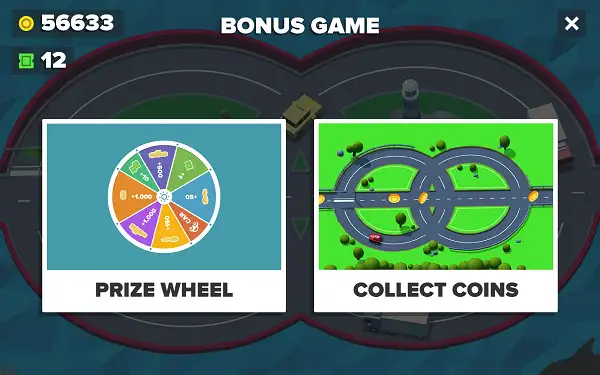
- Prize Wheel – A spinnable reward wheel with 8 segments that awards coins, including a re-spin option for a second chance at a better result.
- Bonus Game – A separate bonus round you can enter for additional rewards beyond the standard driving loop.
- Road Coins – Collectible coins that spawn directly on the track during a run, including an occasional high-value pickup worth significantly more than a standard one.
- Surprise Gift – A gift system that can hand out free rewards, including entire cars on occasion, without needing to spend coins at all.
- Daily Reward – A day-to-day login reward system that gives you a reason to check back in regularly for extra bonuses.
- Double Coin – A temporary coin-doubling boost, typically unlocked by watching a rewarded ad.
- Free Coin – A separate free coin claim, also usually tied to watching an ad.
- Reward Tickets – Tickets awarded periodically on their own schedule, separate from what you earn through regular play.
Cars and the Garage
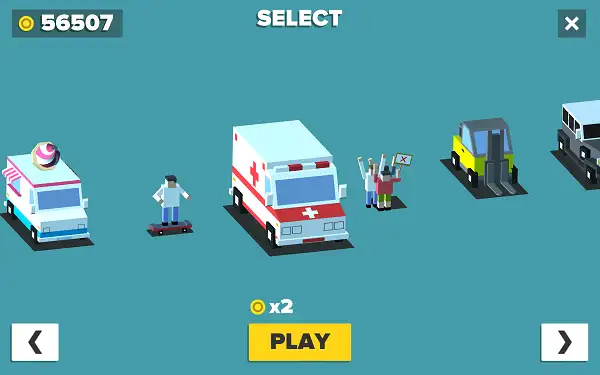
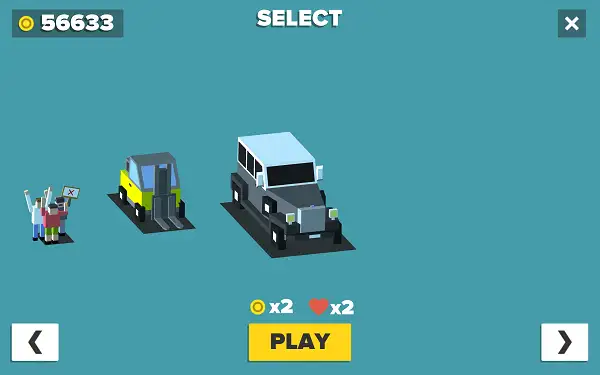
You start with three default vehicles already unlocked – a Red car, a Green car, and a Black car – giving you an immediate choice of ride before you’ve spent any coins at all. Beyond these starting three, additional cars are purchased with coins through the Garage, and select vehicles carry their own special perks, such as bonus double coins or an extra life during a run. Cars can also occasionally be won for free through the Surprise Gift system rather than purchased outright.
Leaderboards and Achievements
Loop Crash 2 includes genuine online leaderboards covering all-time, monthly, weekly, and daily rankings, letting you see how your best runs stack up against other players over different timeframes. An achievement system runs alongside this, tracking specific milestones and connecting to your platform’s achievement service for players on mobile. Player profiles include a name and country, giving the leaderboard experience a more personal, competitive feel.
Tips and Tricks
- Don’t commit to full speed by default. Since accelerating too early is one of the most common ways to crash at an intersection, treat acceleration as something you choose deliberately for a clear gap, not your default state.
- Watch both intersections, not just the one closest to you. With two crossing points on the track, losing focus on the one you’re not currently approaching is an easy way to get caught off guard on your next lap.
- Prioritize the starter cars with useful perks if you’re deciding where to spend early coins. A vehicle offering an extra life or bonus coins can meaningfully change how forgiving your early runs feel.
- Work toward 6 owned cars to unlock Extreme mode. Since Extreme pays double coins per lap, it’s one of the most efficient ways to speed up your long-term coin income once it’s available.
- Don’t ignore the Daily Reward. Since it’s a simple login-based bonus, skipping it means leaving free progress on the table for no real benefit.
- Use the Prize Wheel’s re-spin if your first result is weak. It’s a low-cost way to potentially improve a disappointing spin rather than settling for it.
- Grab Road Coins when it’s safe to do so, but don’t chase them into a crash. The bonus pickups, including the high-value one, are worth collecting, but not at the cost of mistiming an intersection.
Other Similar Games
Frequently Asked Questions
What is Loop Crash 2?
Loop Crash 2 is a free, browser-based arcade driving game where your car automatically follows a looping track that crosses itself at two intersections, and your only job is timing your acceleration and braking to avoid crashing into other traffic.
What are the controls?
Accelerate with D or the Right Arrow, and slow down with A or the Left Arrow. There’s no steering involved since your car follows the loop automatically.
What’s the difference between Coins and Tickets?
Coins are the main currency, earned through laps, road pickups, and the Prize Wheel, and used to buy cars in the Garage. Tickets are a separate, more premium currency used specifically in the ticket shop.
What cars do I start with?
You begin with three default vehicles already unlocked: a Red car, a Green car, and a Black car. Additional cars are bought with coins, and some can also be won for free through the Surprise Gift feature.
Do any cars have special abilities?
Yes, select vehicles offer perks such as bonus double coins or an extra life during a run, on top of their standard appearance.
Is there a leaderboard?
Yes. Loop Crash 2 includes online leaderboards with all-time, monthly, weekly, and daily rankings, along with an achievement system tied to your platform account.
What is the Prize Wheel?
The Prize Wheel is a bonus feature with 8 segments that awards coins when spun, with a re-spin option available for a second attempt.
Can I earn free rewards without spending money?
Yes. Daily Rewards, the Surprise Gift, Free Coin claims, Road Coins, and the Prize Wheel all offer ways to earn coins, tickets, or even entire cars without spending real money, though ad-gated bonuses and optional purchase packs are also available.
Which browser works best for Loop Crash 2?
Loop Crash 2 runs well on Chrome, Firefox, and Edge.
Can I play Loop Crash 2 on a phone or Chromebook?
Yes. Loop Crash 2 works in any modern browser, including on Chromebooks, and uses simple touch controls for acceleration and braking on mobile devices.
Why isn’t Loop Crash 2 loading?
Check your internet connection, make sure this site isn’t blocked on your network, and try disabling any ad blockers – these are the most common causes of loading issues.
ArcadeCar GamesDriving