

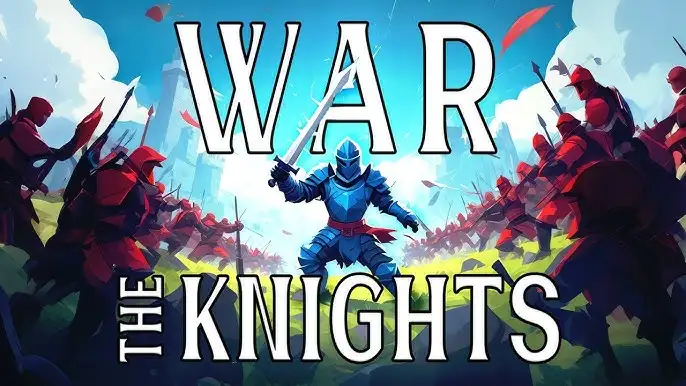






Play War the Knights free. Join the Island or Coast faction, wield swords and siege weapons, and capture flags in 200-player medieval battles. War the Knights throws you into a medieval battlefield alongside dozens of other players, arms you with everything from a two-handed longsword to fire arrows and explosive barrels, and asks you to help your faction – the Island or the Coast – break through enemy lines and capture their flag. No downloads, no account required to start. Works in Chrome, Firefox, Edge, and on mobile.
What Is War the Knights?
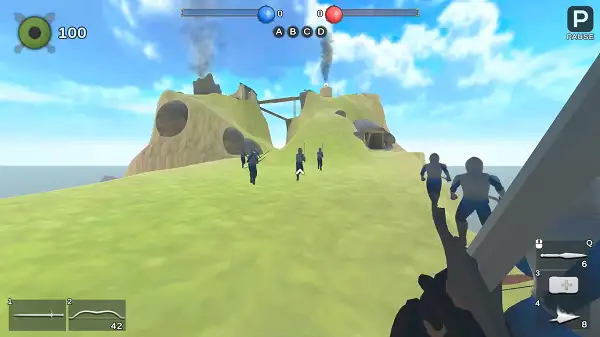
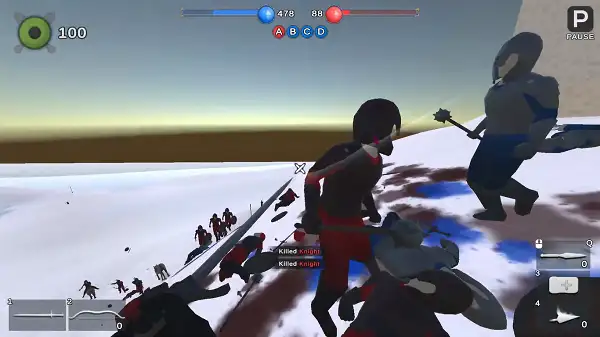
War the Knights is a free, browser-based medieval action battle strategy game developed by Mirra Games, released in November 2025. It puts you directly into a large-scale battlefield with up to 200 warriors clashing at once, fighting across arenas inspired by real historical medieval settings – castle courtyards, abandoned villages, and narrow mountain passes where terrain genuinely changes how a fight plays out.
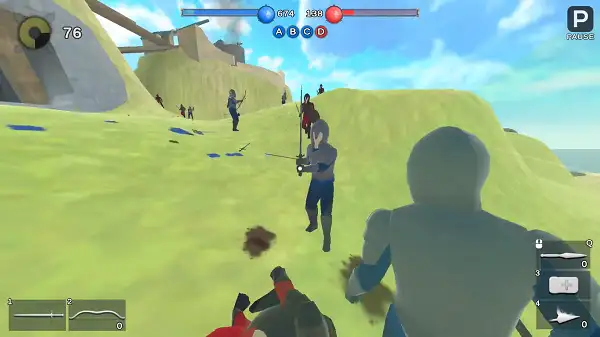
The game is built to be easy to pick up but difficult to truly master. Every match plays out differently depending on your faction’s coordination, the terrain you’re fighting over, and how well you and your team form shield walls, launch cavalry charges, and time archer volleys. Combat feels grounded and physical rather than arcadey, and with a genuinely wide arsenal of weapons and gadgets to choose from, there’s real room to develop your own preferred combat style.
How to Play War the Knights
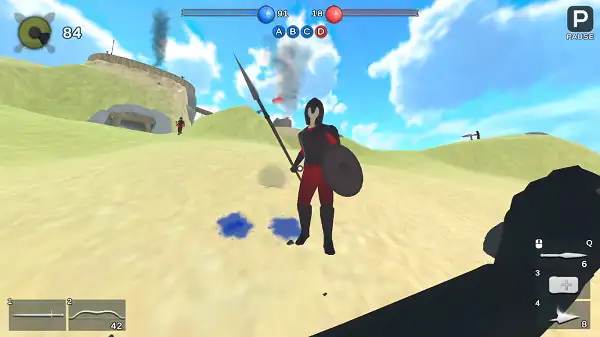
- Choose your faction. At the start, you’ll pick between the Island or the Coast before entering the battlefield.
- Select your primary weapon. Options include a two-handed longsword, fists, a mace, a one-handed sword, or a long spear, each suited to a different combat style.
- Pick a secondary weapon. A bow, crossbow, or shield gives you a ranged option or extra protection to complement your primary weapon.
- Equip your gadgets. Two gadget slots let you bring support tools like healing items, explosive barrels, or fire arrows into battle alongside your weapons.
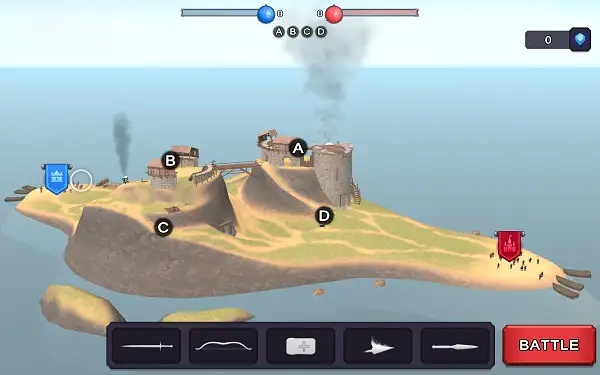
- Fight for control points and flags. Your objective goes beyond individual kills – capturing strategic positions and your enemy’s flag is how your faction actually wins.
- Coordinate with your team. Forming shield walls, timing cavalry charges, and stacking archer volleys with allies is far more effective than fighting alone.
- Use terrain to your advantage. Castle courtyards, villages, and mountain passes all favor different tactics – a wide-open courtyard rewards different positioning than a narrow mountain chokepoint.
Controls
| Action | Input |
|---|---|
| Move | WASD |
| Attack | Left Mouse Button |
| Block / Aim | Right Mouse Button |
| Throw Item | Middle Mouse Button |
| Crouch | Z |
| Interact | E |
| Sprint | Shift |
| Select Primary Weapon | 1, 2 |
| Select Gadget | 3, 4 |
| Taunt / Cry | R |
| Throw Melee Weapon | G |
| Kick | F |
| Pause Menu | P |
On mobile and tablets, on-screen touch controls handle movement, attacking, blocking, and item selection.
Weapons and Equipment
Primary Weapons
- Two-handed Longsword – A versatile all-around weapon suited to most combat situations.
- Fists – Trades weapon damage for increased movement speed.
- Mace – Hold the attack button for a heavy strike that knocks down enemies hit from behind.
- One-handed Sword – A swift weapon built for quick, repeated attacks.
- Long Spear – Excellent for keeping enemies at a distance, though it requires 3,000 reward points to unlock.
Secondary Weapons
- Bow – Most effective at close range.
- Crossbow – Better suited to long-distance attacks.
- Shield – Provides protection and a speed boost, unlocked after 2,000 reward points.
Gadgets
- Apothecary – Heals all nearby allies.
- Banner – Activates a gradual healing effect for nearby allies over time.
- Explosive Barrel – Ignites when struck or shot, then explodes; can also be thrown directly at enemies to knock them down.
- Fire Arrows – Set enemies alight on impact.
- Ammunition Crate – A deployable supply source that gives allies ammo.
- Elixir – Instantly restores health and strengthens your character for the fights ahead.
Throwable Items (Middle Mouse Button)
- Throwing Knives – Sharp blades useful for hitting targets beyond your weapon’s normal reach.
- Fireball – An exploding projectile that sets fire to all nearby enemies.
Not every weapon and gadget is available immediately – some are unlocked for free, while others require watching ads or earning enough reward points, as with the Long Spear and Shield mentioned above.
Battlefields
War the Knights sets its battles across arenas inspired by real historical medieval settings. Castle courtyards favor close-quarters fighting and choke-point control, abandoned villages offer more varied sightlines and flanking routes through narrow streets, and mountain passes reward tight positioning where a single well-held chokepoint can hold off a much larger force. Learning how each type of terrain changes the flow of battle is a real part of getting better at the game, not just a visual backdrop.
Tips and Tricks
- Don’t fight alone if you can help it. Since shield walls, cavalry charges, and archer volleys all rely on coordination, sticking with your faction rather than charging in solo dramatically improves your odds in most engagements.
- Match your weapon to the terrain. A long spear’s range advantage shines in open courtyards, while a fast one-handed sword or fists can be more effective in the tighter confines of a village street.
- Use the mace’s heavy strike on distracted enemies. Since it knocks down opponents hit from behind, catching someone focused on another fight is a reliable way to land it safely.
- Carry a healing gadget into extended fights. Apothecary or Banner support items can keep a group alive through a prolonged push far better than relying on raw damage alone.
- Use explosive barrels around choke points. Since they can be thrown or ignited to knock enemies down, positioning one near a contested doorway or narrow pass can break up an enemy push before it reaches your line.
- Save your throwables for targets outside your weapon’s range. Throwing knives and fireballs are best used on enemies you can’t otherwise reach rather than as your default opener.
- Prioritize capturing control points over chasing kills. Since victory depends on strategic positions and flags rather than a simple kill count, holding ground as a team usually matters more than individual duels.
Other Similar Games
Frequently Asked Questions
What is War the Knights?
War the Knights is a free, browser-based medieval action battle strategy game where you fight as part of a large faction, choosing weapons and gadgets to help capture strategic points and enemy flags across historically-inspired arenas.
Who made War the Knights?
War the Knights was developed by Mirra Games and released in November 2025.
What are the controls?
WASD to move, Left Mouse Button to attack, Right Mouse Button to block or aim, Middle Mouse Button to throw items, Shift to sprint, Z to crouch, E to interact, F to kick, G to throw your melee weapon, 1 and 2 to select your primary weapon, and 3 and 4 to select gadgets.
What factions can I join?
You can choose between two factions at the start of a match: the Island or the Coast.
Are all weapons available from the start?
Most weapons are free from the start, but some – like the Long Spear and the Shield – require earning enough reward points, sometimes through watching ads, to unlock.
How many players are in a match?
War the Knights supports large-scale battles with up to 200 warriors on the field at once.
What is the objective of a match?
Beyond individual combat, your goal is to work with your faction to capture strategic control points and ultimately seize the enemy’s flag.
Which browser works best for War the Knights?
War the Knights runs on HTML5 and works well on Chrome, Firefox, and Edge.
Can I play War the Knights on a phone or Chromebook?
Yes. It’s playable on Chromebooks in any modern browser, and supports touch controls on mobile and tablet devices.
Why isn’t War the Knights loading?
Check your internet connection, make sure this site isn’t blocked on your network, and try disabling any ad blockers – these are the most common causes of loading issues.
ActionStrategy