












lay Granny 3 free. Explore a mansion and grounds, avoid Granny, Grandpa, and Slendrina, and escape in 5 days. Granny and Grandpa have upgraded. Their new mansion comes with a moat, a high wall, sprawling grounds to explore, and a third resident you really don’t want to meet – their granddaughter Slendrina, whose gaze alone can end your escape attempt in an instant. Five days, three threats, and a much bigger house to search than ever before. No downloads, no account required to start. Works in Chrome, Firefox, Edge, and on mobile.
What Is Granny 3?
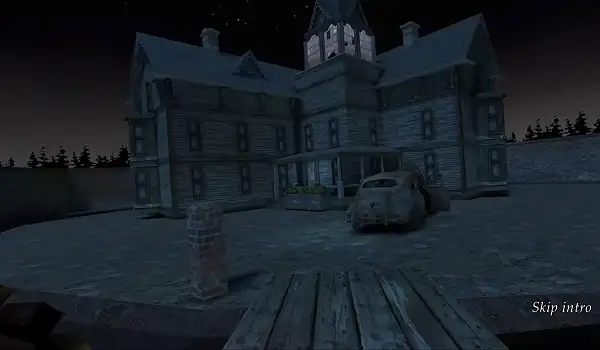
Granny 3 is a survival horror escape game developed by indie developer DVloper, released for Android on June 3, 2021, and for PC on August 22, 2021, as the third and currently final installment in the Granny series. It picks up the same core formula as the first two games – wake up trapped, explore the property, gather items, and escape before time runs out – but sets it in a far bigger, more open location, and adds a genuinely dangerous third antagonist into the mix.
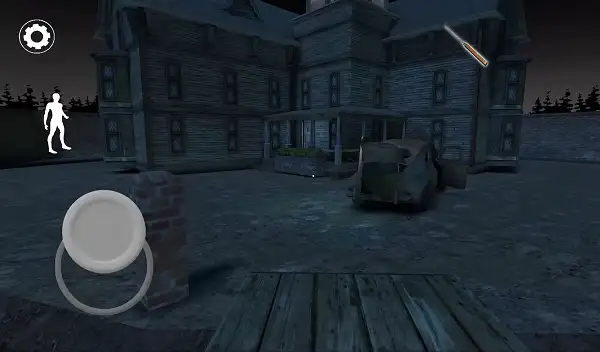
This time, Granny and Grandpa have moved into an old mansion surrounded by a moat and a high perimeter wall. It’s the first game in the series where you can actually explore outdoor grounds and gate areas rather than being confined entirely inside a house, and it introduces Slendrina – Granny’s granddaughter – as a direct threat who actively hunts you rather than just wandering the halls. This browser version lets you play the core escape experience directly without installing anything, worth noting it’s a browser-playable version of the concept rather than DVloper’s official release, which is distributed through the Google Play Store and Steam.
How to Play Granny 3
- Wake up in the mansion. You’ll start with nothing, and your first job is exploring quietly to get your bearings.
- Search both the house and the grounds. Unlike the earlier games, Granny 3 lets you explore outside as well as inside, significantly expanding how much space you need to search.
- Move carefully and avoid making noise. Granny still hears everything – dropped items, creaking floorboards, and loud movement can all draw her straight to you.
- Watch for Grandpa. He doesn’t hear especially well, but he’s armed with a shotgun and will fire on anything that moves within his sight.
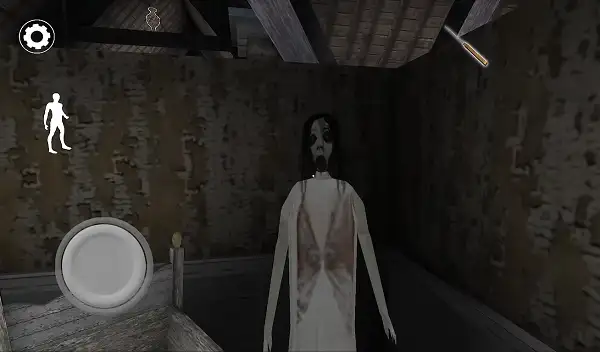
- Never look directly at Slendrina. If she appears, look away immediately – her gaze can end your run on the spot.
- Hide when things get dangerous. Beds, sofas, and closets all work as hiding spots when one of the house’s residents gets too close.
- Stay away from the moat. It surrounds the mansion for a reason, and it’s not a safe place to end up.
- Gather what you need and escape before the fifth day runs out.
Controls
| Action | Input |
|---|---|
| Move | W A S D |
| Look Around | Mouse |
| Crouch / Stand | C |
| Hide / Unhide | R |
| Pick Up / Interact | E |
| Drop Item | Space |
| Pause / Menu | Esc |
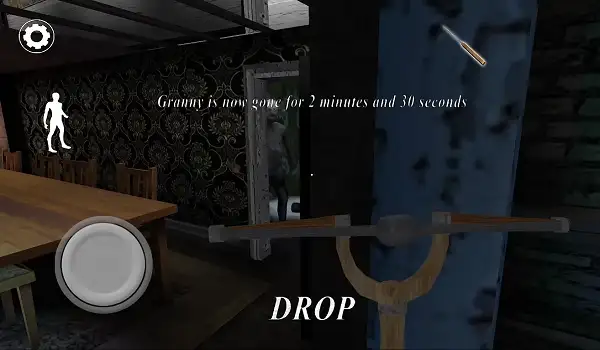
Unlike Granny 1, Granny 3 lets you hold multiple items in your inventory at once – though you still can’t have more than one required escape item equipped at a time. On mobile and tablets, on-screen touch controls handle movement, looking around, and interacting with objects.
The Three Threats
- Granny – Still hunting by sound, exactly as in the earlier games. Quiet, careful movement is your best defense against her.
- Grandpa – Doesn’t hear as well as Granny, but carries a shotgun and will shoot at anything he sees moving. Staying out of his direct line of sight matters more than staying quiet around him.
- Slendrina – Granny’s granddaughter, and the first time this character directly threatens the player in the series. She appears periodically, and making eye contact with her can end your run instantly – looking away the moment you spot her is essential.
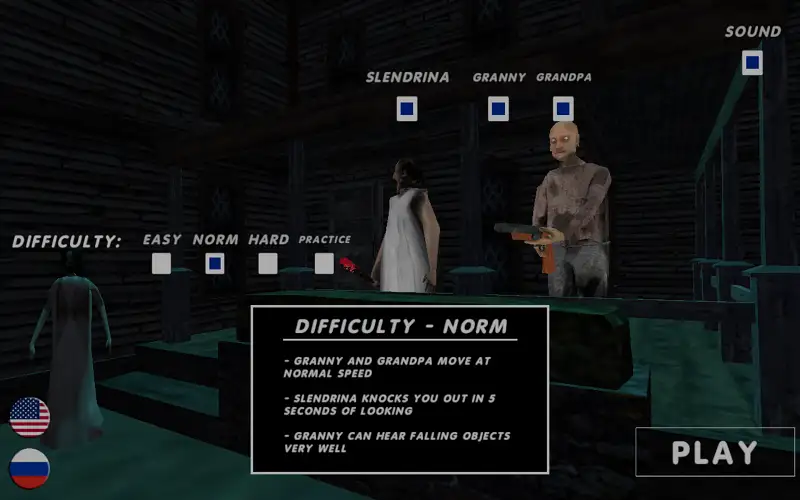
On Easy, Normal, and Hard difficulty, you can also choose whether only one grandparent appears in the house or both, letting you adjust exactly how much pressure you’re dealing with at once.
What’s Different From Granny 1 and Chapter Two
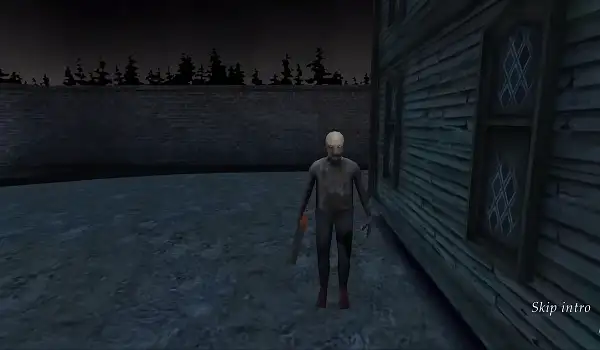
- A much bigger space to explore. Granny 3 is the only game in the trilogy where you can step outside into the yard and gate areas rather than staying entirely indoors.
- Multiple inventory items. You can carry more than one item at a time, unlike the strict one-item-only system in the original Granny.
- Three threats instead of two. Slendrina’s addition means there’s an entirely new type of danger to manage alongside Granny and Grandpa.
- Choose which grandparents appear. Difficulty settings let you decide whether you’re dealing with just Granny, just Grandpa, or both at once.
Tips and Tricks
- Prioritize crouching whenever you’re unsure where Granny is. Reduced noise buys you a much bigger margin for error than moving at full speed.
- Treat Grandpa as a line-of-sight threat, not a sound threat. Since he shoots at anything he sees rather than hunting by noise, staying behind cover or out of his direct view matters more than staying silent around him specifically.
- The instant you spot Slendrina, look away. Don’t pause to assess the situation first – her gaze is dangerous enough that hesitation isn’t worth the risk.
- Make use of the outdoor space strategically. Since Granny 3’s grounds are much larger than earlier games’ house-only layouts, plan routes that let you circle around danger rather than always cutting straight through the most direct – and most watched – path.
- Take advantage of carrying multiple items. Since you’re not limited to one item at a time like in the original Granny, it’s worth grabbing useful items you find along the way even if you’re not sure yet exactly how they’ll be used.
- Start on Easy or with only one grandparent active if you’re new to the series. Since Granny 3 adds a third threat on top of the usual two, easing into the full difficulty is a reasonable way to learn the mansion’s layout first.
- Stay well clear of the moat at all times. It’s not a safe escape route or shortcut – treat it strictly as a boundary to avoid.
Other Similar Games
Frequently Asked Questions
What is Granny 3?
Granny 3 is a survival horror escape game where you must explore a mansion and its grounds, avoid Granny, Grandpa, and Slendrina, and escape within five days, developed by DVloper as the third game in the Granny series.
Who created Granny 3?
Granny 3 was created by indie developer DVloper (Dennis Vukanovic), released for Android in June 2021 and for PC in August 2021.
What are the controls?
WASD to move, mouse to look around, C to crouch, R to hide or unhide, E to pick up and interact with objects, Spacebar to drop your held item, and Esc to pause.
Who is Slendrina in Granny 3?
Slendrina is Granny’s granddaughter, and Granny 3 is the first game in the series where she directly threatens the player. If you make eye contact with her, look away immediately, since her gaze can end your run.
How is Grandpa different from Granny?
Grandpa doesn’t hear as well as Granny does, but he carries a shotgun and shoots at anything he sees moving, making line of sight a bigger concern with him than noise.
Can I choose which threats appear in the house?
Yes. On Easy, Normal, and Hard difficulty, you can choose whether only Granny, only Grandpa, or both appear during your playthrough.
What’s different about Granny 3’s setting?
Granny 3 takes place in a larger mansion surrounded by a moat and high wall, and it’s the only game in the trilogy where you can explore outdoor yard and gate areas rather than staying entirely inside the house.
Can I carry more than one item at a time?
Yes. Unlike the original Granny, which limits you to one item at a time, Granny 3 lets you hold multiple items in your inventory, though you can still only equip one required escape item at once.
Is Granny 3 available on iPhone?
No. DVloper attempted to release Granny 3 on the App Store multiple times, but Apple classified it as too similar to the earlier games and rejected it, so it’s currently only available on Android and PC.
Is Granny 3 appropriate for kids?
Granny 3 relies on tension, stealth, and jump scares rather than graphic violence, but its horror elements generally make it more suitable for teens and older players rather than young children.
Which browser works best for Granny 3?
The game runs well on Chrome, Firefox, and Edge.
Why isn’t Granny 3 loading?
Check your internet connection, make sure this site isn’t blocked on your network, and try disabling any ad blockers – these are the most common causes of loading issues.
HorrorPopular games