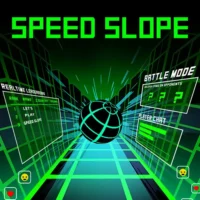














Slope Ball shares its name with the famous endless-runner Slope series, but it’s a genuinely different game underneath — instead of an infinite track with no end, you’re working through 5 locations across 11 laps, hitting checkpoints, collecting stars, and switching between three different character shapes (Ball, Cube, and UFO) through glowing portals as you go.
Your character never stops moving forward; the single input you have controls how it jumps or flies, and each shape handles that input completely differently. The framing story has you rescuing prehistoric creatures — T-Rex, Titanoboa, Quetzalcoatlus, Megatherium, and Megalodon — from a curse, which gives the level-based structure a goal beyond just “go further than last time.”
| Feature | Details |
|---|---|
| Format | Level-based with checkpoints — not an endless runner |
| Locations / Laps | 5 unique locations, 11 laps total |
| Characters | Ball, Cube, UFO — switched via portals, each with different jump/fly mechanics |
| Collectibles | 3 stars per level/lap |
| Theme | Rescue prehistoric creatures (T-Rex, Titanoboa, Quetzalcoatlus, Megatherium, Megalodon) from a curse |
| Fail condition | Touch a wall or trap — restart from nearest checkpoint, not the whole level |
| Stats tracked | Number of tries, number of jumps, total playing time |
| Platform | Browser — single-player |
Contents
Controls
| Action | Input |
|---|---|
| Jump / Fly | Spacebar, Up Arrow, or Left Mouse Click |
One input, confirmed consistently across slopeball.io and sloperun.org. Forward movement is automatic and never stops — the only thing you control is when (and for how long) you press the jump/fly button, and what that press does depends entirely on which character you’re currently controlling. This is the core difference from the original Slope: instead of left/right steering on a continuous track, Slope Ball is a single-button timing game where the same input means something different depending on context.
The Three Characters
You switch between three character shapes by passing through portals, and each one responds to the jump/fly input completely differently — confirmed directly by slopeball.io:
| Character | What pressing the button does |
|---|---|
| Cube | Jumps up when pressed, falls down when released |
| Ball | Jumps and continuously rotates with each press; rotates clockwise while falling |
| UFO | Flies upward while the button is held, with its “head” facing up during flight |
This means the same obstacle can require a completely different input pattern depending on which character you’re currently playing as. A gap that the UFO clears by holding the button for sustained lift might require the Cube to time a single jump-and-release, or the Ball to chain multiple rotating jumps. Since portals switch your character mid-run, part of the challenge is recognizing which character you’ve just become and adjusting your input rhythm accordingly — muscle memory from the previous character can actively work against you for a few seconds after a switch.
Items and Portals
The track is filled with items, each marked with a symbol indicating whether it helps or hurts you. Confirmed directly: “The arrow symbol suggests you use the item. You need to stay away from items marked with an X.” Items provide special skills or strategic advantages when used correctly — but since your character never stops moving, deciding whether to grab an item happens in the same split second as everything else, with no opportunity to pause and think it over.
Portals serve two purposes: they mark progress toward the level’s destination, and they’re the mechanism for character switching. The “glowing wall” mentioned in the game’s description is the destination marker for each segment — reaching it is the immediate goal, separate from the longer-term goal of collecting all 3 stars.
Levels, Stars, and Checkpoints
Slope Ball spans 5 unique locations across 11 laps. Each lap/level contains 3 collectible stars — confirmed as the marker of a “glorious victory” when all three are collected in a single attempt. Touching a wall or trap doesn’t restart the entire level; instead, you restart from the nearest checkpoint you’d already passed. This makes the game considerably less punishing than a pure endless-runner format, where a single mistake costs your entire run.
The game tracks number of tries, number of jumps, and total playing time as basic stats during a run — useful for players aiming to complete a level efficiently (fewest tries) rather than just eventually.
Tips
▸ Press the button before the obstacle, not when you see it
Since your character moves forward continuously and the jump/fly response isn’t instant, reacting to an obstacle as it appears on screen is often already too late. The official guidance confirms this directly: “Anticipate obstacles by pressing the control button before reaching them.” Build in a small lead time between seeing an obstacle and pressing — exactly how much lead time depends on your current character.
▸ Let gaps happen naturally with the right character
Confirmed tip: “Let your character fall naturally through tight spaces to avoid collisions.” Not every gap needs a jump — sometimes the correct input is no input, letting gravity (and your character’s natural fall pattern) carry you through a tight space that a jump would send you straight into.
▸ Re-calibrate your timing immediately after a portal
Because each character (Cube, Ball, UFO) responds to the same button completely differently, the moment right after a portal switch is the highest-risk window in any lap. If you’ve been holding the button for UFO-style sustained flight and the portal switches you to Cube, that same hold will send the Cube flying upward in a way you didn’t intend. Treat the first obstacle after any portal as a “re-learn the controls” moment rather than continuing your previous rhythm.
▸ Only grab items marked with an arrow — treat X items as obstacles, not collectibles
This sounds obvious, but under time pressure, items can register as “things to collect” by instinct regardless of their marking. Train yourself to read the symbol before reacting to the item’s presence — an X-marked item is functionally another obstacle to avoid, not a bonus to grab.
▸ Use checkpoints to practice specific sections, not just to recover
Since failing returns you to the nearest checkpoint rather than the level start, a difficult section right after a checkpoint can be practiced repeatedly without replaying the easier parts of the level. If a specific character-switch or obstacle cluster keeps causing failures, deliberately failing again right after clearing it (if possible) to retry that section is more efficient than treating every failure as a setback to avoid.