






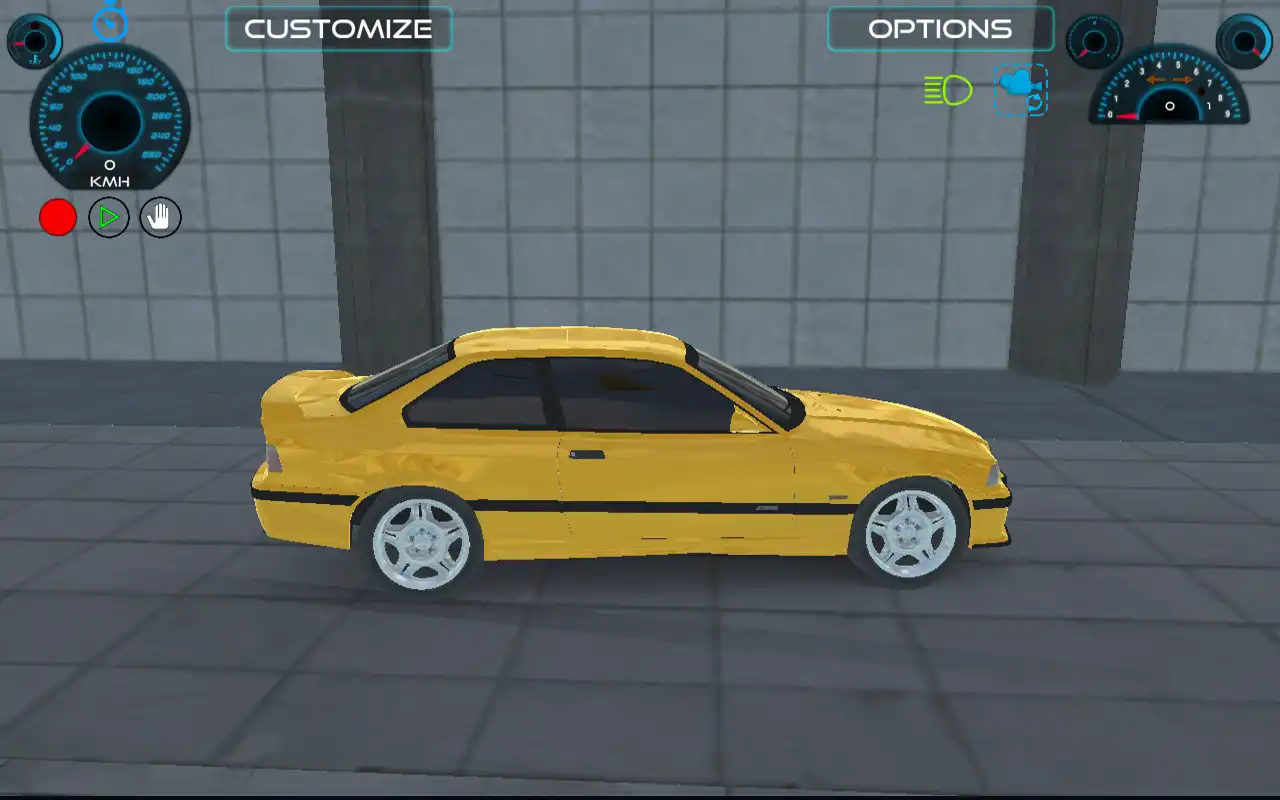
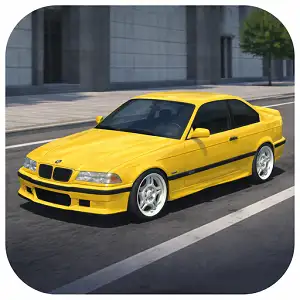






City Car Driving drops you into a large open-world city map with full control over how you get around — drift through intersections, cruise the highway, or just explore the streets at your own pace. Rather than locking you into races against opponents, the game is built around free roam: you pick a car, pick a camera angle, and decide what kind of drive you want to have.
It sits in the open-world driving simulator genre, alongside games that focus on realistic handling, customization, and exploration rather than lap-based competition.
How to Play City Car Driving
The controls are built for both keyboard and gamepad-style play, with a focus on giving you a “real driving” feel rather than an arcade racer feel:
- Move the car: Use the arrow keys or W-A-S-D to accelerate, brake, and steer.
- Switch camera views: Use the mouse to cycle through different camera angles — from a close chase cam to a wider cinematic view, useful for lining up drifts or just enjoying the scenery.
- Check your speed: A speedometer on screen shows your current speed in real time, so you can judge braking distances before sharp turns.
- Activate nitro: Press F to trigger a burst of speed. It’s powerful, but using it mid-corner is one of the fastest ways to lose control, so it’s best saved for long, straight stretches.
- Look behind you: Press B to check what’s behind your car — handy when you’re navigating tight traffic or backing out of a parking spot.
- Use your turn signal: A built-in signal feature lets you indicate before turning, which is a nice touch if you’re aiming to drive “by the rules” rather than just drifting everywhere.
- Watch yourself in slow motion: After a big drift or near-miss, a slow-motion replay feature lets you see the moment played back, which is mostly there for fun but also helps you understand what your car was actually doing at the moment you lost (or kept) control.
Customization and Vehicle Options
One of the bigger draws of this game is the garage. With more than ten vehicles to choose from, each car handles a little differently — some lean toward stability and grip, while others are tuned for sliding around corners. On top of picking a car, you can adjust its look, which makes the free-roam mode feel a bit more personal: it’s not just “your car,” it’s “your car, the way you set it up.”
Tips for Better Driving
A handful of habits will make your runs through the city feel noticeably smoother:
- Learn the layout before you push speed. Open-world maps reward familiarity — a couple of slow laps around the main roads will save you from a lot of surprise walls and dead ends later.
- Save nitro for open roads. The boost is strong enough to overpower your steering at low speed, so it works best on long straights where you have room to recover if things go sideways.
- Switch cameras for different situations. A closer view helps with precise steering through tight streets, while a wider view makes it easier to judge distances during drifts or fast cornering.
- Use the signal and check your mirrors (with the B key) even in free roam. It sounds unnecessary in a game with no traffic penalties, but it’s a small habit that makes navigating busy intersections noticeably easier.
- Try each car before settling on one. Because the handling differs from vehicle to vehicle, a car that feels twitchy at first might actually suit drifting better than the “safe” default choice.
Why It’s Worth a Try
If you’ve ever wanted a driving game that doesn’t pressure you with lap timers, opponents, or mission objectives, this is the kind of game that fills that gap. It runs directly in the browser, the controls are familiar to anyone who’s played a driving game before, and the open city layout means there’s always somewhere new to explore — whether that’s a quiet cruise, a drift session, or just testing how fast you can take a corner before things go wrong.
Frequently Asked Questions
Is City Car Driving free to play? Yes. It runs directly in your browser at no cost and doesn’t require an account or download.
Do I need to install anything to play? No. The game runs in-browser, so it works on desktop without needing any extra software. Note that some browser-based versions built on Unity WebGL may not support mobile devices, so desktop is the more reliable way to play.
How many cars are available? The game includes more than ten vehicles, each with its own handling characteristics, so you can switch between them depending on whether you prefer stability or drift-friendly handling.
Can I customize my car? Yes. Free roam mode includes options to adjust your vehicle’s appearance, letting you personalize the car you drive around the city.
What does the nitro button do? Pressing F activates a speed boost. It’s useful on straight roads but can easily cause you to lose control if used while turning, so timing matters.
Is there a goal or do I just drive freely? The core experience is open-ended free roam — you choose your own objectives, whether that’s exploring the city, practicing drifts, or just driving casually with traffic rules like signaling turned on for a more realistic feel.
Is the game suitable for kids? The driving-focused, non-violent gameplay makes it a generally casual pick for a range of ages, though as with any online game, a quick check by a parent or guardian is always a good idea.
Car GamesPopular gamesRacing & DrivingSimulationSingle Player Games







So dive in, have fun
无话可说,只是看看