


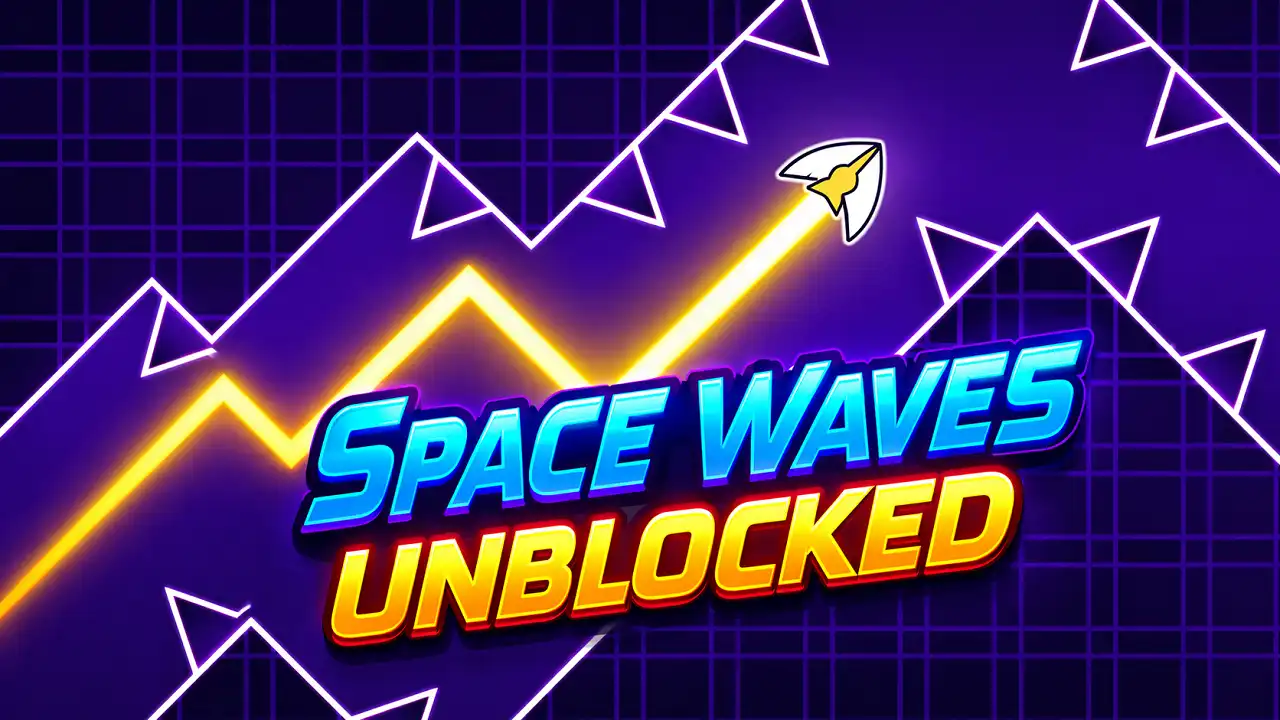



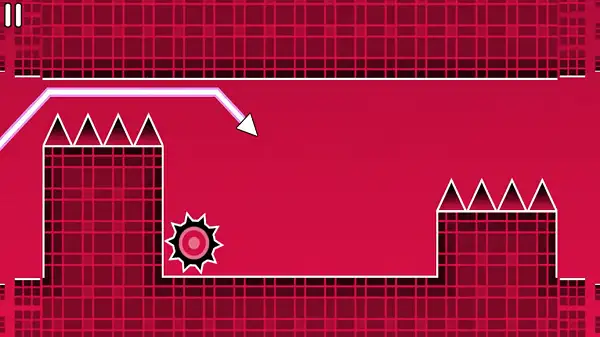
Play Space Waves unblocked free. Space Waves takes the single hardest mode from Geometry Dash – the Wave – and builds an entire game around it. One button, one diagonal zigzag pattern, and a neon tunnel packed with spikes, gears, and walls that don’t forgive a single mistimed tap. Work through structured worlds in Classic, chase a high score in Endless, or race other arrows to the finish line. No downloads, no account required to start. Works in Chrome, Firefox, Edge, and on mobile.
What Is Space Waves?
Space Waves is a free, browser-based one-button arcade game developed by do.games, released in April 2024. It takes direct inspiration from the “Wave” gameplay mode found in Geometry Dash – widely considered one of that game’s most demanding mechanics – and turns it into a full standalone experience spread across three separate game modes and dozens of handcrafted levels.
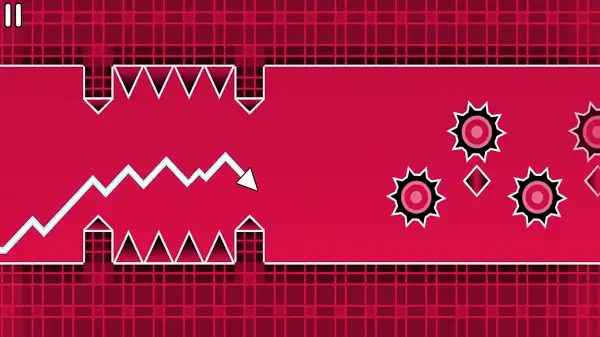
The concept is deceptively simple: your arrow auto-scrolls forward at a constant pace through a space tunnel, and your only input controls whether it rises or falls at a sharp diagonal angle. There’s no separate jump button, no combo system, nothing else to learn – just pure, unforgiving timing. That simplicity is exactly what makes it so addictive; every level is instantly understandable, but genuinely mastering the later ones takes real practice.
How to Play Space Waves Unblocked
- Start with the Tutorial. It’s the fastest way to get a feel for the wave pattern before jumping into a real level.
- Choose your mode. Classic for structured world progression, Endless for a pure high-score chase, or Race to compete against other arrows on the same course.
- Hold your control to rise. Your arrow moves diagonally upward for as long as you keep the button held down.
- Release to fall. Letting go sends your arrow diagonally downward at the same steady angle.
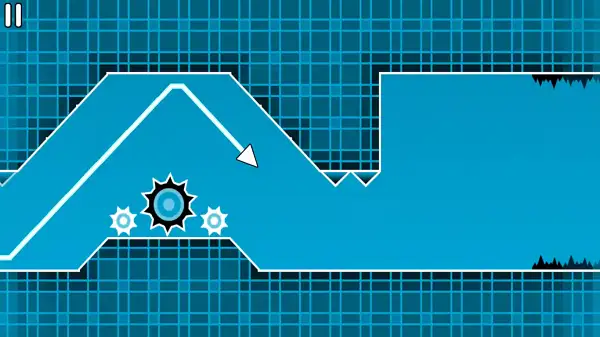
- Read the tunnel ahead, not just what’s directly in front of you. Since it takes a brief moment for your arrow to actually change direction, you need to start your move slightly before the obstacle itself.
- Don’t fight the zigzag. Your arrow always moves at a diagonal – trying to force a flat, straight line usually causes more crashes than working with the natural angle.
- Restart instantly after a crash. A single touch against any obstacle ends the run, though Practice Mode can let you resume from where you crashed instead of starting completely over.
Controls
| Action | Input |
|---|---|
| Rise (hold) | W, Spacebar, Up Arrow, or Left Mouse Button |
| Fall (release) | Let go of whichever key or button you’re holding |
| Pause | P |
You can choose whichever rise input feels most comfortable – they all do exactly the same thing. On mobile and tablets, holding your finger down on the screen makes you rise, and lifting it makes you fall.
Game Modes
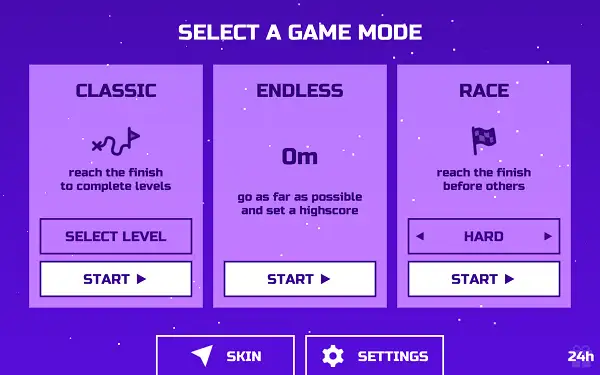
Space Waves is built around three distinct modes:
- Classic – Reach the finish line to complete each level, choosing freely from three worlds. World 1 is a simple world with simple, forgiving levels, great for getting used to the controls. World 2 steps things up with tougher, less forgiving layouts. World 3 – themed as “the floor is lava” – is the most punishing of the three, with hazards that leave almost no room for error. You can jump into any level in any world at any time, so you can ease in gradually or dive straight into the hardest content if you’re feeling confident.
- Endless – No finish line here, just an ever-generating tunnel and a growing score. The goal is simple: survive as long as possible and set your best high score.
- Race – Choose Easy or Hard difficulty across a set of levels, and race to the finish before a field of other arrows. You can’t interact with your rivals directly, but you can see them crash out or pull ahead in real time, along with a tracker at the top showing who’s leading and how much of the course is left. It’s tempting to watch the tracker, but looking away from your own arrow for even a moment is a fast way to crash.
Customization
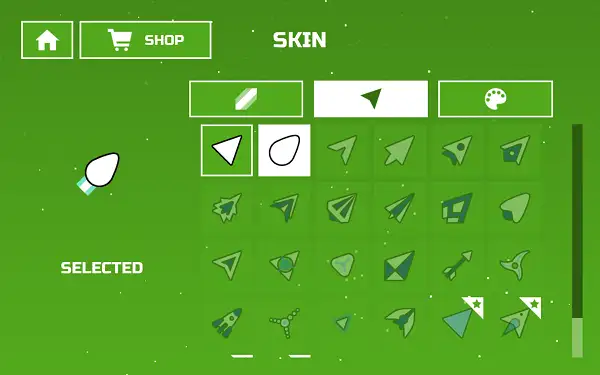
Space Waves lets you change your arrow’s skin, with options including a fiery arrow, a rounded arrow, and various color variations. These are purely cosmetic and don’t change how your arrow handles – they’re just a way to make your runs feel a little more personal.
Practice Mode and Crash Recovery
Every time you crash, the game shows you the percentage of the level you managed to complete, giving you a clear sense of progress even on a failed run. In some cases, you’ll be given the option to resume from exactly where you crashed rather than restarting the level from scratch – though this typically requires watching a short ad, and you only get the one resume chance per crash, so it’s worth being ready to focus the moment you press resume.
Tips and Tricks
- Move upward before an incline, not during it. Gliding only takes you downward – if you’re approaching a rising section of the tunnel, you need to already be pressing before you reach it, not react once you’re there.
- Stay low around circular spikes. Trying to clear them by going up and over is riskier than staying beneath them where possible.
- Keep your eyes ahead of your arrow, not on it. Focusing slightly ahead gives you more time to react to what’s coming, rather than noticing an obstacle at the last second.
- Start your rise a moment early. Since it takes a brief beat for your arrow to actually change direction, timing your input just before you need the effect – not exactly when you need it – produces much more consistent results.
- Work through World 1 and World 2 before attempting World 3. Since World 3’s “floor is lava” theme leaves very little margin for error, the timing habits built in the earlier worlds matter a lot once you get there.
- Don’t watch the Race mode leaderboard tracker mid-run. It’s genuinely useful for gauging your position, but glancing at it for even a moment is one of the easiest ways to crash – check it only in brief flashes, if at all.
- Save your Practice Mode resume for a level you’re close to finishing. Since you only get one resume chance per crash, it’s most valuable on a run where you’d already made significant progress rather than one that ended early.
Other Similar Games
Frequently Asked Questions
What is Space Waves?
Space Waves is a free, browser-based one-button arcade game where you guide an auto-scrolling arrow through neon obstacle tunnels using a zigzag wave pattern, inspired directly by the Wave gameplay mode from Geometry Dash.
Who made Space Waves?
Space Waves was developed by do.games and released in April 2024.
What are the controls?
Hold W, Spacebar, the Up Arrow, or the Left Mouse Button to make your arrow rise diagonally, and release to let it fall diagonally. Press P to pause.
What game modes does Space Waves have?
Three modes: Classic, with three worlds of increasing difficulty (World 1, World 2, and the lava-themed World 3); Endless, a pure high-score survival mode with no finish line; and Race, where you compete against other arrows across Easy or Hard difficulty levels.
What’s the difference between Classic and Race mode?
Classic Mode is about reaching the finish line of structured, world-based levels at your own pace. Race Mode adds competition, pitting you against a field of other arrows on the same course, with a live tracker showing who’s in the lead.
What happens when I crash?
You’ll see the percentage of the level you completed before crashing. Sometimes you’ll have the option to resume from that exact point rather than restarting, usually after watching a short ad, though this is limited to one resume attempt per crash.
Can I customize my arrow?
Yes. Different arrow skins are available, including a fiery arrow, a rounded arrow, and various color options, though these are purely cosmetic.
Is Space Waves based on Geometry Dash?
Yes, it’s directly inspired by Geometry Dash’s Wave game mode, taking that specific mechanic and building a complete standalone game around it.
Which browser works best for Space Waves?
Space Waves works well on Chrome, Firefox, and Edge.
Can I play Space Waves on a phone or Chromebook?
Yes. Space Waves works in any modern browser, including on Chromebooks, and uses simple hold-and-release touch controls on mobile devices. It’s also available as an app on iOS and Android.
Why isn’t Space Waves loading?
Check your internet connection, make sure this site isn’t blocked on your network, and try disabling any ad blockers – these are the most common causes of loading issues.
Unblocked GamesArcadePopular gamesSkill Games