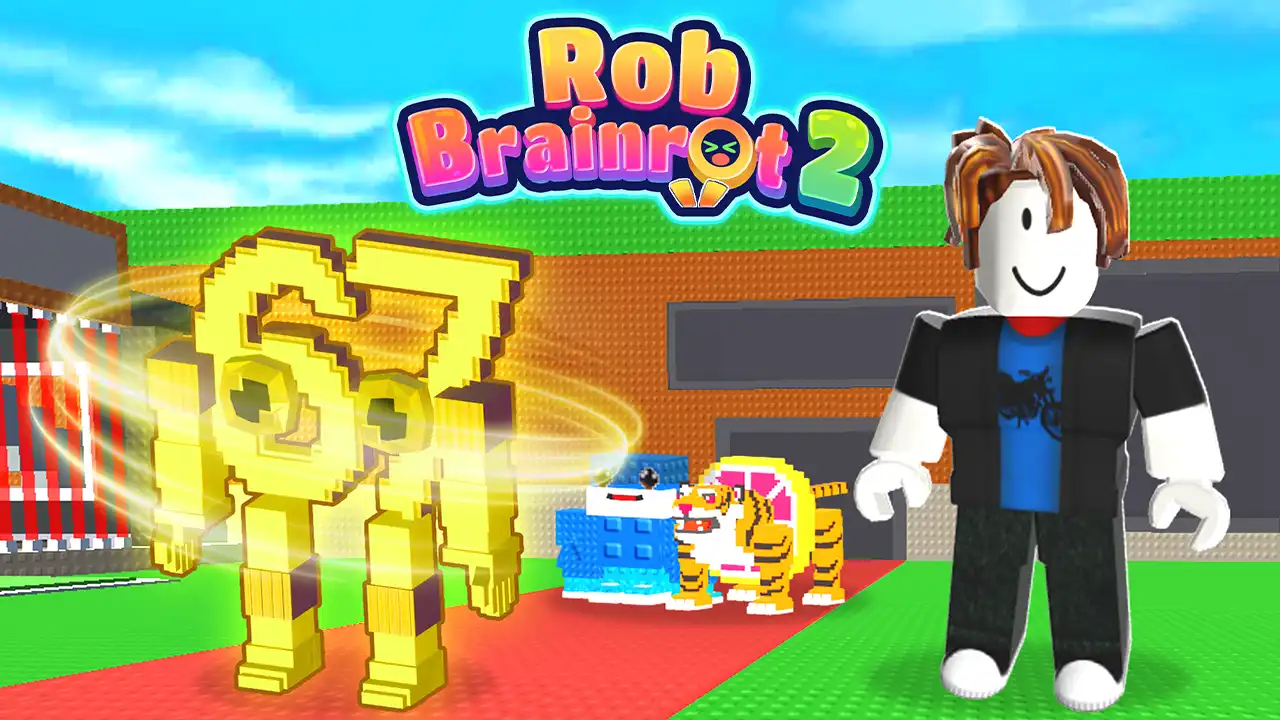


Play Rob Brainrot 2 free. Collect 220 Brainrot characters across 8 rarity tiers, defend your base, and raid rivals. Rob Brainrot 2 hands you a base, a spawn point full of absurd meme characters, and one simple rule: build your collection faster than everyone else can steal it. Buy Brainrots, place them to generate passive income, then decide whether to defend your growing empire or go raid someone else’s. No downloads, no account required to start. Works in Chrome, Firefox, Edge, and on mobile.
What Is Rob Brainrot 2?
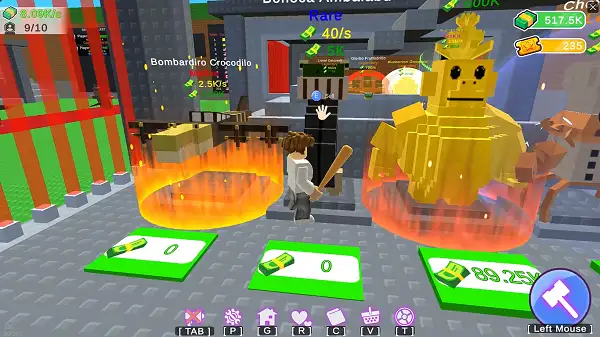
Rob Brainrot 2 is a free, browser-based simulation game where you collect, buy, and steal quirky meme characters called Brainrots, each generating passive income once placed in your base. It’s built as a follow-up to the earlier browser game Steal Brainrots, expanding the roster and adding new systems on top of the same core “earn, defend, raid” loop.
It’s worth being clear about what this actually is: the wildly popular “Steal a Brainrot” name is associated with a genuine Roblox phenomenon – an official game by developer SpyderSammy and DoBig Studios that became one of the biggest Roblox games ever made, surpassing 25 million concurrent players in 2025. Rob Brainrot 2 is a separate, browser-based game inspired by that same Italian Brainrot meme craze and similar core gameplay idea, not an official Roblox product or made by the same studio. If you’re looking for a quick, browser-playable take on the “collect and steal meme characters” concept without touching Roblox itself, this is built specifically for that.
How to Play Rob Brainrot 2
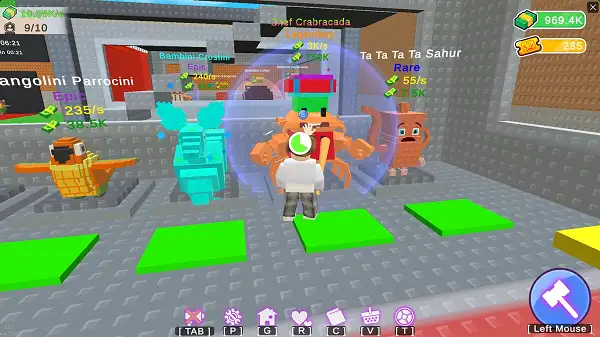
- Collect your first Brainrots. Head to the spawn area in the middle of the map, where a rotating selection of Brainrots appears for purchase.
- Place them in your base. Once positioned, each Brainrot begins generating passive income automatically – the rarer the Brainrot, the more it earns per second.
- Reinvest your earnings. Use the cash your Brainrots generate to buy more of them, aiming for higher rarity tiers whenever you can afford them.
- Lock your base before stepping away. Activating your base’s temporary lock – 30 or 60 seconds – prevents other players from raiding you while you’re not actively watching.
- Equip weapons for defense. If someone does try to raid your unlocked base, having a weapon ready lets you fight back and protect your collection directly.
- Raid other bases when you get the chance. If you find another player’s base unlocked, sneak in and steal their Brainrots to grow your own collection quickly – just watch out, since the base owner can fight back.
- Rebirth once you’ve built up a strong base. Resetting your progress through Rebirth grants permanent bonuses and longer lock durations, letting you rebuild faster and stronger on your next run.
Brainrots and Rarity
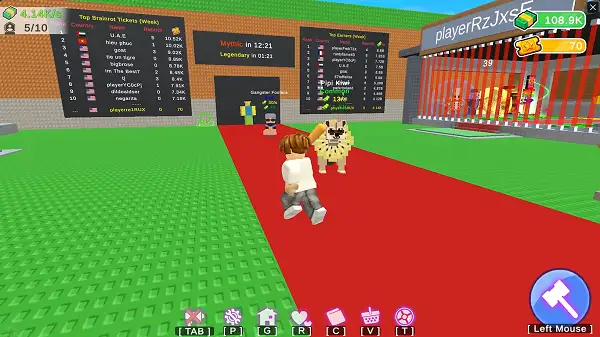
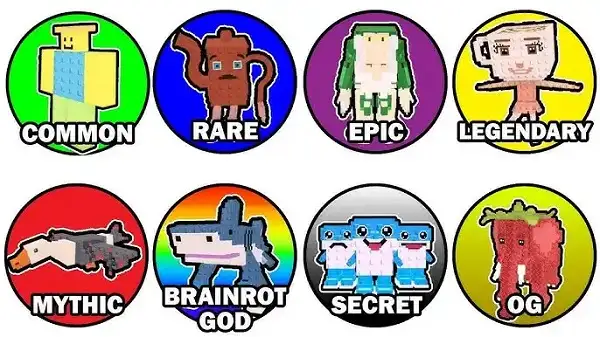
Rob Brainrot 2 features 220 different Brainrot characters, organized into 8 rarity tiers. Rarer Brainrots cost more to acquire but generate significantly more passive income once placed in your base, making them both a bigger investment and a bigger target for other players looking to raid you. Building a collection weighted toward rarer Brainrots – rather than simply having a large number of cheap ones – is generally the more effective long-term strategy, though it does mean more risk if your base gets raided.
Skins and Weapons
Beyond the Brainrot collection itself, Rob Brainrot 2 includes 8 character skins, each offering its own stat bonuses rather than being purely cosmetic. Choosing a skin that complements your preferred playstyle – whether that’s leaning into defense or raiding – adds another layer of customization on top of your Brainrot collection strategy. Multiple weapon types are also available to equip, giving you options for how you defend your base or press an advantage while raiding someone else’s.
The Lucky Wheel
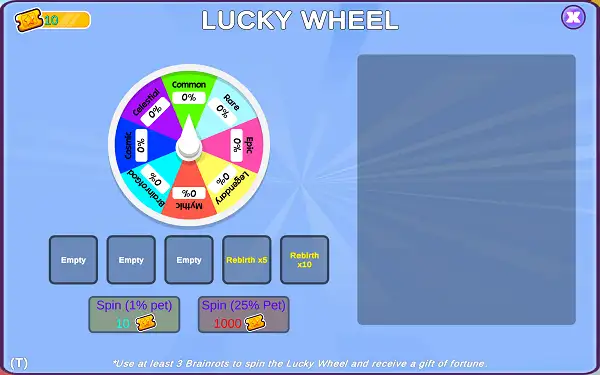
Rob Brainrot 2 includes a Lucky Wheel feature, giving players a chance-based way to win extra rewards beyond the standard buy-and-collect loop. It’s a nice occasional break from the core grind, and worth checking whenever it’s available.
Rebirth System
Once you’ve built up a solid base, Rebirth lets you reset your current progress in exchange for permanent bonuses and longer base lock durations. This is the game’s main long-term progression system – rather than just endlessly stacking Brainrots in a single run, Rebirth rewards players willing to start over strategically, since each subsequent run builds faster thanks to the permanent boosts carried over.
Tips and Tricks
- Always lock your base before you step away, even briefly. An unlocked, unattended base is the easiest target on the map – the 30 or 60-second lock costs you nothing but a moment’s attention.
- Prioritize rarer Brainrots over sheer quantity. A handful of higher-rarity Brainrots typically outearns a much larger collection of cheap, common ones.
- Scout before you raid. Look for bases that are clearly unlocked and undefended rather than charging into the first base you see – a well-defended base can cost you more than you’d gain.
- Equip a weapon before you go raiding, not just for defense. Being caught by a base owner while raiding without a way to fight back is one of the fastest ways to lose the Brainrots you were trying to steal.
- Time your Rebirth for when growth has clearly slowed. Since Rebirth resets your progress, it’s most efficient once your current run’s income growth has plateaued rather than jumping into it too early.
- Pick a skin that matches your playstyle. Since skins carry real stat bonuses rather than being purely cosmetic, choosing one that reinforces whether you play more defensively or more aggressively is worth doing deliberately.
- Don’t skip the Lucky Wheel when it’s available. It’s a free chance at extra rewards on top of your normal progress, so there’s little reason not to use it.
Other Similar Games
Frequently Asked Questions
What is Rob Brainrot 2?
Rob Brainrot 2 is a free, browser-based simulation game where you collect, buy, and defend meme-inspired characters called Brainrots, each generating passive income, while also raiding other players’ bases to expand your own collection.
Is Rob Brainrot 2 the same as the official Roblox game Steal a Brainrot?
No. Steal a Brainrot is a hugely popular official Roblox game developed by SpyderSammy and DoBig Studios. Rob Brainrot 2 is a separate, browser-based game inspired by the same Italian Brainrot meme trend and similar collect-and-steal gameplay concept, but it isn’t made by the same developers or officially connected to Roblox.
How many Brainrot characters are in the game?
There are 220 Brainrot characters in total, spread across 8 rarity tiers, with rarer Brainrots generating more income but also drawing more attention from potential raiders.
How do I protect my base?
Activate your base’s temporary lock, which lasts either 30 or 60 seconds, to prevent other players from raiding while you’re away. Equipping a weapon also lets you fight back directly if someone attempts to raid an unlocked base.
How does stealing from other players work?
If you find another player’s base unlocked, you can sneak in and take their Brainrots back to your own base to grow your collection – though the base owner can fight back if they catch you.
What is Rebirth?
Rebirth resets your current progress in exchange for permanent bonuses and longer base lock durations, letting you rebuild your base faster and stronger on subsequent runs.
Do skins affect gameplay?
Yes. Unlike purely cosmetic skins in many similar games, Rob Brainrot 2’s 8 character skins each provide specific stat bonuses.
What is the Lucky Wheel?
The Lucky Wheel is a bonus feature that gives players a chance-based opportunity to win extra rewards beyond the standard collecting and raiding loop.
Which browser works best for Rob Brainrot 2?
Rob Brainrot 2 runs well on Chrome, Firefox, and Edge.
Can I play Rob Brainrot 2 on a phone or Chromebook?
Yes. Rob Brainrot 2 works in any modern browser, including on Chromebooks, and is playable on mobile devices.
Why isn’t Rob Brainrot 2 loading?
Check your internet connection, make sure this site isn’t blocked on your network, and try disabling any ad blockers – these are the most common causes of loading issues.
IoPopular gamesSimulation