🎮 Controls: WASD · Click to Mine/Place · E for Inventory
🌐 Platform: Browser · Desktop · Mobile
What Is Paper Minecraft?
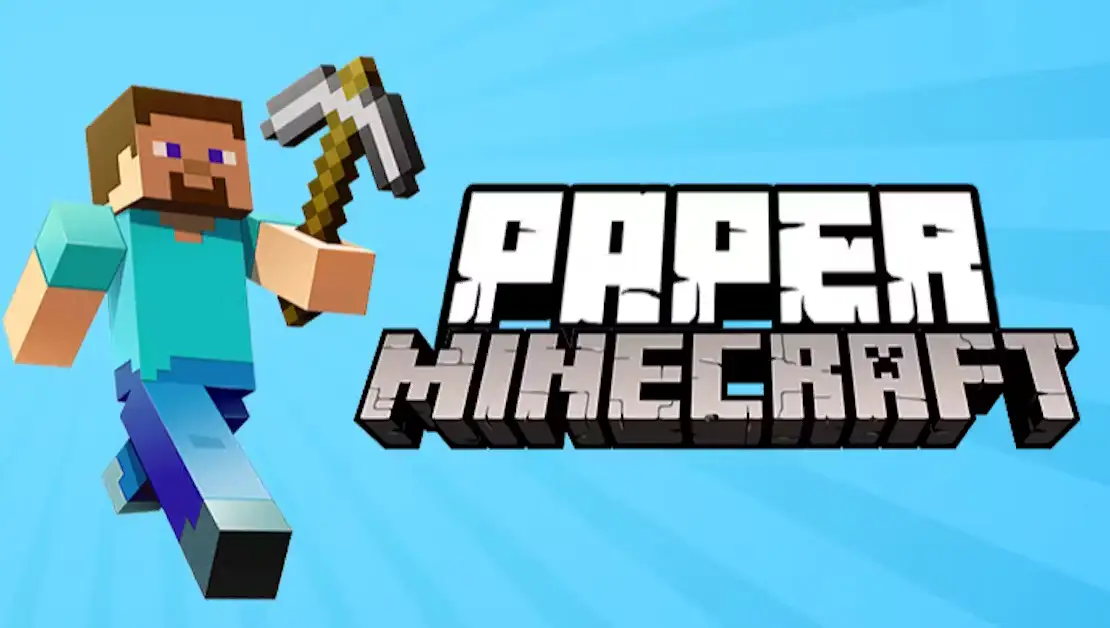
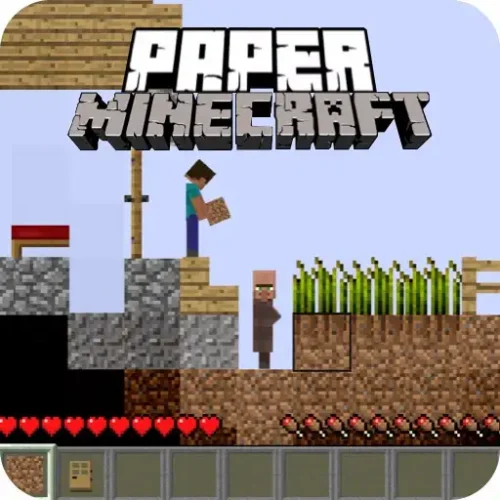
Paper Minecraft is a free 2D browser fan game created by Griffpatch (Andrew Griffin) using Scratch — the free game-making tool developed at MIT. Released in May 2013 and updated continuously since, it brings the core Minecraft experience into a side-scrolling format that runs in any browser with no installation required.
Mine blocks, gather resources, craft tools, build shelters, survive the night against hostile mobs, and explore infinite randomly generated worlds. The mechanics follow Minecraft faithfully — the same crafting recipes, the same day-night cycle, the same biomes — just seen from the side rather than in first-person 3D. Griffpatch is the most-followed creator on the entire Scratch platform, and Paper Minecraft is his most famous project.
No download, no account. Plays on desktop, tablet, and mobile.
GriffpatchDeveloper
May 2013Released
Built in ScratchMIT Platform
FreeBrowser Play
Paper Minecraft
The Three Game Modes
⚔️
Survival
The full experience. You spawn with nothing and must gather resources, craft tools, build a shelter before nightfall, manage hunger, and defend against hostile mobs that emerge after dark. Survival is the mode Paper Minecraft is primarily designed around. Everything in the game — the crafting system, the day-night cycle, the biomes — exists to serve the survival loop. Your first night is the hardest. Every night after that, you are better prepared.
🎨
Creative
Unlimited access to all blocks and materials with no survival threats. You can fly freely, place any block without crafting requirements, and build without the threat of mobs interrupting your work. Creative mode is ideal for players who want to focus entirely on construction — designing large structures, experimenting with block combinations, or exploring what is possible in the 2D world without managing resources or health.
☮️
Peaceful
Survival mechanics without hostile mobs. Resources need to be gathered, tools need to be crafted, and shelter can still be built — but no enemies spawn to threaten your progress. Peaceful is the most effective mode for learning the crafting system and resource chains before attempting Survival. Players new to the Minecraft format who want to understand how materials work without the time pressure of nightfall tend to get the most out of their first Survival session by spending time in Peaceful first.
Controls
Input
Action
W A S D or Arrow Keys
Move and jump
Left Click
Mine / break blocks or attack mobs
Right Click
Place blocks or interact with objects
E
Open inventory and crafting grid
F
Eat food from your hotbar
O
Manually save your world
1 – 9
Select hotbar slots
The Survival Loop — First Night to Long Term
Every Survival run follows the same essential progression. The order matters — skipping steps tends to result in a very short first night.
1
Gather wood immediately
Punch trees to collect wood logs. Wood is the entry point for every other resource in the game. Without a crafting table and basic wooden tools, nothing else in the progression chain is accessible. This should take the first minute or two of any Survival run.
2
Craft a crafting table and basic tools
Open the inventory with E and use the small 2×2 crafting grid to make planks, then a crafting table. Place the crafting table and use its 3×3 grid to craft wooden pickaxe, axe, and sword. Tools mine faster and deal more damage — bare hands work but are dramatically slower for every task.
3
Mine stone and find coal
Stone tools last longer and work faster than wooden ones. Coal combines with sticks to make torches — which are critical for preventing mob spawning inside your shelter and for light during underground mining. Finding coal on the first day is the difference between a lit shelter and a dangerous dark one overnight.
4
Build a shelter before dark
When the sky starts changing colour, stop mining and build. The shelter does not need to be complex — a small enclosed structure with a door keeps mobs out. What it must have is lighting inside. An unlit shelter spawns mobs indoors, which defeats the purpose. Place torches on the walls and floor before sealing the entrance.
5
Survive the first night, then expand
Stay inside or fight mobs carefully from the entrance. Once morning arrives and mobs start despawning, the next days are about expanding: better tools (iron, then diamond), deeper mining, more elaborate structures, food farming, and exploring biomes. The first night is the hardest. Everything after it is you applying what you learned.
The Crafting System
Crafting in Paper Minecraft uses the same recipe patterns as the original Minecraft. A wooden pickaxe, for example, requires two sticks arranged vertically in the center column and three planks arranged horizontally across the top row of the 3×3 grid — exactly the pattern from the 3D game.
Press E to open your inventory and access the crafting grid. The inventory also shows everything you are currently carrying — materials, tools, food, and blocks. Drag items into the crafting grid in the correct pattern and the result appears in the output slot.
Press O to manually save — do not rely on auto-save alone
Paper Minecraft auto-saves periodically, but the interval can be long enough that a significant amount of progress is lost if you close the browser without saving manually. Press O whenever you finish a significant task — completing a shelter, finding a new biome, collecting a rare material. The save takes a second and costs nothing.
Mobs and How to Handle Them
Hostile mobs in Paper Minecraft spawn in darkness — both outdoors at night and in unlit underground spaces during the day. The primary defence against mob spawning is light. Torches placed throughout your base prevent indoor spawning. Torches placed outside near your entrance reduce mob density in the immediate area.
Common hostile mobs include creepers (which explode on contact), skeletons (ranged attackers), and zombies (melee). Each behaves differently and requires slightly different tactics — distance and obstacles help against creepers, circling works against zombies, and covering ground quickly helps against skeleton arrows.
Passive mobs — animals like pigs, cows, and chickens — can be found in the world and provide food resources when killed. Food replenishes your hunger bar, which affects health regeneration in Survival mode.
Biomes and Exploration
The 2D world generates continuously in both directions with different biomes as you travel. Forests provide wood close to spawn. Deserts feature sand and cacti. Mountain biomes have higher elevation and exposed stone. Underground cave systems run beneath every biome and contain the rarer materials — iron, gold, redstone, and diamond — that unlock better tools and more advanced crafting.
The world generates infinitely. There is no boundary and no destination — exploration in Paper Minecraft is entirely self-directed, which is exactly what makes it compelling for different types of players. Builders stay near spawn and develop their base. Explorers travel until they find the biome or structure they want to build around.
Paper Minecraft was created by Griffpatch (Andrew Griffin), a YouTuber and the most-followed creator on the Scratch platform. He built it as a fan project using Scratch, the free game-making tool developed at MIT. It was first released in May 2013 and has been updated continuously since.
Is Paper Minecraft the same as real Minecraft?
No. Paper Minecraft is a fan-made browser game not affiliated with Mojang (the creators of Minecraft). It captures the core mechanics — mining, crafting, building, surviving — but presents them in a 2D side-scrolling format rather than the original 3D first-person perspective. Crafting recipes follow the same patterns as the real game, but it is a separate fan project.
What are the game modes?
Three main modes: Survival (gather resources, build shelter, fight mobs, manage hunger), Creative (unlimited blocks, no threats, flying enabled), and Peaceful (survival mechanics without hostile mobs — ideal for learning crafting before attempting Survival).
How do I save my world?
Press O to manually save your progress. The game also auto-saves periodically but the interval can be long. Always save manually before closing the browser tab, especially after significant progress like completing a shelter or finding rare materials underground.
What controls do I need to know?
WASD or Arrow Keys to move. Left Click to mine or attack. Right Click to place blocks. E to open your inventory and crafting grid. F to eat food. O to save. 1–9 to select hotbar slots.
How do I stop mobs from spawning inside my base?
Place torches inside your shelter. Mobs only spawn in dark areas — a fully lit interior prevents spawning indoors. Torches near the entrance also reduce mob concentration outside. If mobs are appearing inside your base, look for unlit corners or ceiling areas where the light does not reach.
How does crafting work?
Press E to open the inventory and access the crafting grid. Arrange materials in the correct pattern across the grid to produce a crafted item — the patterns follow the same recipes as the original Minecraft game. A 3×3 crafting table (placed from your inventory) expands the crafting grid to allow more complex recipes.
Can I play Paper Minecraft on mobile?
Yes. The game runs on mobile browsers. Touch controls replace the keyboard and mouse inputs. Desktop play is generally more comfortable given the number of keyboard shortcuts, but mobile play works for casual sessions.
✦ Final Verdict
Paper Minecraft earns its reputation as one of the most-played browser games ever made by delivering the core Minecraft experience with remarkable faithfulness in a completely different format. Griffpatch built something that captures why Minecraft became a cultural phenomenon — the satisfaction of the resource-to-tool-to-shelter progression, the tension of the first night, the open-ended creativity of what comes after — and made it accessible in a browser with no installation.