How Spacebar Clicker Actually Works: The Math Behind Your Score
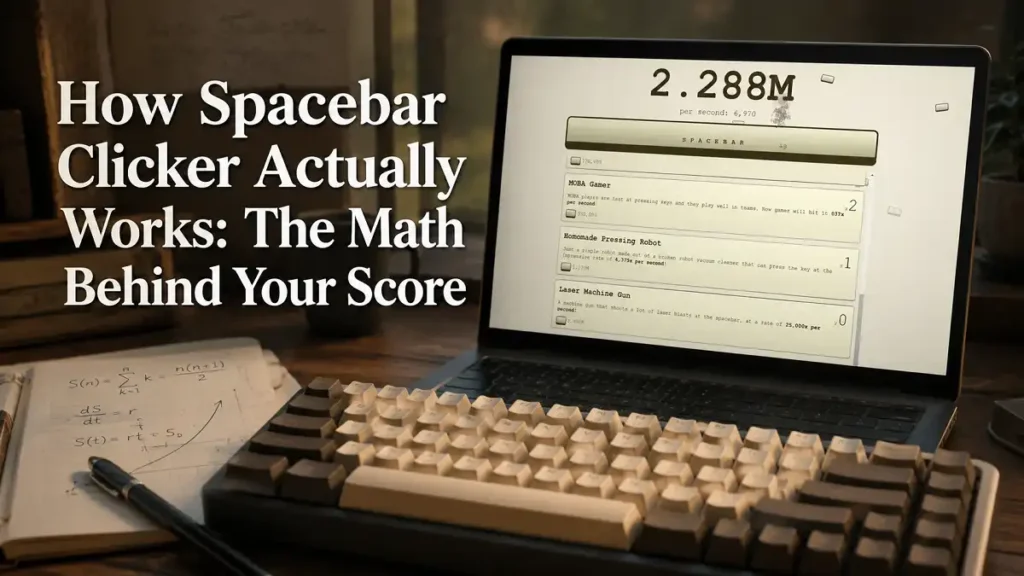
Most Spacebar Clicker guides tell you what to buy. Almost none explain what’s actually happening under the hood when you do — how your point total ticks up, why the same upgrade seems to be worth a different amount depending on who you ask, or what those falling spacebars flying down your screen are actually tracking. This is the mechanics layer pulled straight from the game’s own logic, worked through with real numbers so it’s not just abstract theory.
Table of Contents
- The Tick Rate: How Points Actually Accumulate
- Flat vs. Compounding Upgrades, Worked Out
- The Keyboard Upgrade’s Doubling, Worked Out
- The Spacebar Rain System
- How Your Progress Is Saved
- FAQ
The Tick Rate: How Points Actually Accumulate
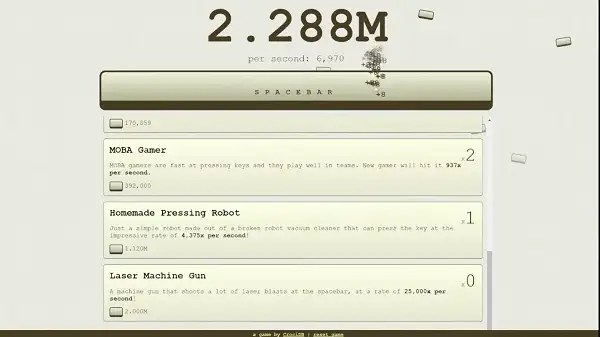
Your point counter doesn’t update once a second and call it done. Internally, the game recalculates your total every 0.01 seconds, adding one-hundredth of your current points-per-second (PPS) value on each tick. That means the “PPS” figure you see displayed is a genuine per-second rate, built from 100 tiny updates rather than a single rounded jump. It’s also why passive income feels smooth rather than stepped, even at very high PPS values.
Manual clicks work differently — each spacebar press adds your current click value immediately, calculated from your base click value (1 point) multiplied by your current Keyboard Upgrade multiplier. That part isn’t on a tick at all; it’s instant, tied directly to your input.
Flat vs. Compounding Upgrades, Worked Out
Monkey, Boomer Mom, and Gen Z Kid are flat — buy five Monkeys and you get exactly 5 × 0.2 = 1 PPS from that line, forever. Simple addition.
Everything from Angry Influencer onward works differently. Each additional copy is worth more than the last, scaling by a fixed percentage per copy. Here’s Angry Influencer specifically — base 150 PPS, scaling ×1.2 per copy — worked out copy by copy:
| Copies Owned | Value of This Copy (PPS) | Cumulative Total (PPS) |
|---|---|---|
| 1 | 150 | 150 |
| 2 | 180 | 330 |
| 3 | 216 | 546 |
| 4 | 259.2 | 805.2 |
| 5 | 311 | 1,116 |
| 6 | 373 | 1,489 |
| 7 | 448 | 1,937 |
| 8 | 537 | 2,475 |
| 9 | 645 | 3,120 |
| 10 | 774 | 3,894 |
This table actually explains a mystery from other guides floating around: reported Angry Influencer speeds of 180 and roughly 644-650 aren’t wrong or made up — they line up almost exactly with the value of the 2nd and 9th copy in this table. Whoever reported those numbers was almost certainly just reading their own shop screen at that point in their save, not a fixed universal value. The same math applies to MOBA Gamer (×1.25 per copy), Homemade Pressing Robot (×1.25), Laser Machine Gun (×1.3), Nuclear Blast Gun (×1.3), and Alien Tech Key Pressing Machine (×1.3) — each just starts from a different base and grows at a different rate.
The Keyboard Upgrade’s Doubling, Worked Out
The Keyboard Upgrade is the only multiplier in the game, and its formula is clean: your manual click multiplier equals 2 raised to your current level. Here’s what that looks like at each level, along with what each level actually costs given the ×3.5 cost growth per purchase from a 6,000-point base:
| Level | Manual Click Value | Cost to Reach This Level |
|---|---|---|
| 0 (none owned) | 1 point per press | — |
| 1 | 2 points per press | 6,000 |
| 2 | 4 points per press | 21,000 |
| 3 | 8 points per press | 73,500 |
| 4 | 16 points per press | 257,250 |
| 5 | 32 points per press | 900,375 |
That cost curve is steeper than any passive upgrade’s growth rate in the game, which is exactly why it’s worth thinking about whether you’re an active clicker before dumping points into it — it does nothing for your PPS, only for the value of presses you make yourself.
The Spacebar Rain System
Those spacebar icons falling down the screen as you play aren’t just random decoration — they’re tied directly to your current PPS, not your total points, and they scale up through 12 distinct tiers.
| Rain Level | PPS Needed | Rain Intensity |
|---|---|---|
| 0 | 0 | None |
| 1 | 10 | 5 |
| 2 | 100 | 10 |
| 3 | 500 | 12 |
| 4 | 1,000 | 15 |
| 5 | 5,000 | 17 |
| 6 | 10,000 | 18 |
| 7 | 50,000 | 19 |
| 8 | 100,000 | 20 |
| 9 | 300,000 | 21 |
| 10 | 800,000 | 22 |
| 11 | 1,000,000 | 23 |
It’s purely cosmetic — the rain effect has no impact on your income either way — but it’s a genuinely satisfying way to feel your progress escalate, and it’s not something any other guide currently documents.
How Your Progress Is Saved
Spacebar Clicker doesn’t have accounts or a server. Your progress saves automatically to your browser’s localStorage, under a key that stores your point total plus each item’s current cost, level, and value as JSON. A few practical consequences follow directly from that:
- There’s nothing to log into, and nothing to recover if you lose access to the specific browser you played in.
- Clearing your browser’s site data, cache, or history can wipe your save completely.
- Progress doesn’t sync between devices or browsers — a run on your phone and a run on your desktop are two entirely separate saves.
- Since everything is local, there’s no real server-side leaderboard tracking your score against other players either.
FAQ
How often does Spacebar Clicker update my score?
Every 0.01 seconds, adding one-hundredth of your current PPS on each update — so the PPS number shown is a real per-second rate, not a rounded approximation.
Why does the same upgrade show a different value each time I check the shop?
For compounding upgrades (Angry Influencer and later), the shop shows the value your next purchase will add, which increases the more copies you already own — it’s not a fixed number.
Does the spacebar rain effect do anything besides look cool?
No, it’s purely cosmetic and tracks your current PPS across 12 tiers, with zero effect on your actual income.
Where is my Spacebar Clicker progress actually saved?
In your browser’s localStorage, as a JSON object containing your point total and each upgrade’s cost, level, and value. There’s no account or cloud save involved.
Can I lose my progress?
Yes — clearing your browser’s cache or site data will erase your save, since nothing is backed up anywhere else. Switching browsers or devices also starts you at a fresh save.
Curious how these numbers play out in real time? Head back to Spacebar Clicker and watch the tick math in motion.
Spacebar Clicker Game
Saqib Javaid
Saqib Javaid is a developer and the founder of Basketball Games Hub, built out of frustration with laggy, ad-choked, login-required browser games. He personally tests every game on the site before it's added, and writes the guides himself so players actually know how to play what they click on.